iPhone app for creators & experts

Turn raw ideas into
into that get noticed

Share your expertise through consistent posts that build audience trust and help relevant clients discover your work.

Download for iPhone

How it works

From “I don’t know what to post” to a blog that works for you

Speak freely. Draft AI cleans up and organizes your thoughts while keeping your voice intact.

0:00
Raw voice recording

[sighs] Okay, so, uh, [clears throat] I had this, this thing with a client yesterday, and it's like, it keeps coming up, honestly. So she's, she spent like three weeks, no, more like a month actually, [sighs] on this, uh, online workshop thing, interactive, and just, you know, tweaking slides, templates, whatever, prepping forever. And then the thing that was actually stuck was she didn't even have like the first three questions for people to ask them. Yeah. [sighs] So I don't know. When something feels stuck, we kinda, we confuse planning with like actually doing it. You don't need, um, four free hours or whatever, just the, the next thing you can actually like see happen. So yeah, 10 minutes, timer. Write three questions, crappy ones, doesn't matter. And when it rings, you just stop or, um, figure out what's next, I guess.

Topic ideas

Fresh angles grounded in your background

Swipe through custom prompts tailored to your experience and pick topics that speak to your readers.

Try on iPhone
712,608

Ideas generated

62.3%

Saved among reviewed ideas

2,271

New ideas generated every day

Business12.3%
Psychology10.5%
Marketing6.8%
Beauty6.2%
Education4.8%
Fitness2.5%
Coaching2.3%
Nutrition1.3%

Yesterday I published one carousel that took me 5 minutes to make, and got 400 people to fill out my waitlist form! Absolutely love it.

I have tried so many tools to free up my time. For me, Draft AI is the best—it gets it right on the first try with almost no edits needed.

Representative generated portrait of a creator
Tetyana
Instagram,
Content remix

Remix compelling clips into your style

Drop any Instagram or TikTok link to extract core insights and reframe them for your audience.

Open in App

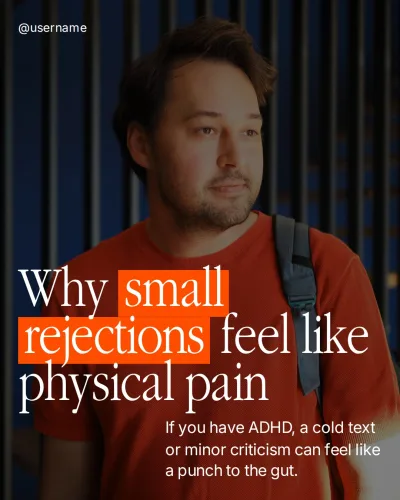
Built-in carousel editor

One-Tap Templates

Apply clean slide templates to your content in one tap.

Fonts and Colors

Adjust fonts and color palettes across your slides easily.

Your Personal Photos

Add photos from your iPhone camera roll into any slide.

Freeform Canvas Layout

Drag and reposition text blocks and photos freely across the slide canvas.

Slide Aspect Ratios

Choose the right aspect ratio option for your slides.

Export Finished Slides

Export your completed carousel slides directly to your device.

Video analysis

Strengthen hooks before you record

Review pacing and story flow to fix weak openings and keep viewers engaged through your entire video.

Download on iPhone

Score

Get an overall rating out of 100 with clear checklists to sharpen your message.

Retention

Pinpoint predicted attention drop zones across your reel to keep viewers engaged longer.

How to rewrite it

I want a tool that writes strong hooks for my niche.

Word by word

Inspect annotated transcript phrases with targeted feedback and rewrites to tighten your delivery.

END-TO-END WORKFLOW

One app for your entire content cycle

Topic ideas

Swipe through custom topic cards shaped around your niche, specialty, and audience preferences.

Content creation

Turn thoughts or voice notes into posts, carousels, Reels scripts, Threads, and sharp hooks.

Content remix

Paste video or carousel links to adapt your own or another creator's material for your niche.

Video analysis

Review videos and scripts with scores, predicted retention graphs, and phrase-level edits.

Soon

In-app teleprompter

Read generated scripts across a built-in camera prompter to record content cleanly in Draft AI.

Soon

Video editor

Remove pauses from recorded or gallery video, generate subtitles, and export clips for publishing.

I understand you could technically piece these automations together yourself, but Draft AI gives you a really pleasant interface and has everything in one place. It genuinely surprised me.

The recommendations are fantastic—the tone is spot-on and everything is completely clear. I use AI tools regularly for work, and honestly, this is something I actually want to pay for.

Representative generated portrait of a creator
Polina
App Store,

FAQ

Everything you need to know

Clear answers about how Draft AI helps you build a thriving blog that works for you.

Contact support
Who is Draft AI designed for?

Draft AI is built for coaches, therapists, educators, and creators who want to share practical expertise consistently and build long-term trust with their audience.

What kind of content can I create?

You can generate carousel slides, Reels scripts, Threads posts, standard text posts, and strong hooks tailored directly to your professional niche.

How do I start if I have no ideas?

You can swipe through personalized idea cards, speak a quick voice note, paste rough notes, or drop in a link to an existing video.

Can Draft AI write in my own style?

Yes. You can provide your own writing samples so generated drafts reflect your natural tone, vocabulary, and preferred communication style.

Can I repurpose my existing content?

Yes. Paste an Instagram or TikTok link from your archive—or another creator's post—to adapt the core ideas and structure for your niche.

Can I customize and export carousels?

Yes. The iPhone app includes a full carousel editor with customizable layouts, fonts, colors, and photos so you can edit everything before exporting.

What does the video and script analysis provide?

Get predicted retention, script scores, and specific wording suggestions to hook viewers. These forecasts guide your draft before you film.

Is Draft AI free or paid?

Draft AI is free to download. AI generation features require an active subscription, while exact, up-to-date pricing details are displayed directly in the app prior to purchase.