Best Content Creation Tools for Busy Marketers
Marketers are constantly juggling content demands across platforms like Instagram, LinkedIn, and YouTube. Balancing speed and quality often feels impossible. Thankfully, AI tools are stepping in to simplify tasks, reduce workloads, and improve results. Here's a breakdown of six top tools that can help you create content faster and more effectively:
- Draft AI: Converts ideas or voice notes into polished social media posts, scripts, or carousels in minutes. Offers multilingual translation and customizable templates.
- Canva Magic Studio: Simplifies visual content creation with drag-and-drop tools, AI design suggestions, and millions of templates.
- CapCut: A free video editor with AI features like auto-captioning, background removal, and color correction.
- ChatGPT: Assists with text generation, brainstorming, and research for content creation.
- Flick: Automates social media captions, hashtags, and scheduling with a focus on boosting engagement.
- SocialBee: Organizes and schedules posts with category-based automation for multiple platforms.
Each tool caters to specific needs, from social media management to video editing, and many offer free plans or trials. Start by identifying your biggest challenge - whether it’s generating ideas, creating visuals, or managing posts - and try one of these tools to save time and effort.
7 Best AI Tools for Marketing & Content Creation (2025)
1. Draft AI
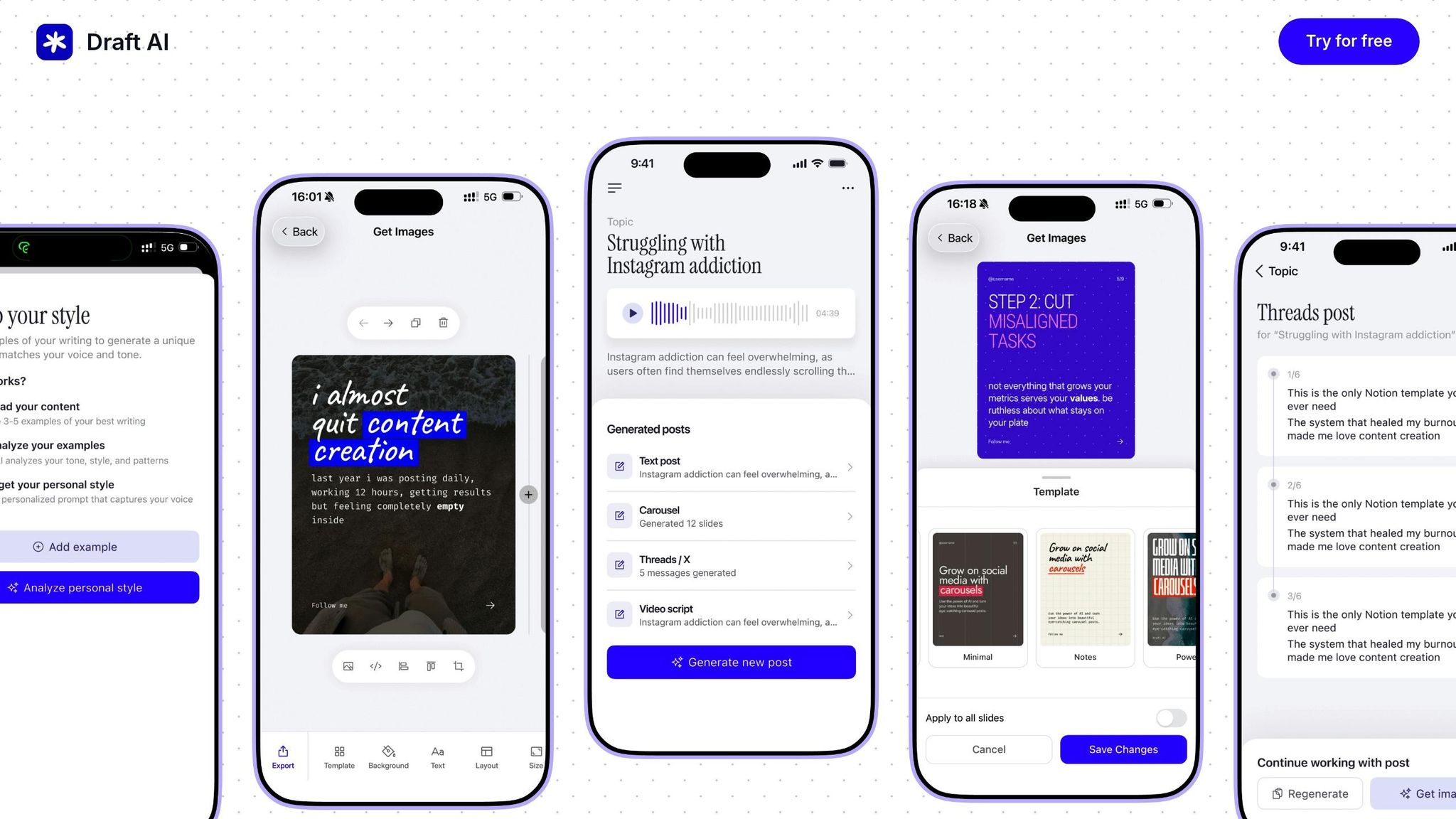
Draft AI is designed to simplify your content creation process by transforming raw ideas or voice notes into polished social media posts, scripts, and carousels in just minutes. It’s a tool that helps you turn concepts into professional content effortlessly.
AI-driven automation features
With Draft AI, you can turn simple inputs - like voice messages or text - into tailored social media content that aligns with your brand’s tone and style. The platform offers customizable writing styles, ensuring your posts resonate with your audience. Plus, its built-in multilingual translation feature makes it easy to connect with a global audience.
To top it off, Draft AI’s smart layout system ensures your text and images are perfectly placed and sized for a professional look.
Time-saving capabilities
Draft AI consolidates multiple content creation tasks into one platform, making it a major time-saver. Whether you’re jotting down ideas on the go or recording voice notes, the tool quickly processes them into structured content. Ready-to-use templates further speed up the process, letting you focus on creativity instead of formatting.
Content quality output
Draft AI doesn’t just save time; it also ensures high-quality results. With advanced text controls, you can tweak fonts, colors, and formatting to match your brand’s guidelines. You can even upload photos, and the platform adjusts everything - text placement, image sizing, and formatting - to meet the specific requirements of platforms like LinkedIn or Instagram. This means one piece of content can easily adapt to multiple channels without losing its visual appeal.
Pricing and scalability
Draft AI offers flexible pricing options to suit different needs:
- Free Plan: Perfect for individuals or small businesses trying out the platform. Includes basic features like limited templates and single-language support.
- Pro Plan: Unlocks full access to templates, advanced text controls, multilingual support, and personalized writing styles.
- Enterprise Plan: Custom pricing tailored for larger teams. Includes exclusive features like custom templates, team collaboration tools, and priority support.
Whether you’re a solo marketer or part of a large organization, Draft AI scales to accommodate your needs, making it a versatile tool for content creation.
2. Canva Magic Studio
Canva Magic Studio is all about helping marketers create professional visuals quickly and efficiently. By combining a simple drag-and-drop interface with smart automation, it takes the hassle out of visual content creation.
AI-driven automation features
The platform's AI tools make it easy to produce a wide range of visuals. For instance, you can transform text prompts into custom, brand-specific designs. Need a product photo or headshot? The one-click background remover isolates subjects in seconds.
Magic Studio also streamlines presentations by turning basic outlines into fully designed slides. Its AI can even help you craft text that matches your brand's tone, whether you're writing captions for social media or copy for a presentation. Plus, the tool suggests design improvements, like complementary colors and fonts, to elevate your social media posts.
These features not only enhance creativity but also save a ton of time.
Time-saving capabilities
Canva's tools are built to make the design process as smooth as possible. Its AI features have been called "essential for fast visual projects". The drag-and-drop interface, paired with automation, makes it easy for anyone - even those without design experience - to create professional content. On top of that, its collaborative tools allow teams to work on designs together, ensuring consistency even when deadlines are tight.
Content quality output
Despite being user-friendly, Magic Studio delivers high-quality visuals. With access to millions of templates, stock photos, and design assets, your content will always look polished. The template library includes options for everything from social media posts to presentation slides, all tailored for specific platforms and purposes.
Pricing and scalability
Canva Magic Studio offers flexible plans to meet various needs:
| Plan | Price | Key Features |
|---|---|---|
| Free Plan | $0/month | Basic features, over 1 million templates, limited storage |
| Pro Plan | $15/month (monthly) or ~$10/month (annual) | Advanced AI tools, millions of templates, extensive stock library |
| Education Discount | Discounted rates | Special pricing for students and educators |
The Free Plan is ideal for individuals or small businesses with basic design needs. For those looking for more advanced features, the Pro Plan - priced at $15 per month or about $120 annually - unlocks Canva's full potential, including enhanced AI tools and a larger asset library. Students and educators can also enjoy Pro features at discounted rates, making it even more accessible for academic use.
3. CapCut
CapCut is a free video editing tool designed to help users create engaging content quickly and efficiently. Developed by ByteDance, the platform combines an easy-to-use interface with AI-powered features that simplify the editing process. This makes it a go-to option for professionals looking to produce high-quality videos in less time.
AI-Driven Automation Features
CapCut includes several AI tools that take the hassle out of video editing. For instance, its auto-captioning and text-to-speech features make adding subtitles and narration a breeze. The platform also offers AI-powered background removal, automatic color correction, and upscaling for low-resolution videos. Additionally, its speech-to-text and multilingual transcription tools allow users to adapt content for audiences worldwide. These features significantly cut down on the time spent editing.
Time-Saving Capabilities
CapCut speeds up video production with a library of over 500,000 customizable templates, effects, music tracks, and stickers. Whether you're editing on a mobile device or a desktop, the platform ensures a seamless experience. It also supports collaborative workspaces, allowing team members to work on the same project simultaneously, which boosts overall productivity.
Content Quality Output
Despite being free, CapCut delivers results that rival professional-grade software. Its AI tools - like automatic background removal, color correction, and video upscaling - ensure your videos meet current quality standards. The extensive library of templates and effects adds to the visual appeal of your projects. However, the mobile app may struggle with more complex projects, and its precision editing tools are somewhat limited.
Pricing and Scalability
CapCut offers a straightforward pricing structure. The free version includes a full suite of video editing tools, AI features, and access to its massive asset library. For those who need advanced options, CapCut Pro is available as an optional upgrade. This version includes enhanced AI tools, e-commerce features, and business-focused capabilities.
| Plan | Price | Key Features |
|---|---|---|
| Free Plan | $0/month | Full video editing suite, AI features, 500,000+ customizable assets |
| CapCut Pro | Optional upgrade | Enhanced AI features, e-commerce tools, business-focused capabilities |
This pricing model allows users to try the platform without any financial commitment, making it easy for teams to test its capabilities before deciding on a paid plan.
4. ChatGPT

ChatGPT is a conversational AI designed to deliver helpful and consistent responses. It works as an excellent addition to other AI tools, simplifying content brainstorming through natural and efficient conversations. With a free version available and paid plans starting at $20 per month, it offers a scalable solution for content creation that suits a variety of budgets. Whether you’re tackling ideation or writing tasks, ChatGPT’s text generation capabilities can handle a wide range of marketing needs. Its pricing structure makes it accessible for individual marketers, small teams, and even larger organizations. Like the other tools mentioned, ChatGPT helps streamline creative workflows and fits seamlessly into today’s digital marketing strategies.
sbb-itb-9f5fe42
5. Flick
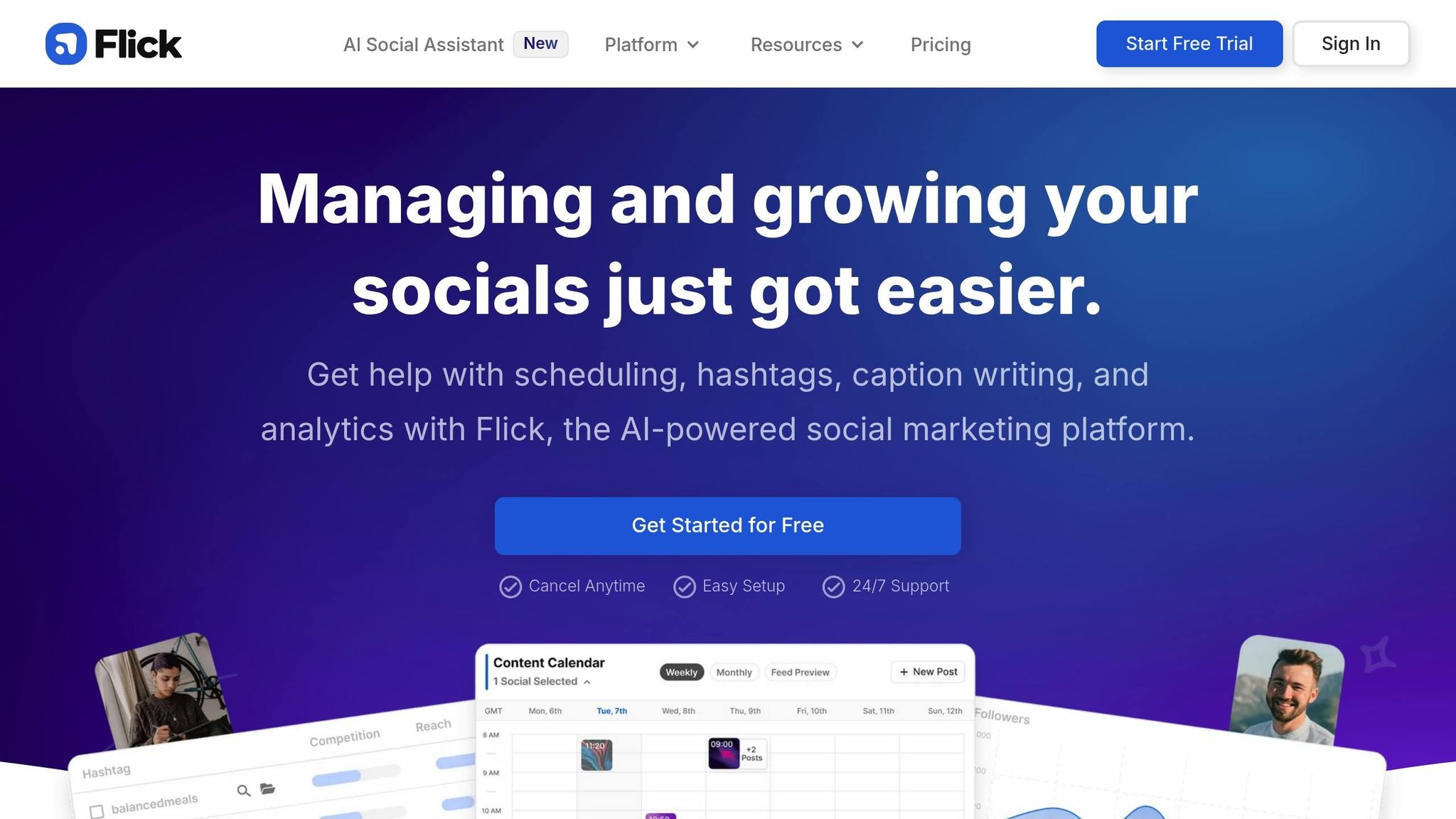
Flick is an AI-powered social media tool designed to simplify content creation and scheduling. Its AI Social Media Assistant takes care of generating captions, hashtags, and post ideas while ensuring your brand voice stays consistent across platforms.
AI-driven automation features
Flick's AI can whip up multiple post variations in just minutes. All you need to do is input a topic or keyword, and the system will automatically generate several content options for you to choose from.
One standout feature is the Hashtag Tool, which uses AI to find, analyze, and manage hashtags intelligently. Instead of guessing which hashtags might work, Flick analyzes data to recommend options that can boost reach and engagement. According to 2024 product updates, this approach has helped users increase Instagram post reach by up to 40%.
Flick also simplifies social media planning by creating auto-generated calendars. These calendars come preloaded with daily post ideas, captions, and hashtags tailored for each platform. For instance, it suggests shorter captions with more hashtags for Instagram, while crafting longer, in-depth posts for LinkedIn. This tailored approach not only saves time but ensures your content is optimized for each platform.
Time-saving capabilities
Flick users report cutting content planning time by up to 30%. For example, a solo marketer juggling multiple accounts can plan, review, and schedule an entire week's worth of posts in under an hour - something that might otherwise take days.
One digital marketing agency shared that Flick helped them reduce content creation time by 60%. This newfound efficiency allowed them to manage twice as many client accounts, leading to both business growth and higher profitability.
Content quality output
Flick doesn’t just save time - it also delivers content that drives engagement. Users often see improvements in likes, shares, and comments on their posts.
That same marketing agency, which saved 60% on time, also reported a 25% boost in client engagement metrics. They credited this success to Flick's ability to craft platform-specific content that resonated with audiences better than manually created posts.
Flick also lets you customize content to align with your brand. You can input guidelines, tone preferences (casual or professional), and keywords, and the AI will generate captions and hashtags that match your target audience. This ensures your brand voice stays consistent across all social channels.
Pricing and scalability
Flick offers flexible pricing plans to fit different needs. The Solo plan starts at $14 per month, covering one user and four social profiles. The Pro plan is priced at $30 per month, supporting two users and eight profiles. For larger teams, the Agency plan costs $68 per month and includes six users and twenty profiles. Pricing is in U.S. dollars, and annual billing options come with additional savings.
All plans include Flick's core AI tools, with higher tiers offering extras like advanced analytics, more user accounts, and additional social profiles. Whether you're an individual marketer or part of a larger team, Flick is designed to scale with your needs. It integrates with Instagram, Facebook, LinkedIn, and TikTok, making it easy to manage and analyze your social media efforts from one place.
If you're curious about Flick, you can try it risk-free with a 14-day free trial. This gives you a chance to see how it fits into your workflow before committing to a subscription.
6. SocialBee
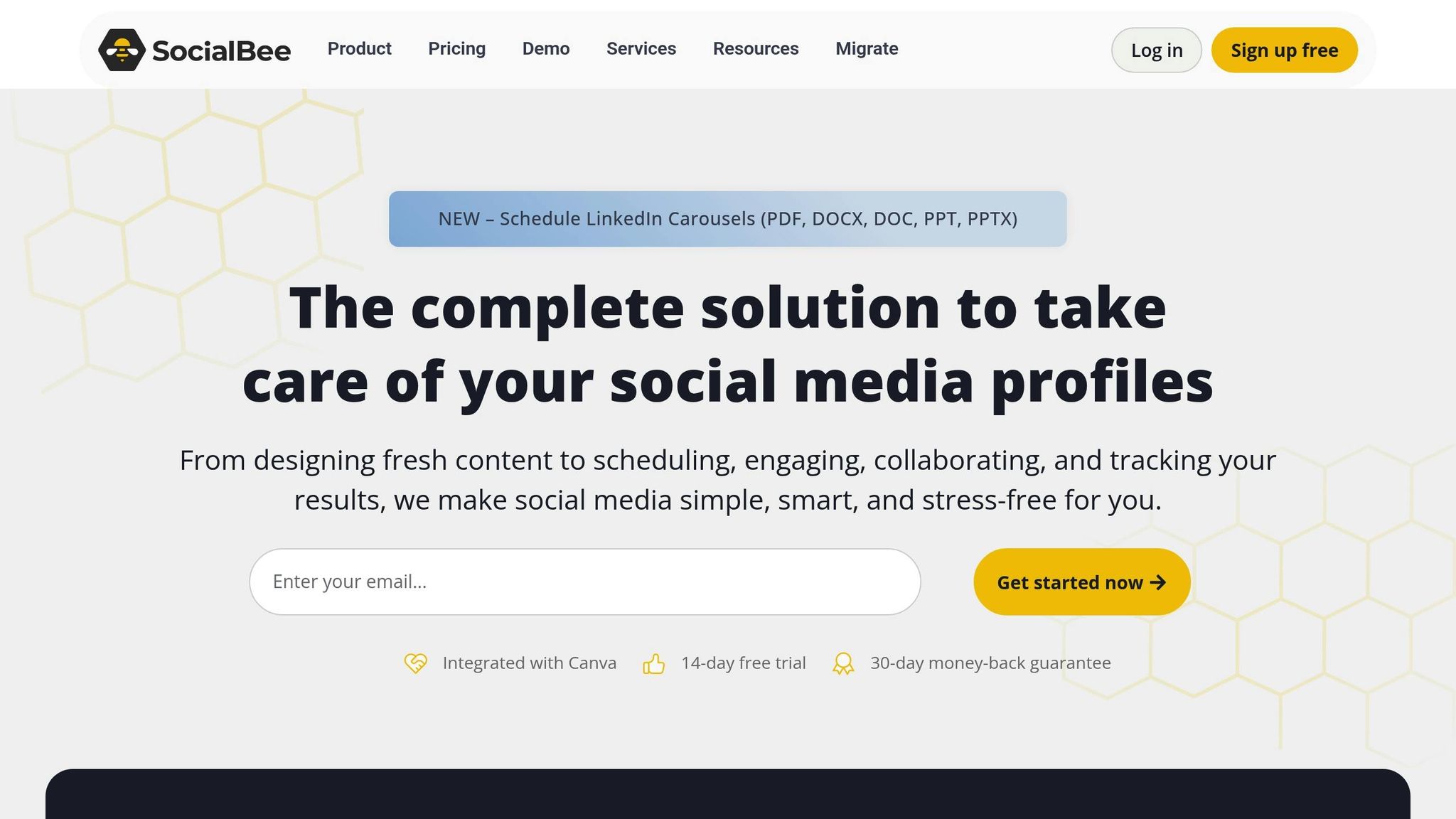
SocialBee is another AI-powered tool worth exploring, offering a smart way to handle content scheduling and organization for social media.
This platform simplifies the often chaotic process of managing social media posts. Its most notable feature? A content categorization system that allows you to create separate queues for different types of posts. For instance, you can organize content into categories like educational, promotional, or humorous, each with its own tailored posting schedule. SocialBee supports all the major platforms, including Instagram, TikTok, X (formerly Twitter), Facebook, Pinterest, YouTube, LinkedIn, and Google Business Profile.
Simplified Automation
With SocialBee, you can say goodbye to the daily hassle of deciding what to post. The tool enables batch content creation and automates publishing, making it especially useful for marketers juggling multiple brands.
Flexible Pricing Options
SocialBee provides a 14-day free trial, making it easy to test out its features. Whether you're a solo marketer or part of a team managing several brands, the platform offers scalable solutions to fit your needs.
Tool Comparison Chart
Picking the right content creation tool can significantly affect your marketing results. Here's a quick overview of the standout features and use cases for some popular tools, based on the details shared earlier.
| Tool | Primary Use Case | Key Features | Pricing | Best For |
|---|---|---|---|---|
| Draft AI | Social media content generation | AI-driven personal writing styles, multilingual translation, ready-to-use templates, voice-to-text input | Free plan available; Pro plans vary in cost | Marketers needing fast, tailored social media content |
| Canva Magic Studio | Visual content creation | Drag-and-drop editor, extensive templates, AI design suggestions, brand asset management | Free plan; paid plans start at $15/month or $120/year | Non-designers creating social graphics, presentations, and videos |
| CapCut | Mobile video editing | AI background removal, auto-captioning, customizable effects, flexible editing tools | Free with optional Pro upgrades | Short-form video creators for TikTok, Instagram Reels, and YouTube Shorts |
| ChatGPT | Text generation and research | AI writing assistance, brainstorming, content refinement, quick research capabilities | Free version available; paid plans start at $20/month | Content ideation, copywriting, and research tasks |
| Flick | Social media management | AI Social Media Assistant, hashtag analysis, content calendar automation, platform-specific optimization | Starts at $14/month (Solo); Pro at $30/month; Agency at $68/month | Marketers focused on scheduling and hashtag strategies |
| SocialBee | Social media scheduling | Content categorization, batch creation, multi-platform support, automated publishing | 14-day free trial; flexible pricing plans | Teams managing multiple brands across various platforms |
For cost-conscious marketers, tools with strong free versions, like Draft AI or CapCut, can be game-changers. Solo marketers pressed for time may find Draft AI's voice-to-content feature especially useful. On the other hand, teams often benefit from tools with collaborative features. For example, Josh Neuman, founder of Chummy Tees, shared that his team uses Canva's mood boards during brainstorming sessions to refine designs and gather inspiration.
CapCut's mobile-first approach is perfect for marketers targeting younger audiences on TikTok or Instagram, where short-form videos drive engagement. Meanwhile, enterprise-level marketers should look for scalability, with options like Draft AI offering custom pricing and advanced features to accommodate larger teams.
Testing free trials or free versions is a smart move when deciding which tool fits your workflow best. This comparison provides a clear starting point to help you select the tool that aligns with your content creation needs.
Conclusion
AI-powered tools are reshaping the way we create content, offering marketers the ability to produce engaging materials more efficiently. The six tools we’ve explored each address specific challenges in content creation, helping to save time and effort while maintaining quality.
For instance, Draft AI is perfect for quickly crafting social media posts tailored to various campaigns. Canva Magic Studio and CapCut simplify the creation of visual and video content, while ChatGPT acts as a versatile brainstorming and research assistant. Meanwhile, Flick and SocialBee excel at streamlining content scheduling and distribution across platforms.
The key to maximizing these tools lies in identifying your biggest time-consuming task. If social media posts eat up your day, try Draft AI’s free plan. Struggling with video editing? CapCut could be your go-to. Need help managing content across multiple platforms? SocialBee has you covered.
Start with one tool that addresses your primary challenge. Many of these tools offer free trials or plans, making it easy to test and find the right fit. By strategically integrating these tools into your workflow, you can let AI handle repetitive tasks, freeing you to focus on creativity and strategy.
These tools aren’t just about saving time - they’re about transforming how marketing teams work, allowing for greater efficiency and impact.
FAQs
How can AI tools like Draft AI make content creation easier for busy marketers?
AI tools, like Draft AI, make content creation more efficient by automating tasks that often eat up valuable time - think social media posts, graphic design, video editing, and even copywriting. These tools allow marketers to create polished, professional content quickly, all while maintaining a high level of creativity and attention to detail.
With AI handling the repetitive work, marketers can shift their focus to bigger-picture tasks like strategy and building audience connections. The result? More time saved and consistent, high-quality content that aligns perfectly with what their audience wants.
What features should a content creation tool have to simplify managing multiple social media accounts?
When juggling multiple social media accounts, it's essential to choose a content creation tool that connects seamlessly with various platforms, is simple to navigate, and makes scheduling content a breeze. Look for tools that also support team collaboration and offer clear workflows to keep your efforts organized and consistent across all channels.
Features like automation for repetitive tasks and customizable templates can be game-changers, saving you time while ensuring your content remains polished and professional. Focusing on these capabilities can simplify your content creation process and take some of the pressure off your team.
How do AI-powered tools like Canva Magic Studio and CapCut help marketers create high-quality visuals and videos more efficiently?
AI-driven tools like Canva Magic Studio and CapCut are transforming how marketers create visuals and videos, making the process quicker and more efficient. Canva Magic Studio simplifies graphic design with features such as automated layouts, smart resizing, and tailored design suggestions. On the other hand, CapCut enhances video editing by offering tools like auto-captions, background removal, and AI-powered effects, enabling you to produce professional-quality videos with ease.
By automating repetitive tasks, these tools free up your time, letting you focus on the creative aspects while ensuring your content remains consistent and polished.


