How Voice-to-Text Speeds Up Content Creation
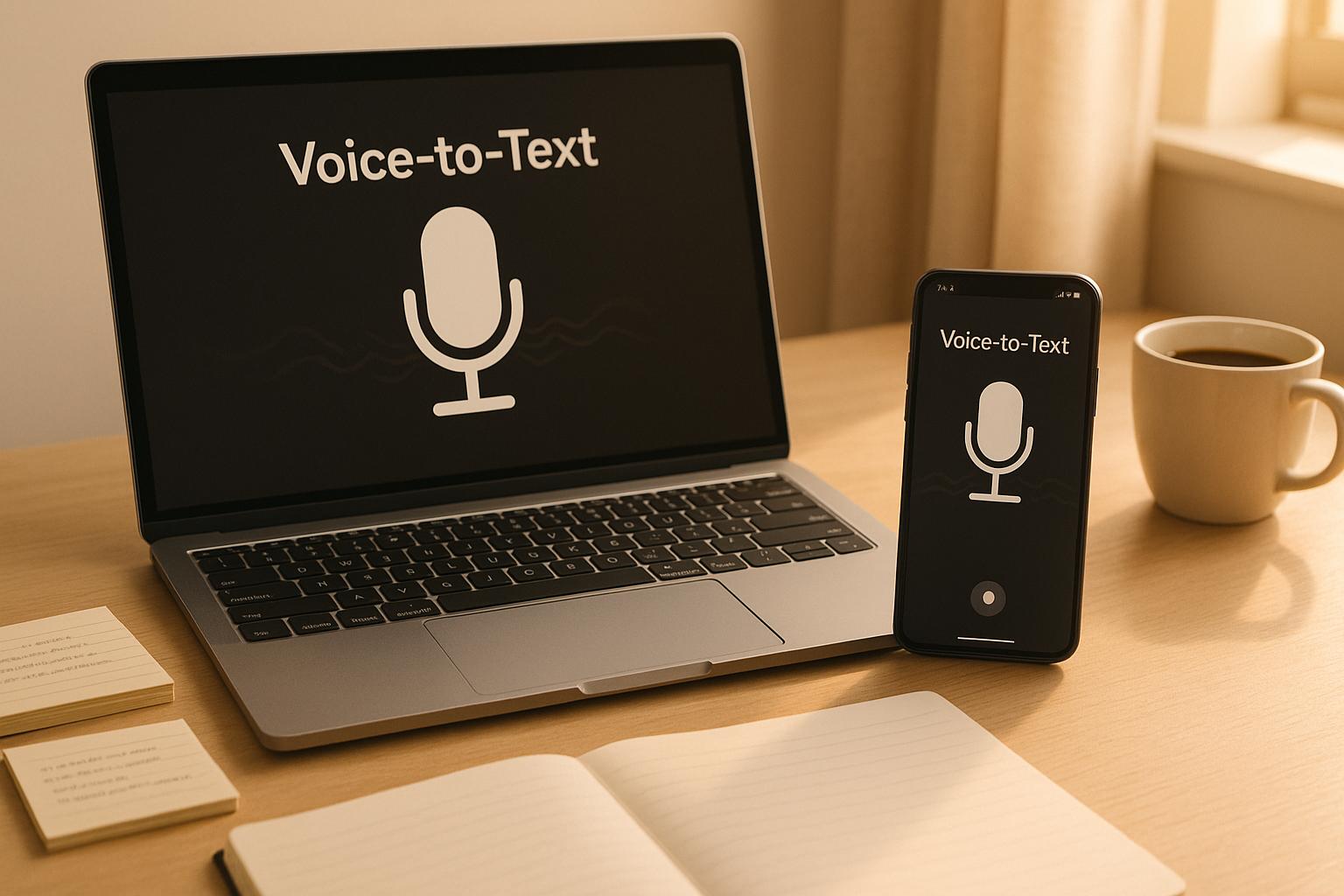
Voice-to-text technology is transforming content creation by converting spoken words into written text quickly and efficiently. Tools like Draft AI go beyond basic transcription, organizing your ideas into structured formats like blog posts, social media captions, or video scripts. This approach saves time, captures ideas naturally, and reduces the strain of typing.
Key Benefits:
- Faster Workflow: Speaking is 3-4x faster than typing (average speaking speed: 125-150 words/minute).
- Natural Tone: Voice recordings often result in conversational, engaging content.
- Flexibility: Record ideas on the go and let AI tools refine them.
- Customization: Tools can match your writing style and adapt to various formats.
While voice-to-text can streamline content creation, it’s not perfect. Accuracy may suffer in noisy environments, and editing is still required for clarity and polish. However, pairing voice recording with AI tools like Draft AI can help creators produce high-quality content efficiently.
Pro Tip: Start small by recording quick ideas and letting AI tools shape them into ready-to-publish drafts.
How To Use Voice Typing in Word and Google Docs
Setting Up a Voice-to-Text Workflow
Creating a smooth workflow for turning spoken ideas into written content can save time and keep your creativity flowing. Here's how to make it happen:
Choosing a Voice-to-Text Tool
Start by picking a transcription tool that fits your needs. The best tools should work effortlessly across your devices and handle your everyday requirements. Once you've chosen one, you're ready to begin capturing your ideas through voice recordings.
Recording and Converting Voice Notes
When recording, speak naturally and clearly. It helps to provide some context for your notes, like whether you're brainstorming a blog outline or drafting a social media caption. The goal is to quickly capture your thoughts without overthinking.
Adding Transcripts to Draft AI
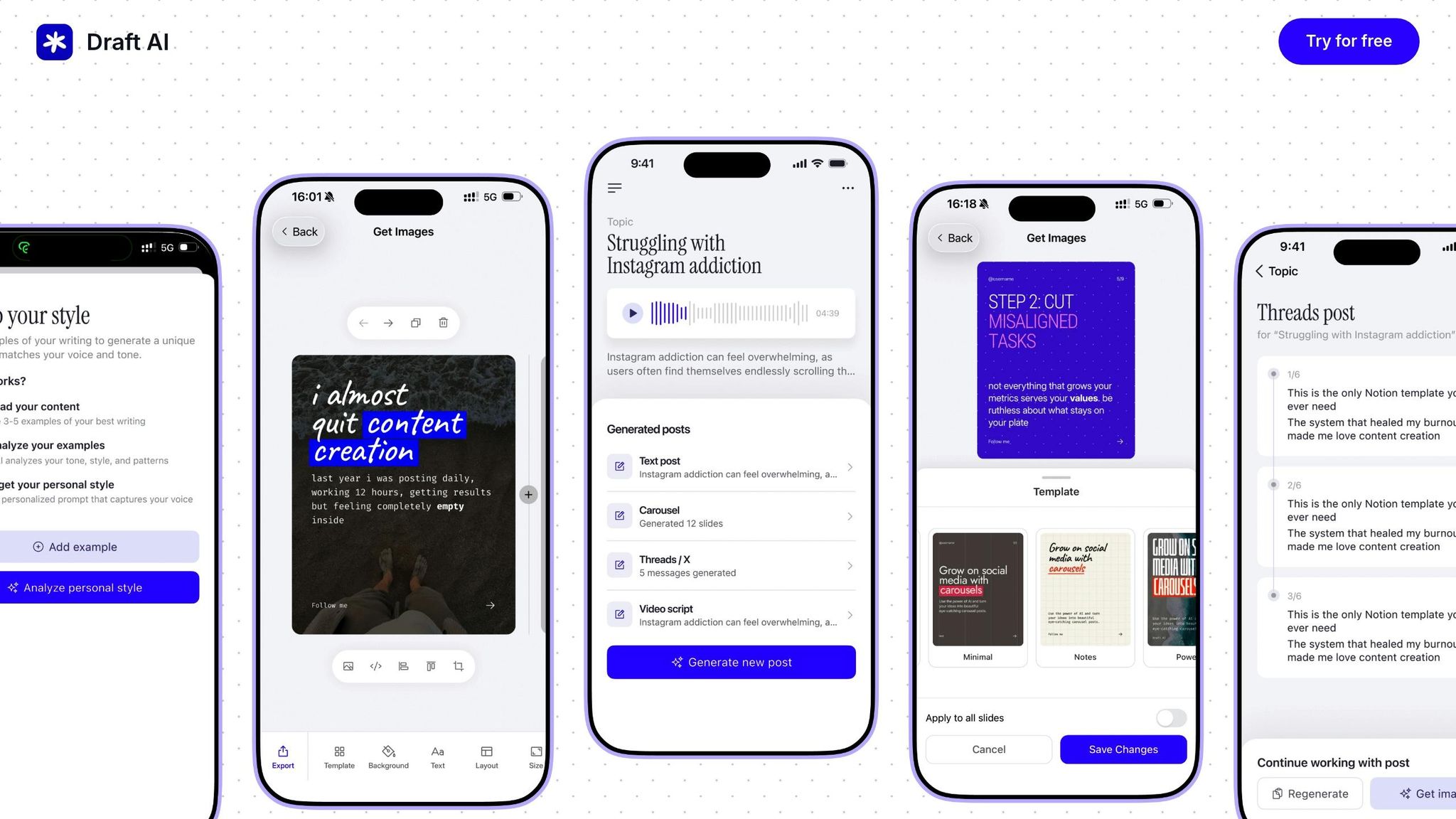
After recording, import your transcript into Draft AI to shape your raw ideas into polished content. Be sure to include details such as your target audience, tone, and content objectives. This extra context helps Draft AI refine your recordings into structured, usable text.
Improving Your Workflow with AI-Powered Tools
Integrating AI-powered tools with your voice recordings can significantly speed up your content creation process. These tools take your raw spoken ideas and transform them into polished, professional content that aligns with your brand's tone and style.
Once you have your transcripts, the next step is using AI-powered tools to streamline your workflow.
Key Features of Draft AI
Draft AI simplifies the voice-to-text process by turning your recordings into well-structured content. You can send your voice messages directly to the platform, skipping the need for a separate transcription step. Just record your thoughts and let the tool handle the rest.
But Draft AI goes beyond basic transcription. It organizes your voice notes into various formats based on your existing content style. Whether you need social media posts, video scripts, or carousel content, the platform ensures your spoken ideas are formatted correctly while staying true to your brand's voice.
Another standout feature is multilingual translation, which is especially helpful for creators with global audiences. You can record in English, and Draft AI will translate your content into other languages, keeping the tone and structure intact. This eliminates the need to create separate content for each language, saving you time and effort.
Tips for Better Voice-to-Text Results
To get accurate transcriptions, a little preparation goes a long way. Speak clearly, maintain a moderate pace, and choose a quiet setting to minimize errors. This reduces the need for heavy editing later and helps the tools process your words more effectively.
Although brainstorming can feel casual, staying clear and focused helps ensure your key points are captured accurately. If you’re in a noisy environment, try positioning yourself closer to the microphone for better audio quality.
Organizing your thoughts as you speak can also make a big difference. Use phrases like "first point", "next idea", or "moving on to" to create natural breaks in your content. These cues make it easier for Draft AI to format your ideas into structured content.
Matching Outputs to Your Writing Style
One of Draft AI’s most powerful features is its ability to match your personal writing style. It learns from the content you provide and applies your tone, vocabulary, and structural preferences to the final draft.
To get started, share examples of your existing content along with your voice recordings. This helps the platform understand whether you prefer formal or casual language, short and punchy sentences, or detailed and explanatory paragraphs. If your industry has specific jargon, the tool can incorporate that too.
Maintaining consistency in tone and voice becomes almost effortless with this feature. Instead of spending time editing each piece to match your style, the platform does it for you during the content generation process.
Draft AI also adapts to different content formats without losing your unique voice. A LinkedIn post will naturally have a different structure than a video script, but both will still sound like you. This flexibility allows you to create a variety of content types while keeping your brand identity intact and saving time on manual adjustments.
sbb-itb-9f5fe42
Editing and Refining Voice-Generated Content
After setting up your voice-to-text workflow and applying initial AI formatting, the next step is polishing your content to make it publication-ready. This editing phase transforms your spoken ideas into well-structured, professional content suitable for various platforms.
Reviewing and Editing Transcriptions
Start by reviewing your transcription for clarity and flow. Spoken language often includes filler words, fragmented thoughts, and abrupt transitions. These elements, while natural in conversation, can disrupt the readability of written content. Your first task is to identify these issues and smooth out the narrative.
Break lengthy sentences into shorter ones for better readability. If you spot repetitive phrases or circular explanations, simplify and streamline them to make your points more direct.
Watch for common grammar and punctuation errors, especially with contractions and informal phrasing. Decide whether to keep a conversational tone or adjust to a more formal style based on your audience and the platform. For example, casual language might work for social media, but a formal tone is better suited for business proposals.
Double-check technical terms and proper nouns. Voice-to-text tools can sometimes misinterpret industry jargon or company names. To save time in future edits, consider creating a glossary of terms you frequently use.
Once you've cleaned up the text, focus on structuring it for maximum impact.
Using AI Tools for Organization and Structure
AI tools like Draft AI can help organize your voice recordings into structured, coherent content. These tools identify main themes and supporting details, arranging them logically to fit the format you're working on.
For blog posts or articles, AI can suggest paragraph breaks and subheadings to improve readability. If you're crafting social media content, the tool adapts to platform-specific needs - formatting Instagram captions with strategic line breaks and hashtags or structuring LinkedIn posts with clear value propositions and calls to action.
AI tools also assist with content hierarchy, helping you prioritize key points while treating secondary details as supporting information. This feature is especially useful for presentations or video scripts, where clarity and emphasis are critical.
Most platforms offer an outline generation feature, giving you a top-level view of your content's structure. This makes it easier to spot logical gaps, redundant sections, or areas that need more development. If needed, you can record additional voice notes to fill these gaps before finalizing your draft.
Once your content is well-organized, it’s time to refine it for publishing.
Preparing Content for Publishing
Tailor your content to fit the specific platform and audience you’re targeting.
For social media, focus on creating a strong hook in the opening lines. Voice-generated content often starts with “warm-up” phrases that work in conversation but fall flat in text. Replace these with attention-grabbing statements to immediately engage readers.
Pay special attention to call-to-action (CTA) placement. When we speak, we naturally build toward conclusions, but written content often benefits from placing CTAs earlier or repeating them. Make sure your CTAs are prominent and easy to understand.
Think about visual elements during your final review. Voice recordings don’t account for images, infographics, or videos that might enhance your content. Mark spots where visuals could break up text or add value, then adjust your writing accordingly.
For blog content, consider SEO optimization. Speech doesn’t naturally include keywords, meta descriptions, or internal links, so you’ll need to add these elements manually. AI tools can suggest keyword placements that feel natural and seamless.
Before hitting publish, do a platform-specific review. LinkedIn posts should use professional language and offer industry insights, while Instagram content should emphasize personality and visual appeal. For Twitter, ensure logical breaks within character limits, and for email newsletters, use clear, scannable formatting.
Finally, test your content’s readability by reading it aloud. If it sounds awkward or disjointed, it’s likely to feel the same for your audience. This final step helps you catch any remaining issues with flow, pacing, or clarity before publishing.
Pros and Cons of Voice-to-Text Workflows
Voice-to-text workflows can be a game-changer for content creators, offering faster content creation and a more conversational tone. But like any tool, they have their drawbacks. Let’s take a closer look to see if this method fits your needs.
Comparison Table: Pros and Cons
Here’s a quick breakdown of the upsides and downsides:
| Advantages | Disadvantages |
|---|---|
| Speed: Speeds up content creation, often 3-4x faster than typing | Accuracy Issues: Transcription errors require careful editing |
| Natural Flow: Captures conversational tone and authentic voice | Background Noise: Environmental sounds can interfere with transcription |
| Multitasking: Record while walking, commuting, or doing other tasks | Privacy Concerns: Voice recordings may contain sensitive information |
| Reduced Strain: Avoids repetitive typing motions | Technical Dependence: Needs reliable internet and compatible devices |
| Idea Capture: Jot down ideas as soon as inspiration strikes | Editing Time: Requires extra time for cleanup and formatting |
| Accessibility: Great for those with typing difficulties or disabilities | Platform Limitations: Struggles with technical terms or accents |
Most people speak at a pace of 125-150 words per minute, compared to the average typing speed of 35-40 words per minute. This speed advantage makes voice-to-text an attractive option for creators looking to produce content more efficiently.
Speaking also brings a natural rhythm to your words. It allows for varied sentence structures, emotional emphasis, and smooth transitions - qualities that can make your content more engaging. However, accuracy remains a common hurdle. Proper nouns and technical terms often get misinterpreted. For example, a name like "Salesforce" might be transcribed as "sales force", creating confusion.
Environmental noise is another challenge. Recording in a bustling coffee shop or during a windy walk can lead to errors. Even subtle sounds like air conditioning or background chatter can disrupt transcription quality.
When to Use Voice-to-Text Workflows
Despite its limitations, voice-to-text shines in certain scenarios. Here are some ideal use cases:
- Brainstorming sessions: Speaking allows you to capture ideas as they come, without the distraction of typing. You can jump between thoughts, revisit earlier points, and let your creativity flow naturally.
- First draft creation: If staring at a blank page feels daunting, voice recording can be a great way to get started. Talk through your ideas as if explaining them to a friend, and you’ll have a draft ready in no time.
- Repurposing content: Quickly adapt existing content for different platforms by recording new takes, simplifying complex topics, or adding personal insights.
- Mobile content creation: Perfect for on-the-go moments. Record ideas during your commute, on a morning walk, or even while waiting for an appointment.
- Interview transcription and follow-ups: After meetings or interviews, use voice-to-text to capture fresh insights, key takeaways, and potential content ideas.
That said, this workflow isn’t ideal for everything. Avoid it for legal documents, technical specifications, or any content requiring precise formatting or terminology. Similarly, tasks like creating data tables, code snippets, or structured lists are better suited to manual input.
Ultimately, the success of voice-to-text depends on how well it aligns with your goals and environment. If speed, natural expression, and capturing ideas on the fly are your priorities, this method can be a powerful addition to your toolkit.
Conclusion: Faster Content Creation with Voice-to-Text
Voice-to-text technology has reshaped how content is created. Speaking is naturally faster than typing, which means less time spent on drafts and fewer interruptions in your creative flow.
Key Takeaways
Using voice-to-text tools can speed up content creation while keeping your tone and style intact. This makes it a great option for generating social media posts, video scripts, and blog drafts quickly.
The key to success lies in understanding when and where this technology works best. It’s particularly useful during brainstorming sessions, drafting early versions of content, or creating on the go. However, it may not be the best choice for tasks requiring detailed formatting or for working in noisy environments.
Take it a step further by pairing voice recording with AI tools like Draft AI. These tools can transform raw audio into polished content, all while maintaining your personal style. With features like customizable writing styles, Draft AI ensures your voice stays consistent across various formats.
Many creators now use a hybrid workflow: recording ideas via voice and then refining them with AI-powered tools. This approach allows for quick idea capture and the use of pre-built templates to tailor content for specific platforms, all while staying true to your unique style.
Next Steps for Content Creators
Start small by adding voice recording to one part of your process. For instance, record a quick idea during your morning walk, then let Draft AI turn it into a ready-to-post update, complete with visuals.
Draft AI can also convert voice recordings into multilingual content, making it easier to connect with audiences across different regions and languages.
To make the most of this workflow, record in a quiet space, speak clearly, and use templates to streamline your process. Over time, you’ll find more opportunities to turn idle moments into productive content creation sessions.
FAQs
How can I get accurate voice-to-text results in noisy environments?
In noisy settings, achieving accurate transcriptions is possible with modern AI-driven voice-to-text tools that can handle raw, unfiltered audio. Interestingly, using external noise reduction tools might actually harm transcription accuracy by distorting the clarity of your speech. A better approach? Opt for a high-quality microphone and focus on speaking as clearly as possible. Many advanced systems are specifically designed to manage background noise effectively without needing extra filtering.
How can I seamlessly incorporate Draft AI into my content creation process?
To make the most of Draft AI in your content creation process, start by pinpointing the tasks you’d like to streamline - whether it’s crafting social media posts or developing scripts. Take advantage of the voice-to-text feature to transform your spoken ideas or raw data into written content effortlessly. You can also tailor the output by using tools like templates, font and color selections, and photo uploads to match your personal or brand style.
To keep things running smoothly, dedicate some time to explore features like multilingual translation and the AI-driven personal writing style options. By incorporating Draft AI into your daily workflow, you’ll free up more time to focus on honing your creative ideas.
How does Draft AI adapt to my personal writing style and work across different formats and languages?
Draft AI leverages cutting-edge technology to adapt to your personal writing style, making sure all your content feels consistent and aligned with your voice. Whether you're working on social media posts, scripts, or content in multiple languages, it adjusts the tone and structure to suit your unique preferences.
By analyzing the text or voice input you provide, Draft AI produces refined, high-quality content that genuinely reflects your style. Its ability to work across different languages ensures your distinctive tone remains intact, no matter the language you're writing in.


