Ultimate Guide to Carousel Templates for Small Businesses
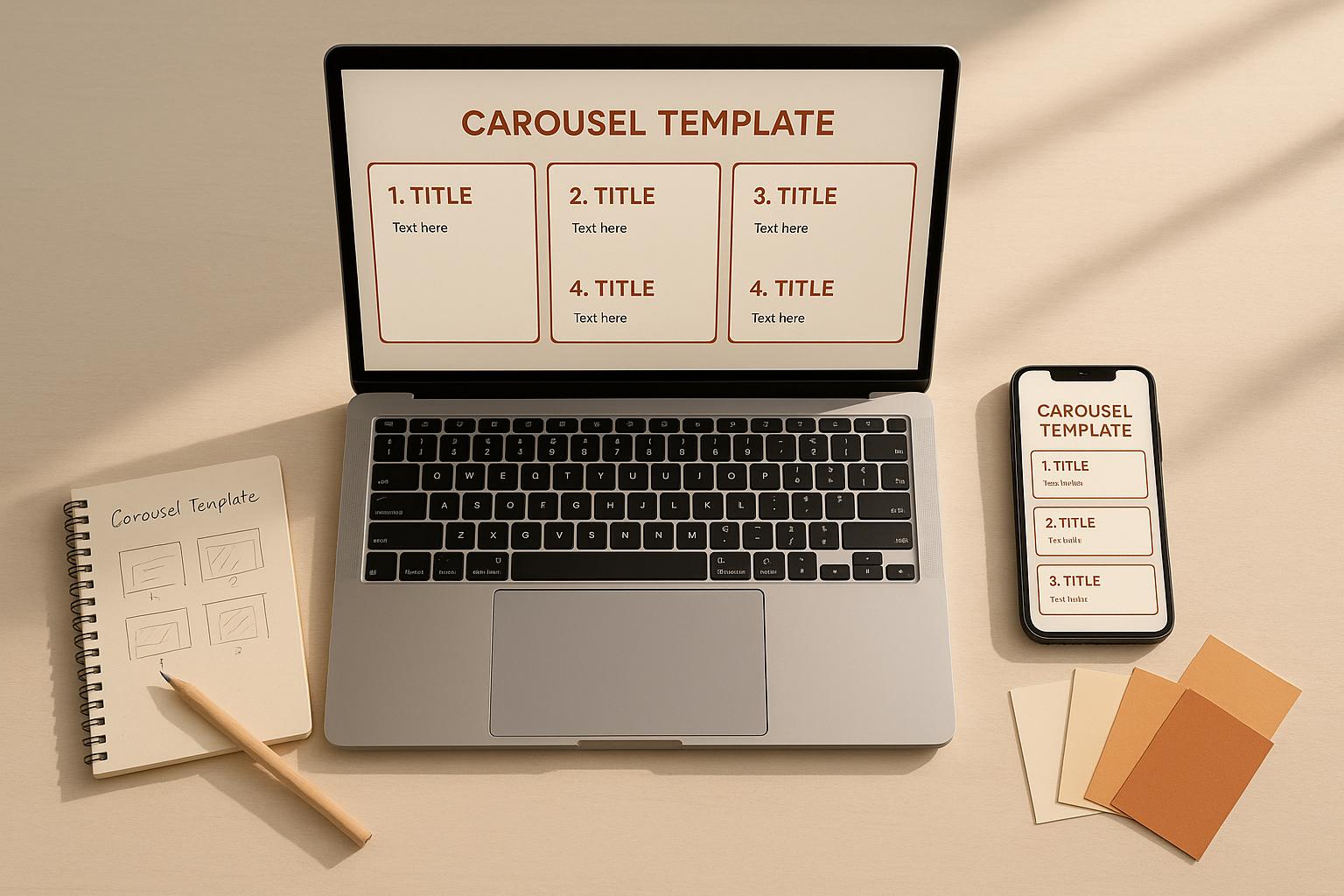
Carousel templates are a quick and budget-friendly way for small businesses to create professional social media posts. They help save time, reduce costs, and maintain brand consistency. With swipeable multi-slide designs, carousels not only grab attention but also encourage engagement. Platforms like Instagram, Facebook, and LinkedIn are ideal for using these templates, especially since carousel posts often outperform single-image content in engagement metrics.
Here’s why carousel templates are worth considering:
- Save Time: Pre-designed layouts simplify the design process, reducing hours of work to just minutes.
- Cost-Effective: No need for expensive tools or hiring designers.
- Boost Engagement: Carousels encourage swiping, increasing interaction and time spent on your content.
- Easy Customization: Adjust colors, fonts, and imagery to align with your brand.
- Accessible Alternative to Video: Achieve multi-slide storytelling without the complexity of video production.
To get started, choose a tool like Draft AI, which offers ready-made templates and customization options. Focus on a strong first slide, concise text, and clear calls-to-action to maximize performance. Track metrics like swipe-through rates and saves to refine your approach. The key is consistency - use templates that reflect your brand identity for a polished and professional look.
Canva Secrets for Creating Shareable Carousel Posts (fast and beautiful!)
Understanding Carousel Templates and Their Platforms
Grasping the concept of carousel templates and knowing where to create them can make a big difference for small businesses. With the right tools and approach, you can create engaging content that resonates with your audience.
What Are Carousel Templates?
Carousel templates are multi-slide, pre-designed layouts that let you share information across swipeable images or cards. Think of them as a digital slideshow tailored for social media. Typically, a carousel includes 2 to 10 slides, but the sweet spot for keeping viewers engaged without overwhelming them is usually 5 to 7 slides.
A well-crafted carousel starts with a hook on the first slide, delivers key information in the middle slides, and ends with a strong call-to-action. These templates maintain a consistent design - using the same colors, fonts, and layout - so your brand identity shines through on every slide.
Carousels work across several platforms, but they’re especially effective on Instagram, Facebook, and LinkedIn. For example, LinkedIn carousel posts boast some of the highest engagement rates, reaching up to 24.42%. This makes them a smart choice for small businesses aiming to stand out on social media without the high costs of video production.
Using templates takes the guesswork out of design. Instead of starting from scratch, you can rely on a proven layout. Just plug in your content, tweak the colors to match your brand, and you’re ready to post - turning what could take hours into just minutes.
Now, let’s look at the platforms that make creating these carousels a breeze.
Platforms for Creating Carousel Templates
Once you understand carousel templates, the next step is finding the right tools to create them.
Here’s the good news: you don’t need to be a design expert or invest in pricey software to make professional-looking carousels. Plenty of platforms cater to small businesses, offering a range of features to fit different needs.
One standout option is Draft AI, which simplifies the process for businesses that need quick and polished results. With Draft AI, you can create carousels by simply uploading raw data or even sending a voice message. The platform transforms your input into ready-to-post carousels in minutes. It also offers customizable templates, allowing you to use your brand’s colors and fonts, upload your own images, and even translate content for a broader reach. This makes it easier to maintain a consistent tone and style across all your posts.
While there are many tools available, Draft AI is particularly well-suited for small businesses seeking a fast and efficient solution. Platforms like this empower businesses to produce eye-catching carousels that strengthen their brand presence with minimal effort.
Design Principles for Carousel Templates
Creating a well-designed carousel can make all the difference when it comes to grabbing and keeping your audience’s attention. By following some key design principles, you can turn your carousel into a visually appealing, engaging experience.
Maintaining Visual Consistency
Keeping a consistent look across all your slides is essential. When your slides feel like they belong to the same "family", viewers can focus on your message instead of being distracted by inconsistent design choices.
Start with your color scheme. Stick to two or three brand colors and use them consistently throughout the carousel. You can switch up which color takes the spotlight on a particular slide, but the overall palette should remain unified. Typography also plays a big role - choose one font for headlines and another for body text, and use these throughout to reflect your brand's personality. Additionally, maintain a similar layout across slides, and place key branding elements, like your logo, in the same position to reinforce your visual identity.
Finally, structure your content in a way that naturally guides your audience through the message without confusion or distraction.
Structuring Content for Engagement
The way you organize your information can determine whether viewers keep swiping or lose interest. Think of your carousel as a mini-story: start with an attention-grabbing opener and finish with a clear call-to-action.
Stick to one main idea per slide to avoid overwhelming your audience. Use smooth transitions between slides - like a teaser or question - to encourage viewers to keep going. Adding slide numbers (e.g., 1/7, 2/7) can also help set expectations and guide users through your content.
When you combine thoughtful structure with cohesive visuals, your carousel will feel like a seamless, engaging journey.
Balancing Text and Visuals
Striking the right balance between text and visuals is crucial for a polished, professional carousel. Too much text can overwhelm your audience, while too little might leave them confused. Keep your text concise and, if needed, spread longer messages across multiple slides.
Pair your text with sharp, relevant visuals that complement your message. For example, use an image or graphic to reinforce the point you're making. Generous white space is your friend here - it keeps slides from feeling cluttered, draws attention to key elements, and maintains a clean, organized look.
Always design with mobile users in mind. Preview your carousel on different devices to ensure text is legible and visuals remain crisp on smaller screens. High-resolution images and precise text alignment will help guide the viewer’s eye and create a professional, polished impression.
sbb-itb-9f5fe42
Customizing Carousel Templates for Your Brand
Customizing carousel templates lets you weave your brand identity into every slide, ensuring a consistent and recognizable presence. By tweaking colors, fonts, and imagery, you can make these templates truly reflect your business.
Adapting Templates to Your Brand Identity
Your brand identity is your visual fingerprint. When customizing carousel templates, focus on three key elements: colors, fonts, and imagery.
Colors are a quick and effective way to align a template with your brand. Most design tools allow you to replace default colors with your brand’s palette. Some even let you alternate colors across slides to add variety while staying true to your guidelines.
Start by identifying your primary brand colors - these are often the shades featured in your logo and website. Use your main color for backgrounds or major design elements, secondary colors for accents, and a neutral tone for text to ensure readability. For precision, use tools that allow hex code input to match your exact brand shades.
Fonts are another pillar of brand consistency. Your typography should echo your business's personality - be it modern, friendly, or professional. Many carousel tools offer a wide range of fonts and even allow custom font uploads.
Stick to one font for headlines and another for body text to create a clear visual hierarchy. If your brand already uses specific fonts, upload them into the tool for seamless integration. Adjust font size and alignment to align with your style guide. Some platforms even include features like "Uppercase Titles", which can automatically format text for a polished look.
Imagery brings everything together. Choose visuals - whether photos, illustrations, or graphics - that align with your brand’s tone. For instance, if your brand leans toward vibrant photography, ensure that energy carries through your carousel. Minimalist brands should stick with clean, simple graphics. Some tools let you apply a single background image across all slides for a cohesive feel.
"AI-powered templates provide consistency in branding while offering flexibility for customization." - PostNitro
Finally, integrate essential visual elements like logos and branded icons to tie your design together.
Adding Logos and Branded Elements
To reinforce your brand identity, incorporate logos and unique graphics into your carousels. Consistency is key - place your logo in the same spot on every slide, typically in a corner where it’s visible but not intrusive.
Most carousel design tools feature a "Branding" tab, allowing you to upload your logo, company name, or website. Once uploaded, your logo becomes a reusable asset, saving time and ensuring uniformity across all slides.
Beyond logos, think about other branded elements that can set your carousels apart - watermarks, custom borders, signature icons, or graphic elements from your other marketing materials. In tools like Sketch, you can create reusable "Symbols" for these elements, streamlining your design process.
Some advanced platforms even offer a "Brand Consistency Engine" that stores all your brand assets - logos, colors, fonts - and applies them automatically to your carousels. This feature is especially useful for small businesses, as it eliminates manual adjustments and ensures every slide aligns with your branding.
"Upload your brand assets once - logos, colors, fonts, style guidelines - and PostNitro ensures every carousel maintains perfect brand consistency across all slides without manual adjustments." - PostNitro
Remember, less is more when it comes to branded elements. Your logo and other visuals should enhance your message, not overshadow it. Position them thoughtfully to reinforce your brand without cluttering the slide.
For those short on time, tools like Draft AI simplify the process with ready-made templates. These templates allow quick adjustments to fonts, colors, and layouts, making it easy to create professional, branded carousels without starting from scratch.
When your carousels consistently feature your brand’s colors, fonts, and visual elements, they become instantly recognizable. This consistency not only builds trust with your audience but also helps your content stand out in crowded social media feeds.
Best Practices for Carousel Post Performance
When it comes to carousel posts, designing them well is just the start. To truly capture attention and spark engagement, you need a thoughtful strategy that considers every detail - from the first impression to the final call-to-action (CTA). Small businesses that get this right often see higher engagement rates, with carousel posts generating an impressive 4.90% engagement for profiles with fewer than 5,000 followers.
Creating an Attention-Grabbing First Slide
The first slide of your carousel, often referred to as the "cover slide", is the most critical part of your post. Why? It determines whether someone will stop scrolling and engage further. This makes it essential to get the design and message just right.
A visually striking cover slide is non-negotiable. Use clean, eye-catching graphics and avoid cluttering the space with too much text. Stick to bold, easy-to-read fonts that work well on mobile devices, where most users view social media.
To maximize visibility, design your carousel at 1080x1350 pixels. This size takes up more space in the feed, naturally drawing more attention than smaller formats.
The goal of your first slide is to pique curiosity. Instead of revealing everything upfront, tease the content. For example, instead of titling your post "5 Marketing Tips", try something like "The Marketing Mistake That's Costing You Customers." This approach entices viewers to swipe through to learn more.
It’s also crucial to clearly communicate the value of your post. Whether you're sharing tips, promoting products, or telling a story, make sure the audience knows what they’ll gain by engaging further. Your value proposition should be obvious within seconds of viewing.
Finally, maintain a consistent look across all slides. Use the same filters, colors, and design elements that align with your brand. This creates a polished, professional feel that keeps viewers engaged.
Using Call-to-Actions to Drive Interaction
CTAs are the bridge between passive scrolling and active engagement. Personalized CTAs, in particular, can drive a 42% higher conversion rate compared to generic ones and perform 202% better than basic alternatives. Crafting action-oriented CTAs like "Get your free marketing guide now" instead of "Download our guide" can make a big difference.
The language of your CTA matters, too. Including power words like "exclusive", "instant", or "proven" can boost conversion rates by up to 12.7%. These words add urgency and value, while using personal pronouns like "you" or "your" makes the message feel more direct and relatable.
Strategic placement of CTAs throughout your carousel is key. On the first slide, use simple swipe prompts like "Swipe to discover →" to spark initial engagement. Midway through, include CTAs like "Save this for later" or "Tag someone who needs this" to keep viewers interacting. The final slide is where you make your primary ask - whether it’s visiting your website, signing up for a newsletter, or making a purchase. This CTA should be clear, specific, and action-oriented.
When it comes to CTAs, less is more. Research shows that focusing on a single, clear action can increase clicks by up to 371% and sales by a staggering 1,617%. Stick to one primary goal per carousel and align all your CTAs with that objective.
Design also plays a role in CTA effectiveness. Button-based CTAs tend to perform better, increasing click-through rates by about 30% compared to plain text CTAs. Surround your CTA with enough white space to make it stand out - this simple tweak can boost conversions by up to 232%.
If you’re using tools like Draft AI, you can experiment with different CTA styles and placements to see what resonates best with your audience. The platform allows you to tweak text and design elements easily, helping you optimize your posts for better results.
Measuring and Improving Performance
Creating carousel posts isn’t a one-and-done effort. To consistently perform well, you need to analyze your results and refine your approach. For context, the average click-through rate for a LinkedIn carousel is just 0.4%, so tracking your metrics is essential to see how you stack up.
Start by monitoring your engagement rate, which combines likes, comments, shares, and saves. High engagement signals that your content is connecting with your audience. For small accounts with fewer than 5,000 followers, aim for that 4.90% engagement benchmark.
Pay special attention to saves. Carousel posts are particularly good at generating saves, especially for accounts with under 10,000 followers. A save means your content has lasting value, which is a strong indicator of success.
Comments are another valuable metric. They show that your post is sparking conversation. Look beyond the number of comments to assess their quality - are people asking questions or sharing their own experiences? This feedback can help guide your future content.
Swipe-through rates are also worth tracking. They tell you how many viewers move beyond the first slide. If you notice a significant drop-off after the second slide, it might be time to rethink your content flow or design.
To make sense of your data, consider where your audience is in the marketing funnel. Are they in the Awareness, Interest, Consideration, or Conversion stage? Tailor your content to nudge them closer to taking action.
Finally, study your top-performing posts. Look for patterns in design, messaging, and engagement. What worked well? Use these insights to inform your future carousel strategies.
Conclusion
Key Takeaways for Small Businesses
Carousel templates offer an easy way for small businesses to shine on social media without the need for expensive design tools. They provide a clear, organized format to share information - whether it’s tips, product highlights, or your brand story - while staying true to your unique voice. This approach keeps your audience engaged and encourages them to explore more.
To make the most of carousels, focus on effective design. A bold, attention-grabbing first slide is crucial, and balanced visuals throughout ensure your message is clear. Adding well-placed call-to-actions (CTAs) can guide viewers toward specific actions, increasing the likelihood of conversions.
Start small and refine your strategy as you go. Monitor engagement metrics like swipe-through rates to see what resonates with your audience. Use this feedback to fine-tune your approach - sometimes even minor updates to your CTA wording or slide layout can lead to noticeable improvements. These steps provide a strong foundation for creating impactful carousel posts.
Creating Your First Carousel Post
Now it’s time to turn these ideas into action. Carousel posts are easier to create than you might think, making them an accessible tool for boosting your social media presence.
Begin by choosing a topic that delivers real value to your audience. Think about the questions they ask most or the challenges they face, then break the information into 5–7 slides that flow logically. Each slide should build on the last, keeping viewers engaged from start to finish.
Tools like Draft AI can simplify the process. You can input raw data or even a voice note about your topic, and the platform will generate polished carousel content in minutes. Ready-made templates take the guesswork out of design, while customization options let you stay true to your brand’s style. Plus, the multilingual translation feature makes it easy to connect with a broader audience without creating separate posts.
Remember, progress matters more than perfection. Publish your first carousel, observe how your audience interacts with it, and adjust based on their feedback. Pay attention to which slides perform best and where viewers lose interest. Over time, these insights will sharpen your content strategy.
The hardest part is getting started. Pick a template, personalize it with your brand’s colors and message, craft an eye-catching first slide, and hit publish. Your first post might not go viral, but it will set the stage for learning what works and building stronger connections with your audience. Each post you create will bring you closer to mastering carousel content.
FAQs
What’s the best way for small businesses to measure the success of their carousel posts and boost engagement?
To gauge how well your carousel posts are performing, it's important to keep an eye on a few key metrics:
- Swipe-through rate: Tracks how many users scroll through all the slides in your carousel.
- Engagement rate: Measures likes, comments, and other interactions on your post.
- Slide-specific performance: Identifies which individual slides attract the most attention or interaction.
- Click-through rate and conversion rate: Shows how many users take actions like visiting your website or completing a purchase.
By analyzing these metrics, you can uncover what type of content connects best with your audience. This allows you to fine-tune your future posts and improve their effectiveness.
How can I customize carousel templates to reflect my brand identity effectively?
When designing carousel templates that truly reflect your brand identity, consistency is key. Incorporate your brand's colors, fonts, and logo into every slide to create a unified and recognizable style. Using the same aspect ratio across all slides will also give your carousel a clean and professional appearance.
Make sure your messaging is clear and to the point, and pair it with visuals that connect with your audience. This approach ensures your carousels not only look polished but also convey your brand's unique personality effectively.
Why do carousel posts perform better than single-image posts on platforms like Instagram and LinkedIn?
Carousel posts tend to perform better than single-image posts because they naturally invite more interaction. When users swipe through multiple slides, they spend more time engaging with the content. This increased interaction sends a positive signal to the platform's algorithm, often resulting in greater visibility and reach.
What makes carousels even more appealing is their ability to present information in a visually engaging and easy-to-follow way. They’re perfect for storytelling, step-by-step tutorials, or showcasing a variety of products and services. This flexibility not only grabs attention but also leads to higher engagement, such as more likes, comments, and shares.


