Top AI Tools for Social Media Managers

Managing social media is easier with AI tools. These solutions save time, improve efficiency, and help you focus on strategy. From creating posts to scheduling and analyzing performance, here’s a quick look at the best options:
- Draft AI: Turns ideas into polished posts with templates, multilingual support, and voice-to-text features. Free and paid plans available.
- Hootsuite: Handles scheduling, analytics, and social listening. Starts at $99/month.
- Sprinklr: Ideal for large enterprises with custom pricing and global content management.
- Buffer: Affordable at $6/month per channel, great for small teams repurposing content.
- HubSpot: Generates captions and reports, starting at $450/month for professional use.
- Narrato: Creates weekly content calendars with AI-generated text and images, starting at $36/month.
Quick Comparison:
| Tool | Key Features | Starting Price | Best For |
|---|---|---|---|
| Draft AI | Templates, voice-to-text, multilingual | Free | Content creation |
| Hootsuite | Scheduling, analytics, social listening | $99/month | Enterprise teams |
| Sprinklr | Global content management | Custom Pricing | Large enterprises |
| Buffer | Platform-ready posts, multilingual | $6/month | Small teams |
| HubSpot | Caption generation, reporting | $450/month | Marketing teams |
| Narrato | Weekly calendars, AI images | $36/month | Scaling content production |
AI tools are transforming social media management by automating repetitive tasks, saving time, and boosting productivity. Choose the one that fits your needs and budget.
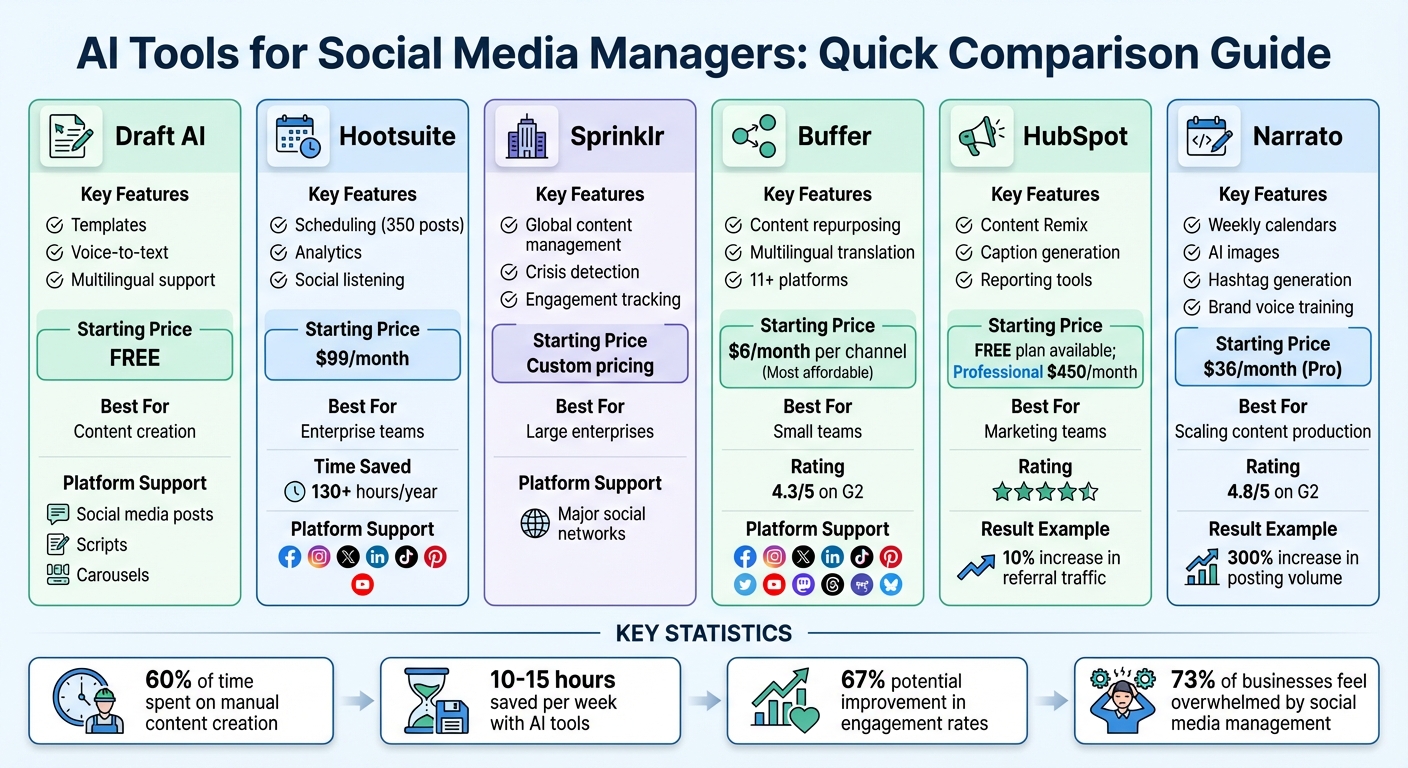
AI Social Media Tools Comparison: Features, Pricing & Best Use Cases
5 BEST AI Tools for Social Media Management in 2025 (life-changing results!)
Draft AI: Content Creation for Social Media Managers
Draft AI takes your raw ideas and transforms them into polished content - think ready-to-publish posts, scripts, or carousels - in just minutes. It cuts out the endless cycle of drafting, editing, and reformatting, saving social media managers both time and effort.
Core Features of Draft AI
This platform is designed to be both fast and flexible, offering a variety of templates for everything from single posts to multi-slide carousels. You can customize fonts and colors to align perfectly with your brand, all without needing a separate design tool. Add visuals with photo uploads, and let the smart layout feature automatically arrange text and images for maximum visual appeal.
Draft AI also supports multilingual translation, making it easier to connect with global audiences - no third-party services required. Its AI-driven writing styles adjust to different tones, whether you're aiming for a professional, casual, or persuasive voice, ensuring your brand's messaging stays consistent. Plus, export options tailored for LinkedIn simplify the jump from creation to publication. These features combine to make content creation faster and more seamless than ever.
How Draft AI Simplifies Workflow
For social media managers juggling multiple content demands, Draft AI is a game-changer. It processes raw data - whether typed or spoken - and turns it into polished, audience-ready material in a fraction of the time it used to take. With its voice recording feature, you can even capture ideas on the fly and see them instantly transformed into structured posts.
Draft AI Pricing Overview
Draft AI offers three pricing options to suit different needs:
| Plan | Monthly Cost | Key Features | Best For |
|---|---|---|---|
| Free Plan | $0 | Limited templates, basic text controls, single language support | Testing the platform or basic account needs |
| Pro Plan | $XX/month | Full template access, advanced text controls, multilingual support, AI-driven styles | Small teams or managers handling multiple accounts |
| Enterprise Plan | Custom pricing | Custom templates, team collaboration tools, priority support | Agencies or large organizations with complex workflows |
The Free Plan is perfect for exploring the platform’s core features or managing simple content needs. The Pro Plan unlocks the full suite of tools, making it ideal for individuals or small teams. For larger operations, the Enterprise Plan offers tailored solutions, including custom templates and advanced collaboration options, to meet more complex requirements.
AI Tools for Social Media Scheduling and Analytics
Getting your posts out at the right time can make all the difference. AI tools not only figure out when to post but also help track how your content performs and provide insights about your audience. They take your content strategy from creation all the way to publication. Let’s explore how Hootsuite and Sprinklr simplify scheduling and analytics.
Hootsuite: All-in-One Social Media Management
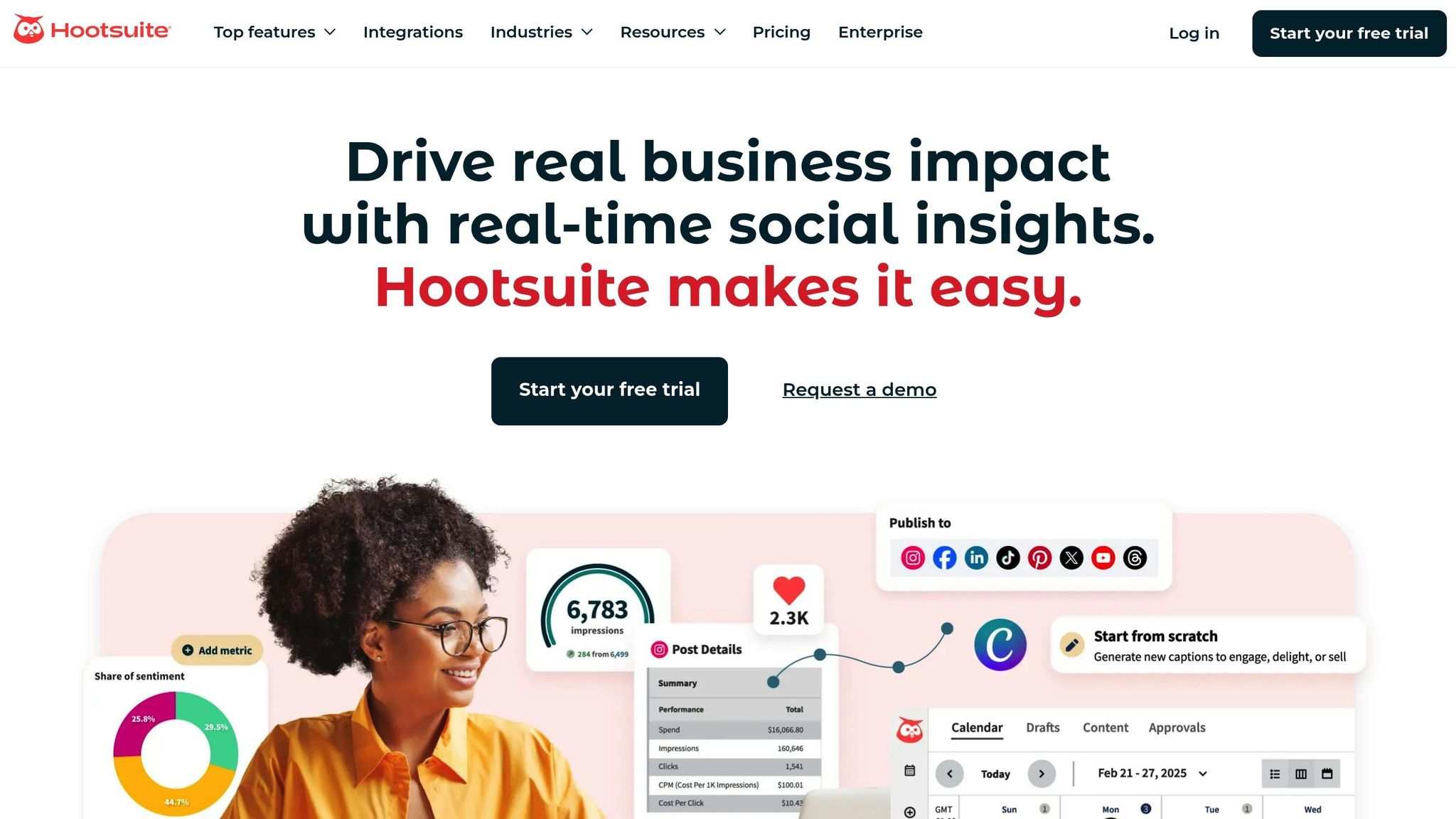
Hootsuite combines scheduling, analytics, and social listening into one seamless platform. With AI-driven recommendations, it identifies the best times to post. You can even bulk-schedule up to 350 posts across multiple platforms, making it easy to stick to a consistent posting schedule without the hassle of manual updates. This automation can save you more than 130 hours per year.
Hootsuite’s Blue Silk AI takes things further by monitoring 150 million websites in 187 languages. It tracks trends, brand mentions, and sentiment spikes, giving you a deeper understanding of your audience. Plus, its AI-powered inbox consolidates all public comments and private messages in one place. With chatbot functionality, it can handle up to 80% of your messaging tasks.
"The analytics dashboard is … invaluable! Hootsuite dashboards provide a birds-eye view on the performance of our many social campaigns. We can quickly analyze the results and create reports at the click of a button." - Slade Meadows, Digital Marketing Manager, Classic of Denton
Sprinklr: Smarter Scheduling and Engagement
Sprinklr caters to enterprise-level needs by focusing on optimizing scheduling and ensuring a consistent brand voice across global platforms. It’s ideal for managing multilingual content, making it easier to run campaigns worldwide. Sprinklr’s AI dives into performance metrics and engagement analytics, helping refine posting strategies for maximum impact. It ensures your brand stays on top of timely engagement, no matter where your audience is.
sbb-itb-9f5fe42
AI Tools for Creative Content Generation
AI tools can take a single blog post and transform it into platform-specific content, captions, and visuals, ensuring a steady flow of updates across your channels. Paired with scheduling and analytics tools, these content generators can be the backbone of an AI-driven social media strategy. Here are some tools that simplify the process to create engaging social media posts quickly.
Buffer's AI Assistant
Buffer's AI Assistant specializes in turning long-form content into platform-ready posts. Whether it's a blog post or a whitepaper, you can create multiple variations tailored to specific platforms. The tool supports over 11 platforms, including newer options like Threads, Mastodon, and Bluesky.
What sets Buffer apart is its ability to maintain brand consistency. You can define tones and styles, and even translate content into multiple languages, making it a time-saver for repurposing material.
Buffer offers a free plan for basic use, while paid plans start at $6 per month per channel. It has earned a 4.3/5 rating on G2, reflecting its reliability and ease of use.
Next, let’s look at how HubSpot simplifies social media captions.
HubSpot AI Social Media Caption Generator
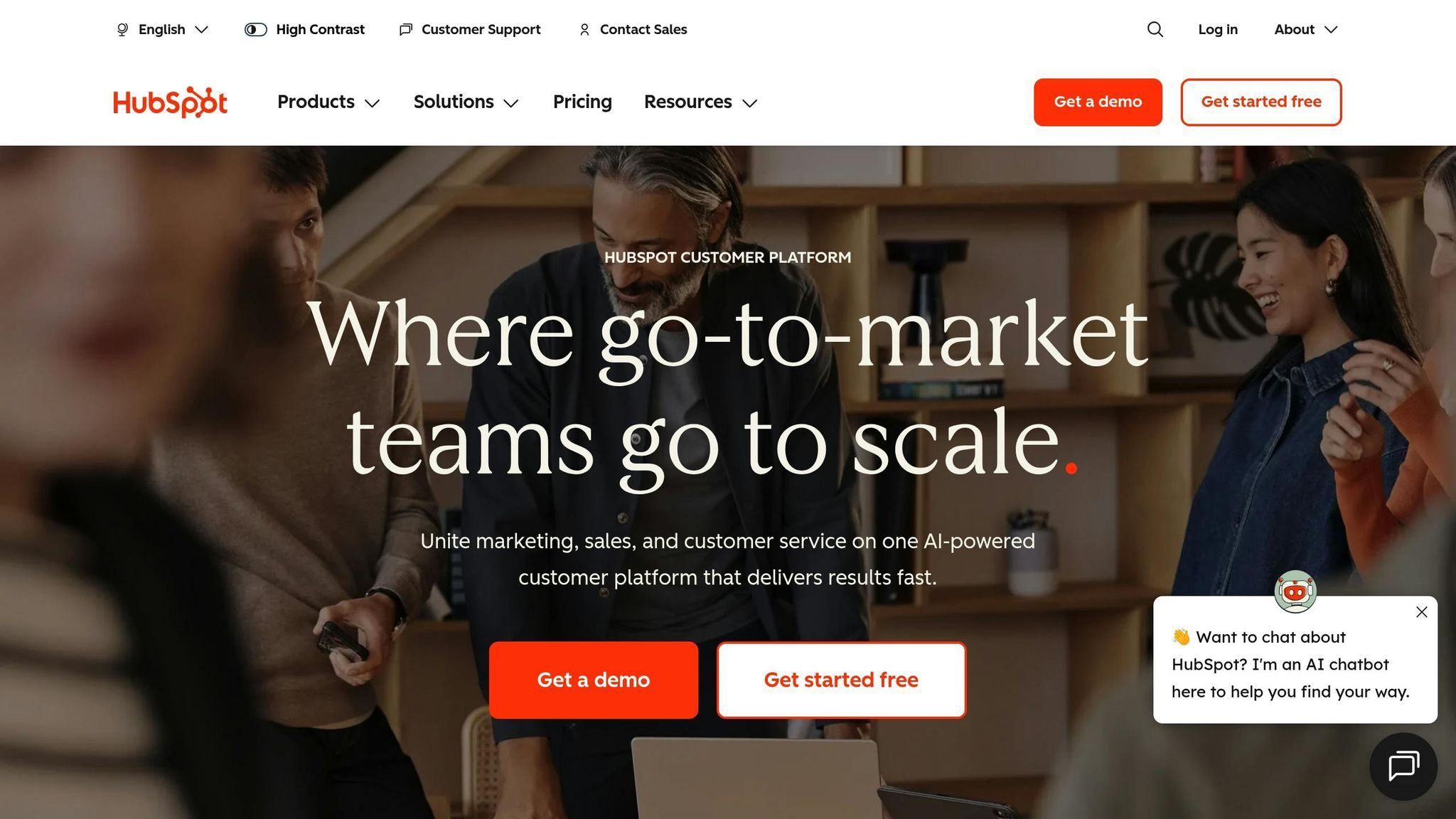
HubSpot's Content Remix feature excels at generating platform-specific posts from a single blog entry in mere seconds. It also includes reporting tools to fine-tune your posting schedules for maximum impact.
In 2025, Adrian Iorga, founder of Stairhopper Movers, used Content Remix to create multiple variations of social posts. This approach led to a 10% increase in referral traffic from social media to his company’s website in just one month.
"It's one of the best AI products I've seen in the last five years... it's incredibly good at analyzing and using brand tone and voice."
- Adrian Iorga, Founder and President, Stairhopper Movers
HubSpot provides a free plan, with its Professional tier starting at $450 per month and the Enterprise tier at $1,500 per month.
Narrato AI Content Genie
Narrato's AI Content Genie offers a comprehensive solution for social media planning. It can generate an entire weekly content calendar based on your website or chosen themes. The tool creates both text and AI-generated images, complete with hashtags and emojis, and can be trained to reflect your brand voice.
In 2025, Safe Systems, a technology company, adopted Narrato’s AI tools under the leadership of former CMO Christine Ray. Their team increased their posting volume by 300% while saving $90,000 annually.
"Using Narrato has enabled us to increase our social media posts by 300%, driving more brand impressions and engagement."
- Christine Ray, former CMO, Safe Systems
Narrato’s Pro plan starts at $36 per month, with the Business tier priced at $96 per month. The platform boasts a 4.8/5 rating on G2.
Comparison Table: Features and Pricing of AI Tools
Choosing the right AI tool often comes down to balancing features with cost. Whether you're a small team looking for affordable solutions or a large enterprise needing advanced capabilities, there's an option for everyone. Here's a breakdown of some popular tools.
| Tool | Key Features | Platform Support | Starting Price | Best For |
|---|---|---|---|---|
| Draft AI | Canvas-based workflow with 50+ AI models (GPT-5, Claude, Gemini); ready-to-use templates; multilingual translation; AI-driven personal writing styles | Social media posts, scripts, carousels | Free plan available | Content creation and research-driven tasks |
| Hootsuite | OwlyWriter AI for captions; bulk scheduling (up to 350 posts); AI-backed posting times; audience heatmaps | Facebook, Instagram, X (Twitter), LinkedIn, TikTok, Pinterest, YouTube | $99/month | Enterprise teams needing advanced analytics |
| Sprinklr | AI-driven scheduling; engagement tracking; crisis detection | Facebook, Instagram, X (Twitter), LinkedIn, TikTok, Pinterest | Custom pricing | Large enterprises with complex workflows |
| Buffer | AI Assistant for repurposing content; broad platform support; brand tone consistency; multilingual translation | Facebook, Instagram, X (Twitter), LinkedIn, TikTok, Pinterest, YouTube, Mastodon, Google Business Profile | $6/month per channel | Small teams and multi-platform posting |
| HubSpot | Content Remix for platform-specific posts; reporting tools; brand voice analysis | Major social networks | Free plan; Professional at $450/month | Marketing teams using HubSpot tools |
| Narrato | AI Content Genie for weekly calendars; AI-generated images; hashtag generation; brand voice training | Social media platforms | $36/month (Pro) | Teams scaling up content production |
The table above highlights the main features and pricing of each tool, but let’s dive deeper into what sets them apart. For larger organizations, Hootsuite and Sprinklr cater to enterprise needs. Hootsuite starts at $99/month and offers bulk scheduling and audience insights, while Sprinklr provides custom pricing for tools like crisis detection, ideal for managing multiple brands at scale. On the other end of the spectrum, Buffer is perfect for small teams, charging as little as $6/month per channel. Meanwhile, Draft AI offers a free plan, giving teams an easy way to experiment with AI-driven workflows without upfront costs.
One of the biggest advantages of these tools is time savings. By automating tasks like captions, hashtag research, and scheduling, managers can reclaim 10–15 hours a week. Buffer, in particular, stands out for its broad platform support, covering everything from Facebook and Instagram to Mastodon and Google Business Profile. In contrast, Hootsuite and Sprinklr focus on major networks like Facebook, Instagram, and TikTok. For teams juggling research and creative production, Draft AI leverages over 50 AI models to streamline workflows.
With social media teams reportedly spending 60% of their week on manual content creation, tools like Draft AI and Narrato can transform productivity by automating the content lifecycle. And with 73% of businesses feeling overwhelmed by social media management, automation is no longer a luxury - it’s a necessity. As AI tools become more integral to staying competitive, picking one that fits your workflow and platform needs is key.
Conclusion: Choosing the Right AI Tools for Your Social Media Success
When selecting AI tools for your social media strategy, focus on those that solve your specific workflow challenges. For example, if content creation feels overwhelming, AI platforms can help trim hours off your weekly workload. If your priority is analytics and crisis management, look for tools with sentiment analysis that can flag potential PR issues 48–72 hours in advance. These tools are just one piece of a bigger strategy, but they can make a huge difference.
It's also important to choose platforms that work well with tools you already use, like Canva, HubSpot, or Google Drive. With social media teams spending about 60% of their time on manual content creation, cutting down on unnecessary switching between tools can free up time for more strategic tasks.
To ensure AI reflects your brand's voice, train it with at least 50 of your top-performing content pieces. A robotic tone can lower engagement by 12%, so this step is crucial. Tools like Draft AI offer features like personalized writing styles and multilingual translation, helping you maintain a consistent voice across platforms and languages.
That said, avoid relying entirely on automation. As Jimit Bagadiya, CEO of SocialPilot, explains:
"The competitive edge is no longer about manual effort but about intelligent automation".
Still, human oversight is essential for shaping the overall strategy and building relationships. Let AI handle tasks like drafting captions, suggesting hashtags, and optimizing post schedules, but keep the big-picture decisions in human hands.
With AI tools capable of improving engagement rates by as much as 67%, the key is finding the ones that align with your goals. Whether you're a solo creator looking to save time or part of a larger team managing multiple brands, the right mix of scheduling, analytics, and content creation tools can elevate your social media game.
FAQs
How can AI tools help social media managers save time and improve results?
AI tools make managing social media easier by taking over repetitive tasks and streamlining workflows. For instance, AI-driven content creation tools can craft captions, design posts, and even create carousel layouts in just a few clicks. This not only ensures your brand voice stays consistent but also saves countless hours of manual work. On top of that, scheduling tools analyze when your audience is most active, helping you post at the perfect time to maximize reach - without the guesswork.
When it comes to analytics, AI steps up by offering real-time insights on trends, audience sentiment, and performance metrics. This means social media managers can fine-tune their strategies, boost engagement, and track ROI without getting lost in complicated data.
Take Draft AI, for example. It can turn raw data or even voice notes into polished social media posts, scripts, and visuals in just minutes. With features like customizable templates, multilingual support, and AI-tailored writing styles, it empowers managers to produce professional, on-brand content with speed and efficiency.
What should I look for in an AI tool for managing social media?
When picking an AI tool for managing social media, focus on features that can save you time while delivering better outcomes. Content creation tools should help you craft top-notch captions, posts, or carousels in no time. Look for options to tweak fonts, colors, and even translate content into multiple languages to keep your branding consistent. Scheduling and automation features are a must - they allow you to plan and publish posts across platforms effortlessly and ensure your content goes live when your audience is most active.
On top of that, analytics tools that uncover useful insights - like which hashtags are working or how engagement is trending - can help you fine-tune your approach. And don’t overlook ease of use. Choose tools that integrate smoothly with your current workflows to keep things running efficiently.
How does Draft AI help ensure your social media content stays on-brand?
Draft AI makes it easy to maintain a consistent brand image by letting you set up tailored visual and linguistic guidelines that apply to all content it generates. You can upload your own brand templates - think fonts, color palettes, and logo placements - so every design or post perfectly mirrors your established visual identity. The result? Content that always looks polished and on-brand.
When it comes to tone and style, Draft AI offers customizable settings to capture your brand's unique voice. Whether your tone is professional, approachable, or playful, the platform adapts by learning from sample text or raw data you provide. This ensures that everything from captions to scripts - even multilingual translations - feels like it was written in your brand's distinct style.
These tools make content creation easier and faster for social media managers, all while ensuring your messaging stays aligned with your brand's personality and vision.


