How AI Boosts Brand Awareness for Small Businesses

AI can help small businesses stay visible without spending hours each week on marketing. If I want more people to know my business name, remember what I sell, and look me up later, AI can help me post more often, reuse ideas, and keep my message steady.
Here’s the short version:
- Brand awareness means people recognize my business, remember it, and search for it by name.
- AI helps save time on repeat content tasks like drafting captions, turning notes into posts, and planning a week of content at once.
- 68% of U.S. small businesses use AI tools, and AI marketing tools can improve output by 30% to 45%.
- AI works best when I give it clear inputs: my message, my tone, my audience, and a few past writing samples.
- I should focus on one or two channels, not try to post everywhere.
- The best raw material often comes from customer questions, objections, reviews, and product notes.
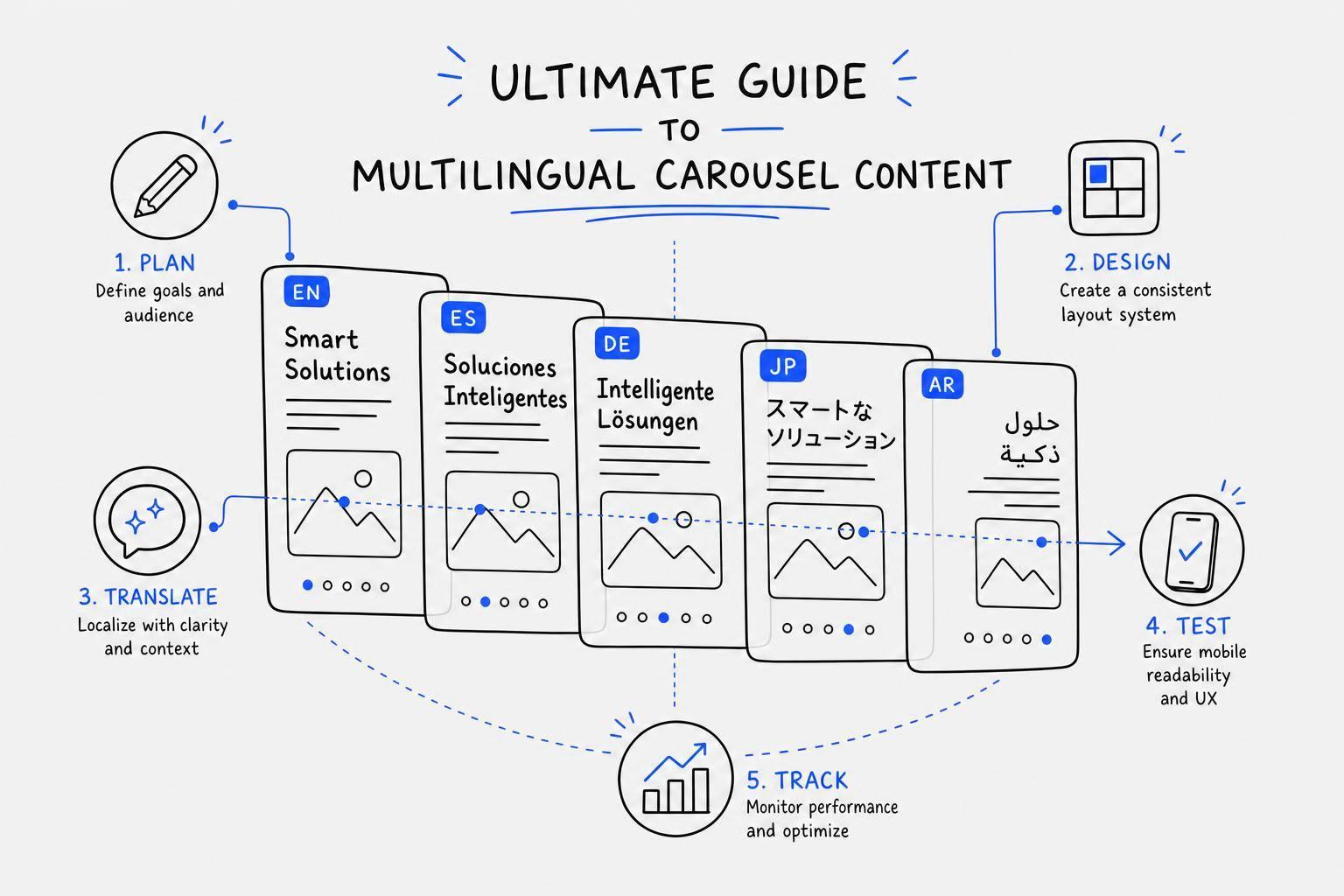
- One idea can turn into a post, carousel templates, and a short video script instead of being used once.
- I need to track reach, profile visits, follower growth, shares, saves, and branded searches to see what’s working.
- AI should handle the repeat work. I should still review the final draft for facts, tone, and calls to action.
If I had to sum it up in one line, it would be this: AI helps me show up more often, but my voice still needs to sound like me.
That’s the main idea behind the article.
How To Use AI to Start, Build & Grow Your Small Business (20 AI Marketing Tools!)
sbb-itb-9f5fe42
Set Up Your Brand Foundation Before Using AI
AI can save a lot of time. But it does its best work when you give it clear brand inputs. Think of this like a short brand brief: who you help, what you sell, and what sets you apart.
Define Your Voice, Message, and Visual Style
Start with one clear sentence that says what you do and why people should care. Then define your tone. Do you want to sound warm and direct? Casual and well-informed? A little more polished? A little more laid-back?
Use 3–4 real samples of your writing or past posts. That teaches AI your voice better than a list of adjectives ever will.
It also helps to keep a short no-use list of phrases that make your brand sound flat or generic. Terms like leverage, delve into, and game-changing often steer content into stiff filler. On the visual side, stick with 2–3 brand colors, your preferred fonts, and one steady image style, whether that’s real photography or a certain illustration look. Small choices like these make your brand easier to spot across platforms.
Pick the Right Audience and Channels
Your audience shapes every post AI helps you make. Don’t stop at age and location. Describe your ideal customer’s situation and biggest headache in plain English.
For example, “homeowners tired of contractors who don't show up” gives AI far better direction than “homeowners ages 35–55”.
Once you know who you're talking to, pick one or two channels where those people already spend time. It’s better to show up on one platform every week than pop in and out of five. That kind of focus gives AI a better target from day one.
Set Simple Awareness Metrics Before You Start Publishing
Before your first AI-assisted post goes live, write down your starting numbers:
| Metric | Why It Matters |
|---|---|
| Reach & Impressions | How many people are seeing your content |
| Follower Growth | Whether new people are finding your account |
| Profile Visits | How often content drives curiosity about your business |
| Shares & Saves | Whether content connects enough for people to keep it or pass it along |
| Branded Search Volume | Whether people are searching for your business by name |
When you have these basics in place, AI is much more likely to produce content that sounds like your brand and supports your visibility goals.
Once your brand brief, audience, and baseline metrics are set, you can use AI to turn rough ideas into steady social media posts in minutes.
Use AI to Create and Publish Social Content Consistently
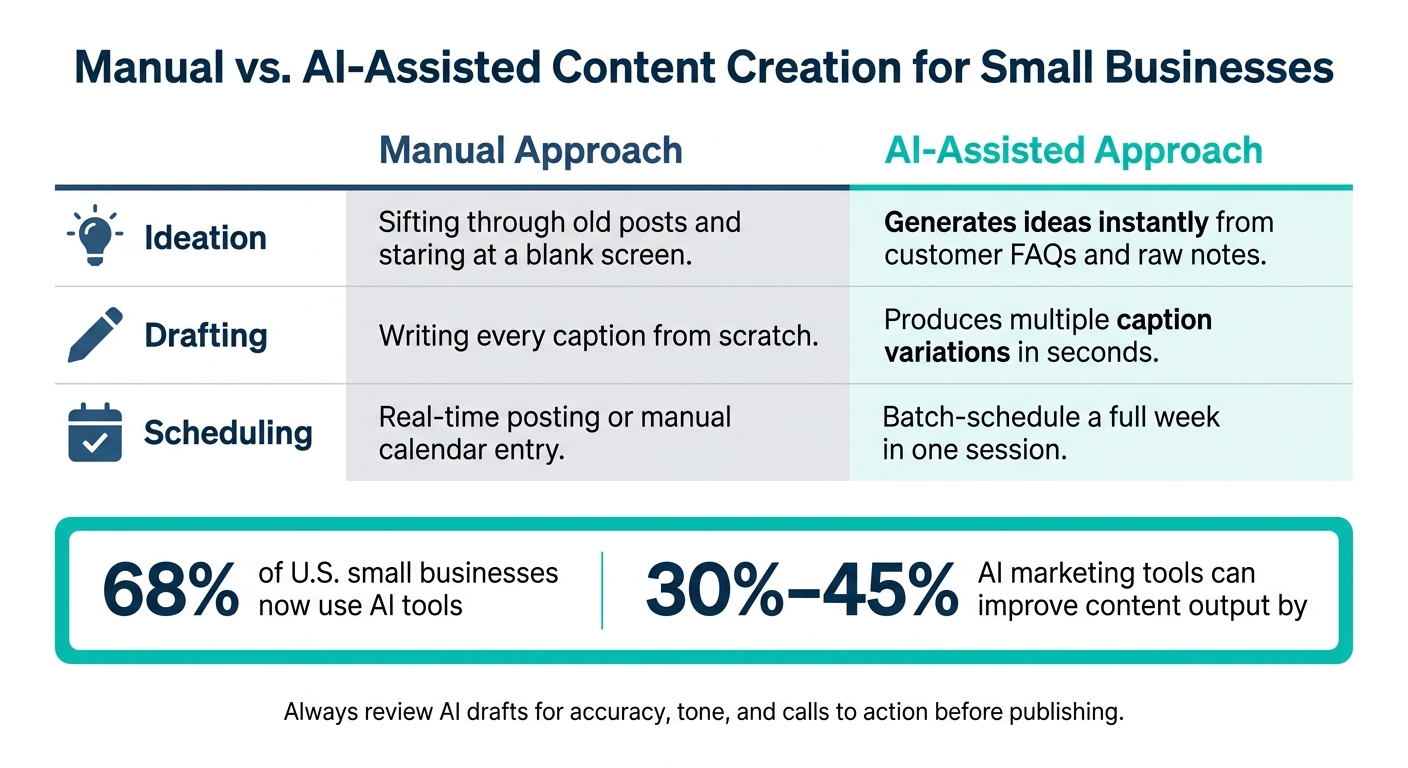
Manual vs. AI-Assisted Content Creation for Small Businesses
Consistency builds brand awareness. AI helps small businesses post on a regular basis without eating up extra hours each week. One of the easiest ways to keep that rhythm going is to turn the words your customers already use into social content.
Turn Customer Questions and Raw Notes into Content Ideas
Your best content ideas usually aren't hiding in some big brainstorm. They're already in your inbox, your DMs, and your head. A customer question can become a post. An objection can become a carousel. A product detail you repeat all the time can become a short script.
Instead of staring at a blank page, drop customer questions, objections, testimonials, or product notes into AI and let it turn them into captions, carousel outlines, or short scripts in seconds. That keeps your posts tied to the way customers actually talk, which makes your brand easier to spot and remember.
Create On-Brand Posts and Carousels with Draft AI
Draft AI is built for this exact workflow. You can send a voice note or paste in raw text and get a finished social post, carousel, or Instagram Reels script in minutes. One input can turn into content for more than one platform.
For small businesses, the big win is speed paired with brand control. You can upload your own photos, use your brand colors and fonts, and train the AI on your writing style so the output sounds like you. If your business serves bilingual communities in the U.S., Draft AI's multilingual translation feature makes it easier to publish the same content in both languages.
You can use Draft AI to turn raw notes, voice messages, blog drafts, or product details into posts, carousels, and Reels scripts while keeping your colors, fonts, photos, and writing style steady from one post to the next.
That matters because AI only helps when it fits into a publishing system you can repeat. Following a social media content creation checklist can help you maintain that system.
Manual Content Creation vs. AI-Assisted Publishing: A Side-by-Side Look
The difference between doing this by hand and using AI isn't just about speed. It's about whether you can keep posting on schedule at all. Here's a side-by-side look:
| Workflow Step | Manual Approach | AI-Assisted Approach |
|---|---|---|
| Ideation | Sifting through old posts and staring at a blank screen | AI proposes ideas from customer FAQs and raw notes |
| Drafting | Writing every caption from scratch | AI generates multiple variations in seconds |
| Scheduling | Real-time posting or manual calendar entry | Batch-schedule a full week in one session |
Always edit AI drafts for accuracy, CTA, and voice before publishing.
Once the workflow feels steady, the next move is to repurpose each idea into more formats and get more mileage from it.
Grow Brand Awareness with Repurposing and Optimization
Once your posting rhythm is steady, squeeze more out of each core idea instead of starting from zero every time. Repurposing helps you reach more people without coming up with new angles for every post.
Turn One Idea into Posts, Carousels, and Short Scripts
A customer story, a product FAQ, or a behind-the-scenes moment can turn into a LinkedIn text post, an Instagram carousel, and a short Reels script - all from the same source material. Think of each idea as a pillar, not a one-time post.
That repetition across formats is often what makes a brand stick. People may miss one post, scroll past another, and then notice the third. The message stays the same, but it shows up in more places. That gives you more touchpoints and stronger recognition.
Use Draft AI to Generate Hooks and Build a Content Backlog
A backlog helps you keep those repurposed ideas lined up and ready to publish. Draft AI gives you a card-based idea feed for building that backlog: add your business or blog details, swipe through generated hooks, and save the ones you want to use later.
That means you can build a batch of ideas in one sitting instead of scrambling every time it's time to post. Those saved hooks can then become the starting point for posts, carousels, or Reels scripts inside Draft AI. The result is a fuller publishing calendar and a lot less last-minute stress.
With Draft Pro's unlimited topic creation and unlimited generations, you can plan as far ahead as you want.
Check Performance and Refine Your AI Content Over Time
Posting on a steady basis is only half the work. Go back to the awareness metrics you set earlier - profile visits, saves, reach, and branded searches - and see what is doing the heavy lifting.
Look at which posts drove the most reach and profile visits, then adjust your prompts to fit those patterns. If a carousel about a customer result beat a product feature post by a wide margin, that's a clear sign to make more content in that lane.
AI helps here because you can adjust the inputs and generate again instead of rewriting everything by hand. When you spot a topic or format that drives strong reach and profile visits, keep using it.
These patterns make it easier to keep brand awareness growing week after week.
Conclusion: Build Visibility with AI Without Losing Your Brand Voice
Once you know what kind of content lands, the next step is simple: keep putting it out on a steady basis. That’s where AI helps most. For a small team, it makes the heavy lifting of brand building - consistency, speed, and scale - much easier to handle. And that steady output is what helps brand recognition grow over time.
AI does its best work when you give it real samples of how you write, like past captions, emails, and website copy. That works far better than broad labels like “friendly” or “professional.” But don’t hit publish without a review. Raw AI copy can come off flat, and flat content doesn’t stick in people’s minds.
A simple place to begin is one workflow. Use Draft AI to put together a week of social posts, or save ideas from the swipeable feed and come back to them later. Then watch what happens - replies, comments, and clicks - and adjust as you learn.
Use AI for repeat tasks. Keep people in charge of strategy and voice. Small businesses that get this balance right - AI handles repetitive work; humans keep the brand voice sharp - are the ones building brands people remember, with more recognition, more recall, and more visibility over time.
FAQs
How do I train AI to sound like my brand?
Skip the vague instructions and show the AI what your writing actually looks like. Give it three to five samples of past work - emails, social posts, website copy, or similar pieces - so it can pick up on your vocabulary, sentence patterns, and tone.
You can also use Draft AI to upload existing content or voice notes and build a brand profile. From there, use a consistent prompt prefix or brand kit to keep new content in line with your voice.
What should I post first with AI?
Start by setting clear goals, like boosting sales, getting more leads, or bringing more people into your store. Before you automate anything, make sure you know which content formats actually work for your brand.
Once you’ve nailed that down, use Draft AI to turn raw data or voice notes into first-draft posts, scripts, or carousels. Then go back in, edit them, and add your brand voice before you publish.
How long does it take to see brand awareness results?
Results depend on steady use. For local businesses using AI for marketing, SEO gains often start to show within 60 to 90 days.
Brand awareness usually takes more time. On average, businesses may see a 15% increase in visibility within six months.
ROI from AI content creation is often measurable within 90 days if you publish on a steady schedule and train the AI on your business details and brand voice.