Top AI Tools for Social Media Automation 2026
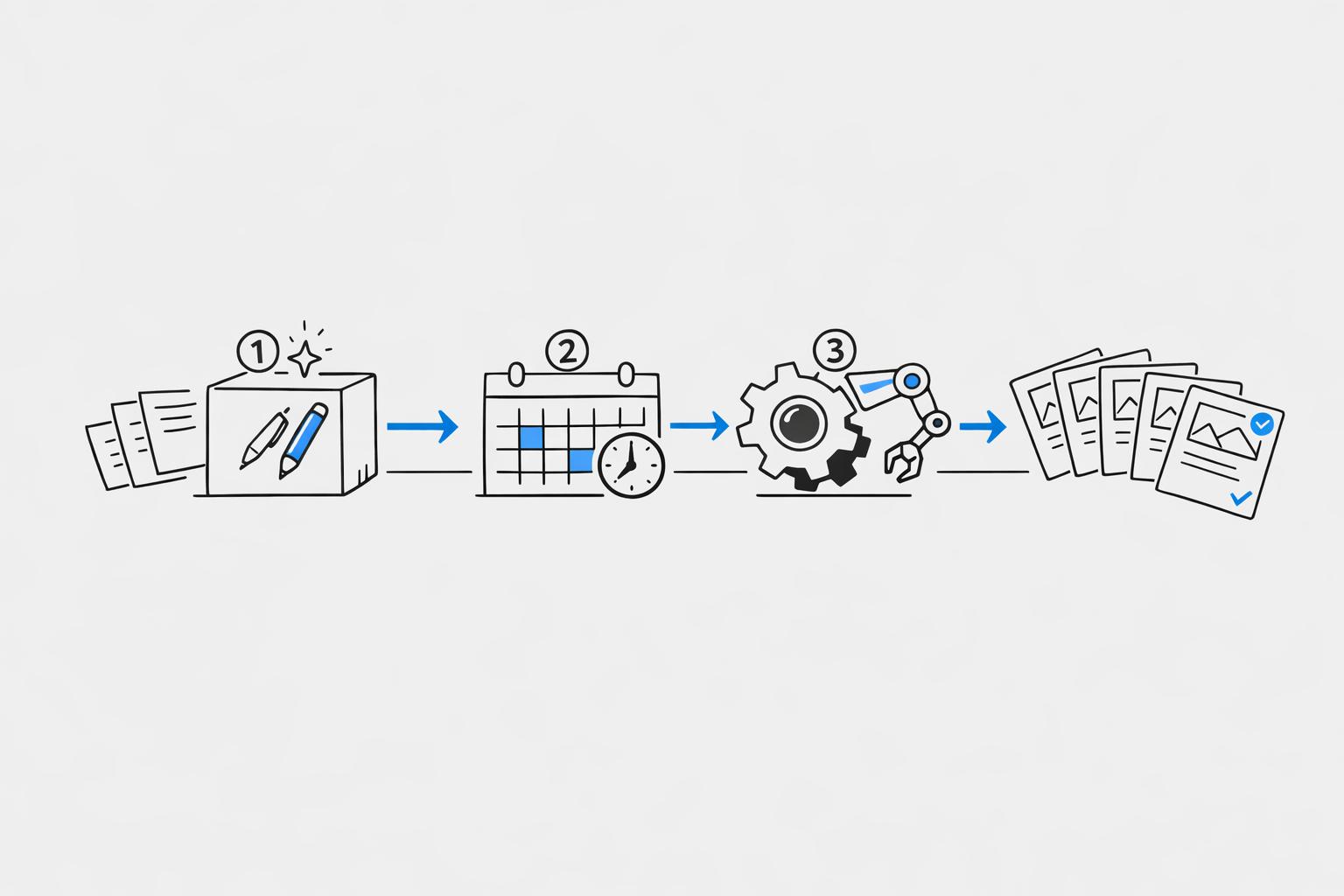
Managing social media in 2026 has become heavily reliant on AI tools, with 96% of marketers using them daily. These tools save time, cut costs, and improve engagement, making it easier to create social media posts in minutes for creators, businesses, and teams. Here's a quick breakdown of the top tools:
- Draft AI: Focuses on automated content creation with features like voice-to-post conversion, viral idea generation, and style matching. Pricing starts at $15/month with unlimited content creation.
- Buffer: Specializes in scheduling and analytics across 11 platforms. Starts at $6/month per channel but lacks built-in AI content creation.
- Publer: Offers bulk scheduling and AI-powered captions/images. Business plan starts at $10/month.
- FeedHive: Automates posting with AI-driven conditional actions. Brand plan costs $29/month and includes 10,000 AI credits.
- ContentStudio: Combines content discovery, publishing, and analytics. Pricing varies based on features.
Key takeaway: If content creation is your bottleneck, Draft AI offers unlimited generation for a flat fee. For scheduling-heavy workflows, consider Buffer or Publer. Test free trials to find the best fit for your needs.
How I Automated My Social Media With AI! (Daily Posts on Autopilot)
sbb-itb-9f5fe42
Draft AI: AI-Powered Content Creation for Social Media
Draft AI is reshaping how content is created for social media, focusing on turning raw ideas into polished posts with speed and precision. Unlike tools that mainly handle scheduling, Draft AI is all about content creation. It can transform voice messages into ready-to-publish social media posts, making it a game-changer for anyone struggling with the content creation bottleneck.
One standout feature is its ability to convert voice notes into platform-ready posts. This means you can capture spontaneous ideas on the go without worrying about losing them.
Another unique element is the viral content idea generator. By sharing details about your business or blog, the app generates a series of content ideas displayed as swipeable cards - kind of like browsing on a dating app. You can swipe through, save the ideas you like, and turn them into posts later. This process makes brainstorming faster and more engaging, helping you quickly identify topics that are likely to grab attention.
Draft AI also learns your writing style. By analyzing examples of your existing posts or Reels, the AI adapts to match your voice across different platforms. Whether you're creating LinkedIn text posts, Instagram carousels, or Twitter threads, this feature ensures brand consistency while simplifying the social media content creation process from idea to execution.
Main Features of Draft AI
Draft AI is built for speed and flexibility. Its voice-to-content feature allows you to skip the drafting phase entirely. You simply speak your idea, and the tool converts it into a finished post. For content creators who produce regularly, this can save hours each week.
The platform supports a wide range of content formats, including:
- Text posts for Telegram, LinkedIn, and Facebook
- Carousels for Instagram and LinkedIn
- Thread posts for X (formerly Twitter)
- Scripts for Instagram Reels in three styles: Expert, Story, and Dialogue
Each format comes with templates that you can customize with your own fonts, colors, and images, making it easy to maintain a cohesive look.
Draft AI’s writing styles are adaptable, letting you switch between professional tones for LinkedIn and casual, conversational styles for Instagram - all while keeping your brand's voice intact. If your messaging evolves, the tool’s style reset feature allows you to adjust these guidelines effortlessly.
Multilingual support is available for all users, even on the free plan. Unlike basic translation tools, Draft AI generates content directly in different languages, making it a great option for businesses targeting global audiences.
How Draft AI Speeds Up Content Creation
Everything happens in one streamlined interface. You start with a raw idea - typed or spoken - and Draft AI takes care of the rest, handling formatting, structure, and polishing.
The viral content idea generator simplifies brainstorming by suggesting trending topics tailored to your business. Instead of spending hours researching or analyzing competitors, you get ready-made concepts designed to boost engagement. This keeps your content strategy aligned with current trends without the extra legwork.
For creators or teams working at scale, the unlimited generations feature on the Pro plan is a major advantage. You can produce as many posts, carousels, or scripts as you need without worrying about hitting limits. This is especially helpful during campaign launches or when batch-creating content for an entire month.
The custom style analysis feature is another time-saver. By learning from your existing content, the AI delivers drafts that already align with your tone, reducing the need for manual editing - often one of the most time-consuming steps in content creation.
Pricing and Plans
Draft AI offers a straightforward pricing structure to suit different needs:
- Free Plan: Includes basic features like voice-to-content generation, text posts for major platforms, and multilingual support. However, it limits users to three topics and a set number of generations based on balance credits.
- Draft Pro Monthly: For $15/month, this plan unlocks unlimited generations, all content formats, and custom style analysis. It’s designed for creators who need more flexibility and advanced features.
- Draft Pro Yearly: Costs about $120/year and includes a 7-day free trial. This plan provides all the features of the monthly option at a discounted annual rate.
Pro subscribers get access to exclusive features like unlimited topic creation, advanced style customization, and support for all content formats, including carousels, threads, and Reels scripts. The custom style analysis, which tailors the AI to your voice, is also reserved for Pro users.
Best Use Cases for Draft AI
Draft AI fits a variety of needs, making it useful for different types of users:
- Small business owners: With no dedicated marketing team, they can use Draft AI to batch-create posts during downtime. The voice-to-content feature is especially handy for capturing ideas on the go.
- Professional marketers: Managing multiple client accounts becomes easier with the custom style feature. By setting up separate profiles for each client, marketers can maintain distinct brand voices without manual adjustments.
- Content creators: Staying ahead of trends is critical for engagement. The viral content idea generator helps creators identify emerging topics and produce content before the competition heats up.
- International businesses: The multilingual support allows companies to create content for different regions without hiring translators. This ensures message consistency while adapting to local languages.
Draft AI streamlines the entire content creation process, saving time and effort while keeping your messaging sharp and consistent. Whether you’re a solo creator or part of a larger team, it’s a tool worth exploring.
Other AI Tools for Social Media Automation
While Draft AI focuses on content creation, several other AI tools in 2026 are making waves by simplifying post scheduling and social media management.
Buffer
Buffer stands out for its ease of use and compatibility with 11 platforms, including newer networks like Bluesky and Mastodon. Rita Iglesias, a Software Engineer and Creator, shares her experience:
"Buffer helps me visualize and prioritize tasks. It's great for recording initial ideas and keeping everything organized by status in one place".
Buffer uses a per-channel pricing model. The free tier supports 3 channels with up to 10 scheduled posts per channel. The Essentials plan, priced at $6/month per channel, offers unlimited posts and analytics. For teams, the Team plan costs $12/month per channel, adding approval workflows and unlimited users. Discounts include 20% off for annual billing and 50% off for registered nonprofits. On G2, Buffer holds a 4.3/5 rating from 1,023 reviews, but its Trustpilot score is lower at 2.1/5 based on 93 reviews.
Next up, Publer shines with its bulk scheduling and automation features.
Publer
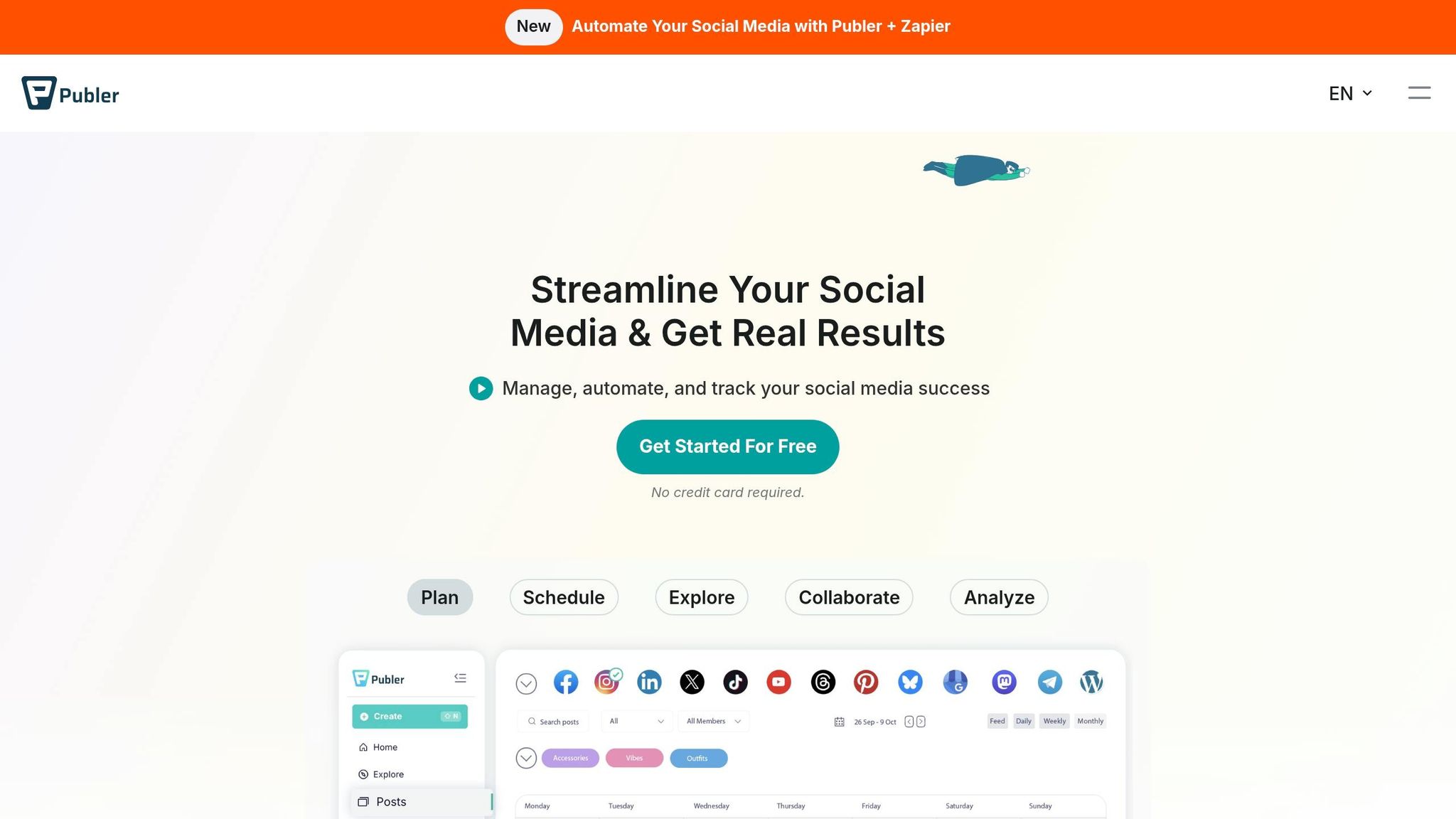
Publer supports 13 platforms, including less conventional options like WordPress and Telegram. Its bulk scheduling feature allows users to upload up to 500 posts at once via CSV imports. Additionally, RSS feed triggers can automatically pull and publish content from external sources like blogs or news sites. Jonathan B., a Marketing Director, praises the tool:
"Publer is a powerhouse for smart, stress-free social planning. The auto-scheduling and bulk upload features save our team hours every week".
Users report being twice as fast in content creation and saving over 5 hours per week on social media tasks.
Pricing for Publer starts at $5/month for the Professional plan, which includes 1 account (additional accounts cost $4 each). The Business plan, starting at $10/month, includes AI Assist powered by GPT-4 and DALL-E 3 for creating captions and images. Publer also offers a "Free Forever" plan, though some platforms, like X (formerly Twitter), are excluded. With ratings of 4.8/5 on Trustpilot (863 reviews) and 4.7/5 on G2 (486 reviews), Publer delivers strong performance and efficiency.
FeedHive
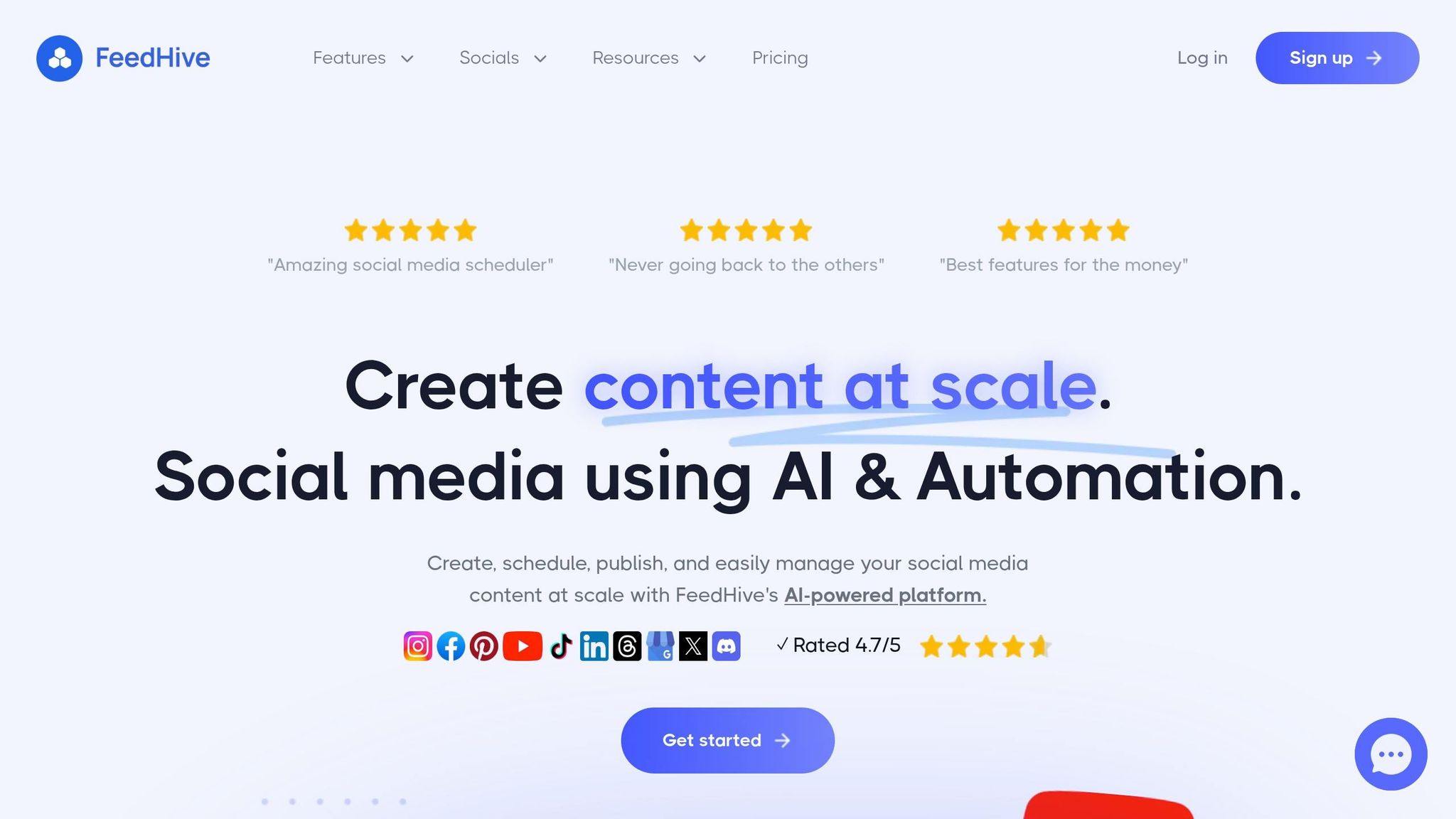
FeedHive excels at AI-driven automation, leveraging GPT-5 to generate complete post variations, predict performance, and adapt content to fit your brand's tone. A standout feature is its conditional posting, which automates actions based on engagement metrics. For example, it can recycle evergreen content when engagement drops or post follow-up comments once a post reaches a specific number of likes.
Trusted by over 30,000 businesses and creators, FeedHive has transformed workflows for users like Kyle P., an Owner & Educator:
"FeedHive has completely revolutionized my approach... easy to plan and schedule marketing posts well in advance - I'm talking two months ahead!".
Pricing begins with the Creator plan at $19/month, which includes 4 accounts and 2,500 AI credits but limits scheduling to 30 posts. The Brand plan, at $29/month, supports 10 accounts and 10,000 AI credits. For larger needs, the Business plan costs $99/month and accommodates 25–100 accounts with 50,000 AI credits. FeedHive also offers AI image generation powered by Flux Pro and Nano Banana Pro.
Finally, ContentStudio brings together content discovery and analytics to round out the automation toolkit.
ContentStudio
ContentStudio combines content discovery, publishing, and analytics. Its discovery feature helps users find trending topics and relevant articles in their niche, which can then be scheduled alongside original content. The platform’s analytics dashboard provides a comprehensive view of performance across all connected accounts, making it particularly useful for teams managing multiple clients or brands.
Feature and Pricing Comparison
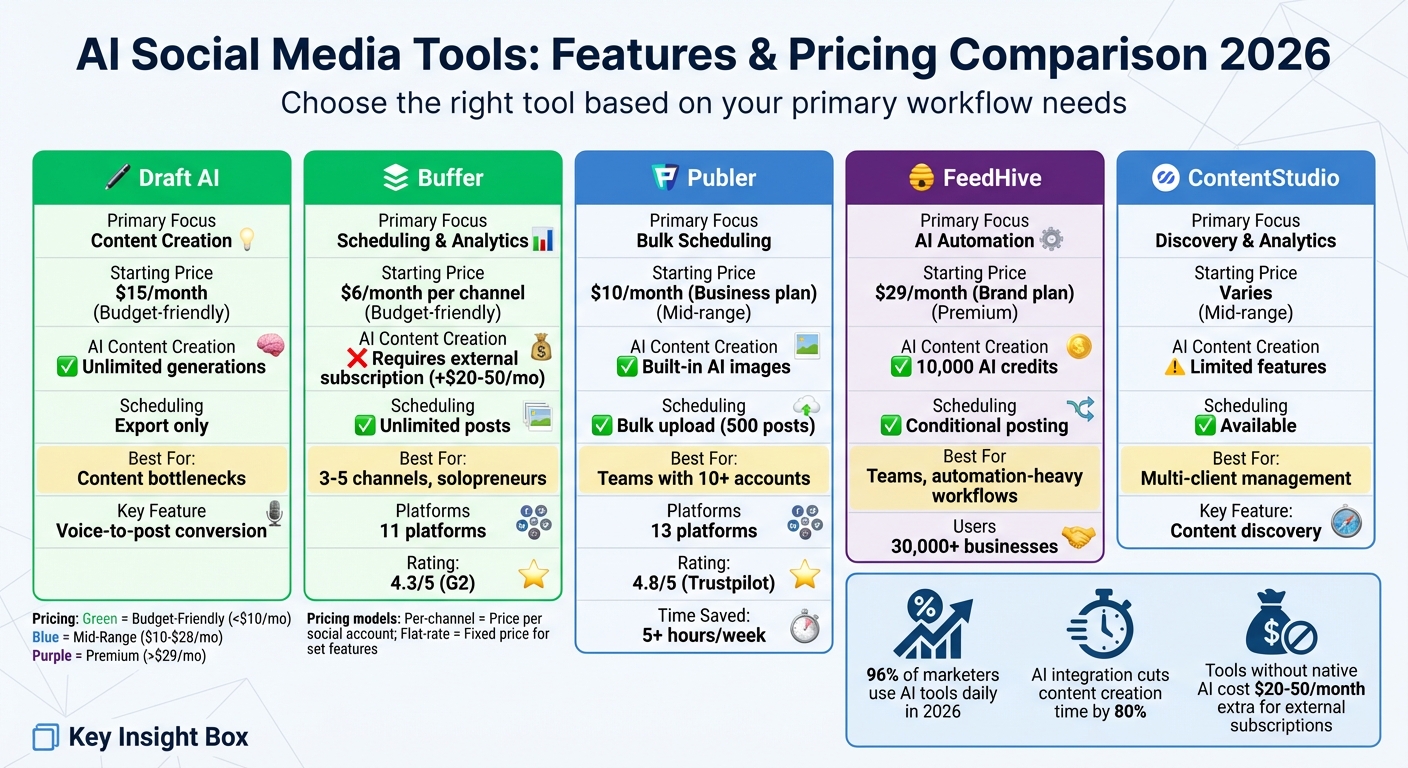
AI Social Media Tools Comparison 2026: Features and Pricing
This section breaks down how each tool tackles key social media automation challenges, focusing on content creation and scheduling. The standout feature for 2026 is integrated AI content creation - a game changer for saving time and costs. Many tools still require separate AI writing subscriptions, which can tack on an extra $20–$50 per month.
As Jamie Partridge, Founder & CEO of PostEverywhere, aptly states:
"The question isn't whether to use AI, it's which tools to use."
Here’s a quick breakdown of the tools:
- Draft AI: Designed for AI-driven content creation, it offers unlimited content generations for $15/month. Perfect for users who already have a scheduling system in place.
- Buffer: Known for scheduling and analytics, it starts at $6 per channel per month. However, AI content creation isn’t built-in, so you’d need an external subscription.
- Publer: At $10/month for its Business plan, it combines bulk scheduling with built-in AI image generation.
- FeedHive: Aimed at teams, its Brand plan costs $29/month and includes 10,000 AI credits along with conditional posting.
- ContentStudio: Pricing depends on the features you choose, offering tools for content discovery and analytics with limited AI capabilities.
Comparison Table
Here’s a side-by-side look at the key features and pricing:
| Tool | Primary Focus | Starting Price | Integrated AI Content Creation | Scheduling Details | Platforms Supported |
|---|---|---|---|---|---|
| Draft AI | Content Creation | $15/mo | Unlimited | N/A | Export to LinkedIn, Instagram, Facebook, X |
| Buffer | Scheduling & Analytics | $6/mo per channel | None (requires external AI) | Unlimited posts | 11 (including Bluesky, Mastodon) |
| Publer | Bulk Scheduling | $10/mo (Business plan) | Built-in AI image generation | Bulk scheduling available | Multiple major platforms |
| FeedHive | AI Automation | $29/mo (Brand plan) | 10,000 AI credits | Conditional posting | Multiple major platforms |
| ContentStudio | Discovery & Analytics | Varies | Limited AI features | Varies | Multiple major platforms |
Finding the Right Fit
For solopreneurs managing a few channels (3–5), Buffer offers excellent value with its affordable pricing and robust distribution features. On the other hand, if content creation is your main focus, Draft AI eliminates the need for an external AI writing subscription, making its $15/month fee a solid investment.
Teams juggling 10+ accounts may want to look at Publer's Business plan ($10/month) or FeedHive's Brand plan ($29/month), which cater to larger workflows with features like bulk scheduling and conditional posting.
Ultimately, the choice comes down to your workflow. If creating content takes up more of your time than scheduling, tools like Draft AI with unlimited content generations can offer a better return on investment compared to those with per-post or credit-based pricing models.
Conclusion and Recommendations
The future of social media automation in 2026 boils down to one key decision: whether AI content generation is built directly into your workflow or added through external tools. As the Aibrify Editorial Team puts it, "The biggest differentiator in 2026 is native AI content generation - tools without it require separate subscriptions that add $20-50/mo to total cost". But this decision isn’t just about saving money - it’s about working smarter. When AI tools are seamlessly integrated, they can cut content creation time by an impressive 80%. Platforms that weave AI directly into their systems stand out as game changers.
Why Draft AI Stands Out for Content Creation
Draft AI removes the hassle of managing multiple subscriptions by offering unlimited content generation for just $15/month. No credits. No caps. No hidden fees. Its voice-to-content feature is a standout - just record your raw ideas, and it transforms them into polished posts. Plus, its style training adapts to your brand's unique voice, saving you from spending endless hours on edits. Whether you’re creating carousels, Reels scripts, or multi-platform posts, Draft AI takes care of the creative grunt work, leaving you more time to focus on strategy and engagement.
One of its most practical features is the swipe-to-select idea generator. It’s perfect for beating creative blocks. Instead of staring at a blank screen, you can browse through tailored viral hook suggestions designed for your business. Pick what resonates, save it, and expand on it later. This streamlined process is especially helpful for solopreneurs and small teams who already have scheduling tools in place but need help with fresh ideas.
Choosing the Right Tool for Your Needs
While Draft AI offers robust solutions, the right tool ultimately depends on your specific workflow challenges. If brainstorming and writing captions take up most of your time, Draft AI is an ideal choice for AI-powered content creation. On the other hand, if managing multiple accounts and scheduling posts is your primary hurdle, consider tools that specialize in bulk scheduling. For teams juggling customer service, platforms with sentiment analysis and automated response suggestions can cut response times by up to 35%.
Take advantage of free trials - most tools offer 7 to 30 days to test their features. Use this time to see if the AI output matches your brand’s quality standards. Look for tools that include brand voice training, which can reduce editing time from 74% to 32%, rather than relying on generic templates. Lastly, evaluate the pricing model. Per-seat plans can become expensive as your team grows, while flat-rate plans offer more predictable costs as you scale.
FAQs
How do I choose the right AI tool for my workflow?
To pick the right AI tool, start by assessing its features and how they match your specific needs - whether that's content creation, scheduling, or analytics. Think about the size of your team and your budget. For example, smaller teams might find tools like Draft AI helpful, as it offers templates and multilingual support at a reasonable cost. Identify your main priorities, and take advantage of trial plans to test different options and see which one works best with your workflow.
What should I test during a free trial?
When trying out a free trial of AI social media tools, make the most of it by testing the core features to see if they align with your goals. Pay attention to how well the tool handles content creation, like generating posts, captions, or images, and check how smooth the scheduling process is, especially if automation plays a big role in your workflow.
Dive into the analytics to gauge how well it provides engagement insights - this can be crucial for refining your strategy. If the tool offers multilingual support or voice-to-text capabilities, give those a try too. These steps will help you figure out if the tool fits your social media strategy before committing long-term.
How can I keep my brand voice consistent with AI?
To keep your brand voice consistent while using AI, opt for tools that let you adjust tone, style, and messaging to match your brand’s identity. Look for features like pre-made templates, multilingual capabilities, and AI-driven personalization options - Draft AI is a good example of this kind of flexibility. Make it a habit to review and refine AI-generated content regularly to ensure it reflects your brand’s personality and maintains a unified message across all platforms.


