Top AI Tools for Instagram Template Design
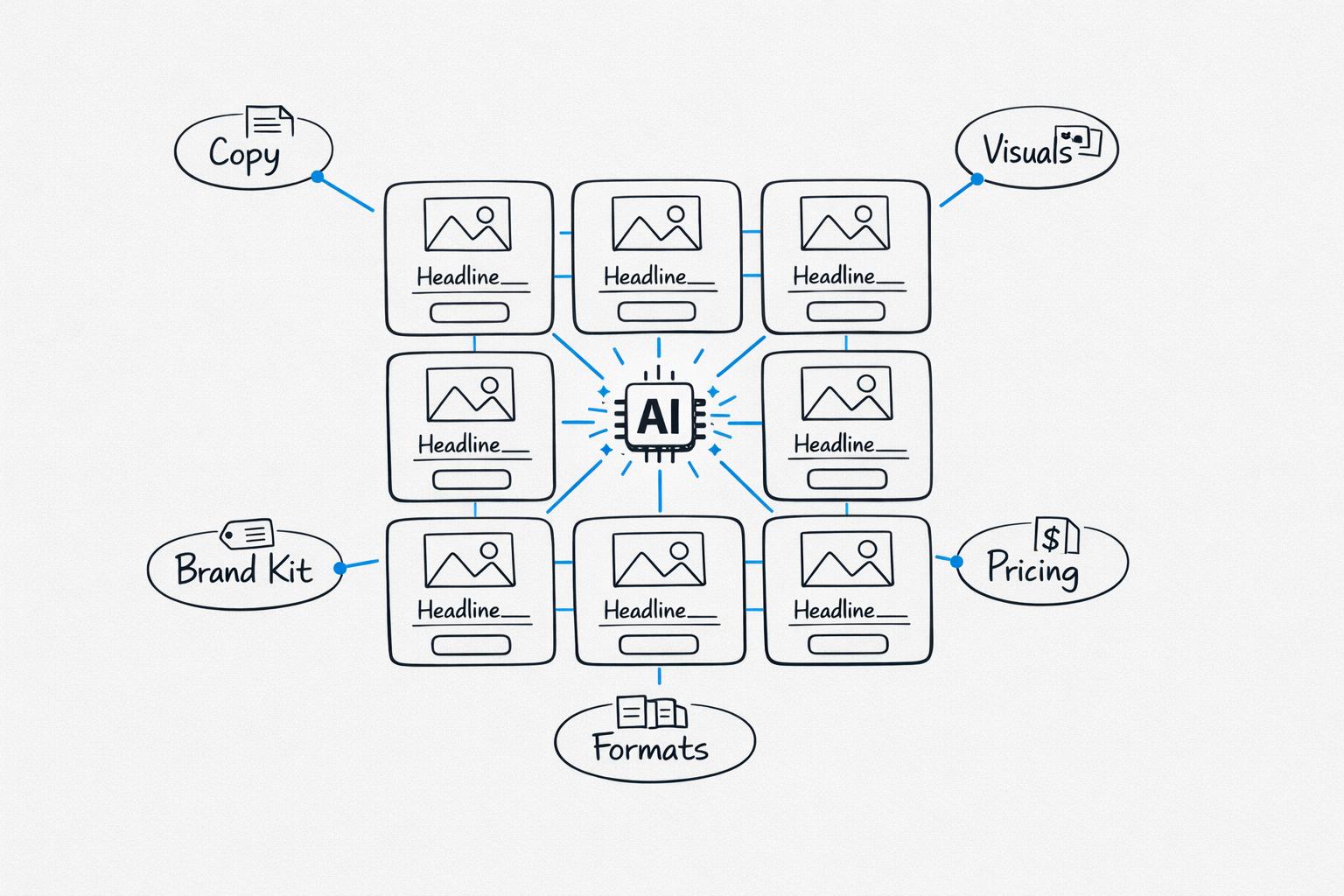
AI tools are transforming Instagram content creation in 2026. Here's a quick rundown of the best tools for designing Instagram templates, helping you create social media posts in minutes while using automated content creation to keep your posts on-brand:
- Draft AI: Converts voice memos into Instagram content, including carousels, Reels, and Stories. Offers advanced personalization by learning your style and tone. Pricing starts at $15/month.
- Canva Magic Studio: Generates templates with prompts and resizes designs for various formats. Features a library of 600,000+ templates. Plans start at $15/month.
- Adobe Express: Focuses on safe, licensed assets for commercial use. Includes Firefly AI for text-to-template designs. Pricing begins at $9.99/month.
- Kittl AI: Specializes in typography and artistic designs with vintage aesthetics. Pricing starts at $15/month or $12/month when billed annually.
Quick Comparison:
| Tool | Best For | Starting Price | Free Plan Availability |
|---|---|---|---|
| Draft AI | Written content and carousels | $15/month | Yes (limited features) |
| Canva Magic Studio | Fast, versatile visuals | $15/month | Yes (limited AI) |
| Adobe Express | Commercial-grade assets | $9.99/month | Yes (25 AI credits) |
| Kittl AI | Typography and illustrations | $15/month | Yes (requires attribution) |
Summary: Combine Draft AI for content creation with Canva or Kittl for visuals. For professionals, Adobe Express offers commercial-grade tools at a lower price. Test free plans to find the best fit for your needs.
How I Instantly Batch Instagram Posts with AI-Powered Canva Bulk Create
This workflow is a great example of how content creation tools for marketers can significantly reduce manual effort.
sbb-itb-9f5fe42
How AI Changes Instagram Template Design
AI is reshaping how Instagram templates are designed, making the process faster and more accessible. Instead of spending hours creating a design, you can now describe what you need in plain English and get a ready-to-post template in under two minutes. This leap in speed and consistency opens the door to even greater benefits for creators and brands.
Why AI Tools Help with Template Design
The real game-changer isn’t just how quickly templates can be created - it’s that you no longer need to be a design expert. AI handles the heavy lifting, from selecting fonts and balancing colors to managing layout hierarchy and sizing. For example, with Instagram adopting a 3:4 ratio for profile grids by 2026, the standard feed post size will shift to 1080x1350px (4:5 portrait). AI tools automatically generate templates in this format, ensuring your content fits perfectly without the risk of awkward cropping.
Another major perk is maintaining brand consistency. With AI, you can upload your logo, colors, and fonts once, and the tool will apply them seamlessly across all templates. As FabulousPic.com explains:
"A configured brand kit is what makes a template-based tool feel like a custom brand content system rather than a generic design app."
Some advanced tools go a step further by analyzing your website URL to pull your brand colors, tone, and style automatically. This eliminates the need for tedious setup and ensures your designs align with your brand identity from the start.
Key Features to Look for in AI Tools
When choosing an AI design tool, focus on these must-have features:
- True AI functionality: Does the tool create layouts based on your prompts, or does it just offer pre-made templates with limited customization?
- Brand kit integration: Can you save your brand’s colors, fonts, and logo to ensure every template stays on-brand?
- Support for multiple formats: Look for tools that can generate designs for feed posts (4:5), Stories (9:16), and carousels.
- Natural language editing: Can you make changes by typing instructions like "increase font size" or "switch to a darker background"?
- Content repurposing: Does the tool allow you to turn a blog post or URL into a AI tools for carousel design without manual adjustments?
Pricing transparency is another factor to consider. While some tools offer genuinely helpful free plans, others may lock essential features behind paywalls. By weighing these features, you’ll be better equipped to choose the right tool for your needs, as we’ll explore in the detailed comparisons ahead.
Draft AI: Instagram Content Creation Features and Pricing
Overview and Use Cases
Draft AI is changing the way creators and brands approach Instagram content. It simplifies the process by taking a voice memo - anywhere from 30 seconds to 2 minutes - and transforming it into polished Instagram content. Whether it’s a carousel, story, or Reels script, Draft AI has you covered. It supports 11 different Instagram formats, including faceless Reels, talking-head Reels with lip-sync, swipeable carousels, daily Stories, and even 4K AI photoshoots. This makes it a practical tool for both individual creators and small businesses. Plus, it helps maintain your brand’s identity by streamlining template customization.
Templates and Customization Options
Draft AI lets you save your preferred design style as a template, so your chosen typography, colors, and animations are automatically applied. It also generates on-brand images for feed posts, quote cards, and story backgrounds, cutting out the hassle of hunting for stock photos.
AI Content Generation and Style Personalization
Draft AI goes beyond simple customization by using advanced AI to make your content feel personal. Its "Match My Style" feature analyzes your existing posts to replicate your tone and voice, ensuring the content feels like it’s coming directly from you. The platform also includes an AI Content Ideas Generator with a swipe interface - swipe right to save ideas, left to skip. Just input details about your business or blog, and it generates a list of content ideas you can revisit anytime. Need to reach a broader audience? Draft AI supports multilingual translation, making it easier to connect with non-English-speaking followers.
Draft AI Pricing Plans
Draft AI keeps its pricing simple and accessible. The Free plan provides basic features like voice-to-content generation, text posts, and language switching. However, it limits users to 3 topics and a set number of generations based on balance credits. Custom style learning isn’t included in this tier.
| Plan | Price | Key Features |
|---|---|---|
| Free | $0/month | Voice-to-content, text posts, language switching, 3 topics, limited generations |
| Draft Pro (Monthly) | $15/month | Unlimited generations, all formats (e.g., carousels, Reels scripts), custom style learning, unlimited topics |
| Draft Pro (Yearly) | ~$120/year | Everything in Pro, plus a 7-day free trial |
The Pro plan unlocks all the tools serious Instagram creators need: unlimited content generation, access to all formats like carousels and Reels scripts, and the style personalization engine. Opting for the yearly plan brings the cost down to $10/month and includes a 7-day free trial, giving you a chance to explore the full feature set before committing.
AI Design Platforms for Instagram Templates
When it comes to creating visually striking Instagram templates, AI-powered design tools are a game-changer. Unlike platforms that focus on content generation, these tools zero in on the visual aspects of your posts, helping you craft polished, attention-grabbing designs. Below, we’ll dive into three standout platforms that are shaping the way creators design in 2026.
Canva Magic Studio
Canva's Magic Studio makes template creation fast and straightforward. Its Magic Design feature allows you to generate fully editable Instagram templates with just a prompt - like "minimalist yoga studio seasonal sale post." With access to over 600,000 templates, the possibilities are vast. Plus, the Magic Switch tool lets you resize your designs into different formats, such as Stories or Reels, with a single click. Pricing starts at $15/month for the Pro plan, while team plans begin at $29.99/month for up to 5 users. The free plan offers limited AI capabilities but is a great starting point.
"For most social media graphics in 2026, Canva AI is the fastest option for non-designers, Adobe Express offers deeper brand consistency for teams with existing Adobe workflows." - Monolit Blog
If you’re looking for tighter content licensing and integration with Adobe tools, Adobe Express might be a better fit.
Adobe Express AI Tools
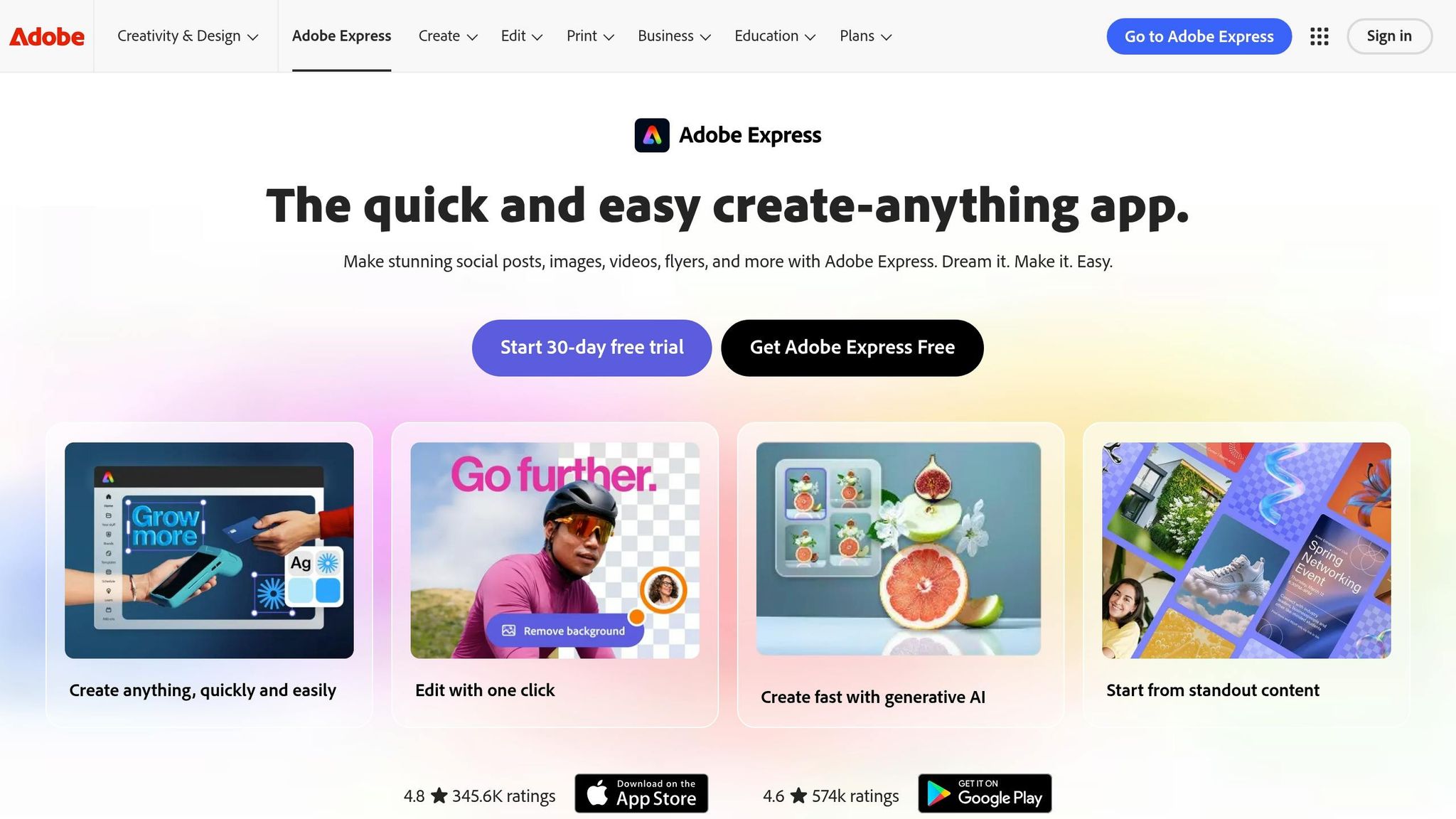
Adobe Express prioritizes commercial safety, making it ideal for creators working on paid ads or client projects. Powered by the Adobe Firefly AI engine, it ensures all generated content comes from licensed or public domain sources. Its text-to-template feature instantly creates editable layouts based on your style and industry preferences. The Free plan includes 25 AI credits per month, while the Premium plan starts at $9.99/month. Premium users also get 250 AI credits, access to over 350 million Adobe Stock photos, and 10GB of storage. For teams already using Photoshop or Illustrator, the integration with Creative Cloud Libraries is a huge plus.
For creators with a love for unique typography and handcrafted styles, Kittl offers something entirely different.
Kittl AI for Instagram Templates
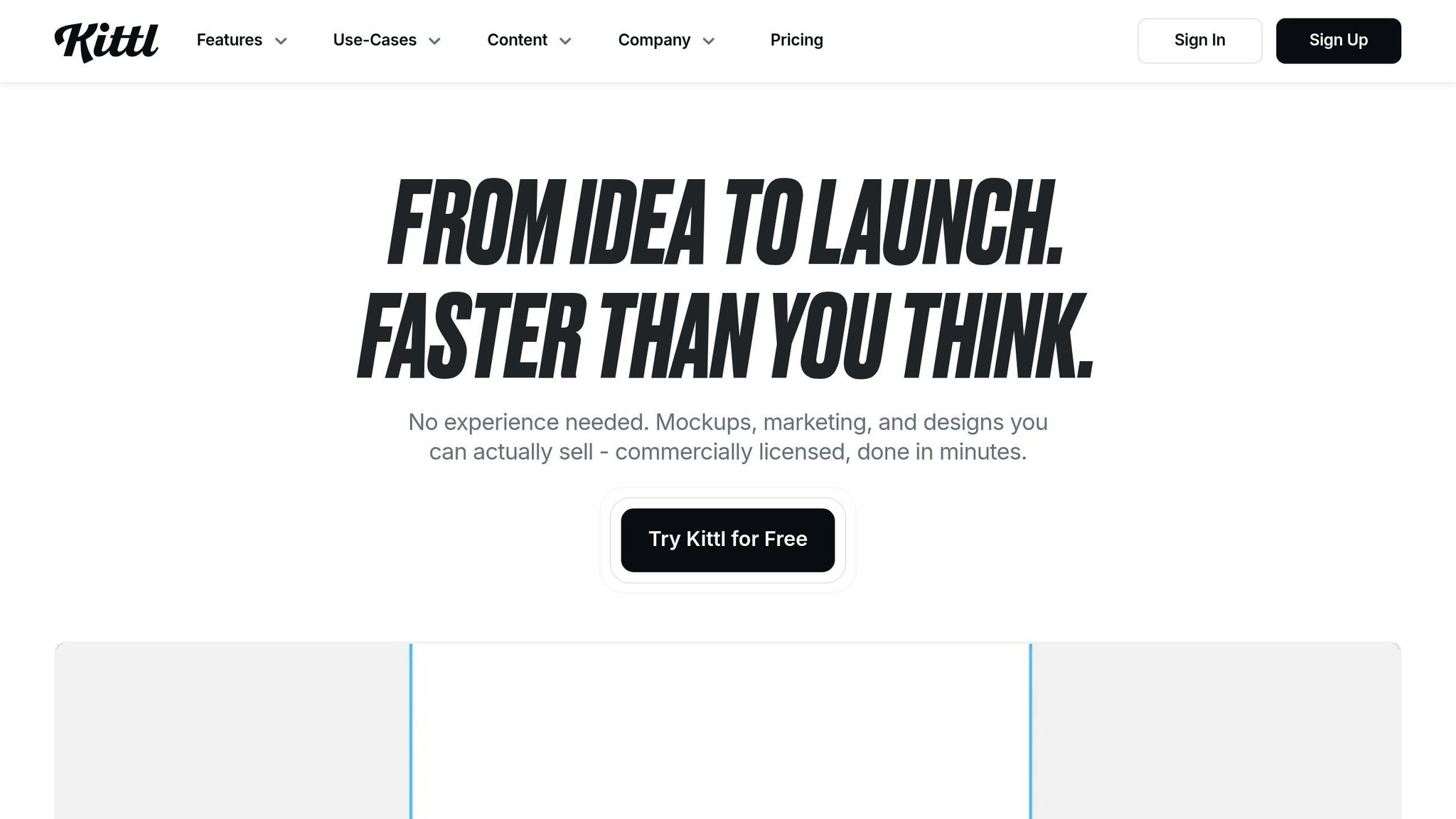
Kittl stands out for its focus on typography, vintage aesthetics, and vector illustrations. Its AI Vector Generator and advanced text effects create designs that feel bespoke rather than templated. The Free plan includes limited projects and AI tokens but requires attribution for published work. The Pro plan costs $15/month, or $12/month when billed annually, offering full commercial licensing. For heavy users, the Expert plan is available at $35/month, or $26/month annually.
To help you decide which tool fits your needs, here’s a quick comparison of their features:
| Canva Magic Studio | Adobe Express | Kittl AI | |
|---|---|---|---|
| Paid Plan | $15/mo | $9.99/mo | $15/mo ($12/mo annual) |
| Template Library | 600,000+ | 100,000+ | 10,000+ (premium) |
| Best For | Speed & volume | Commercial safety | Typography & illustration |
| Free Plan | Yes (limited AI) | Yes (25 credits/mo) | Yes (requires attribution) |
| One-Click Resize | Yes (Magic Switch) | No | No |
Each platform offers unique strengths, whether you’re after speed, safety, or artistic flair. Choose the one that aligns with your creative goals and workflow.
Feature and Pricing Comparison
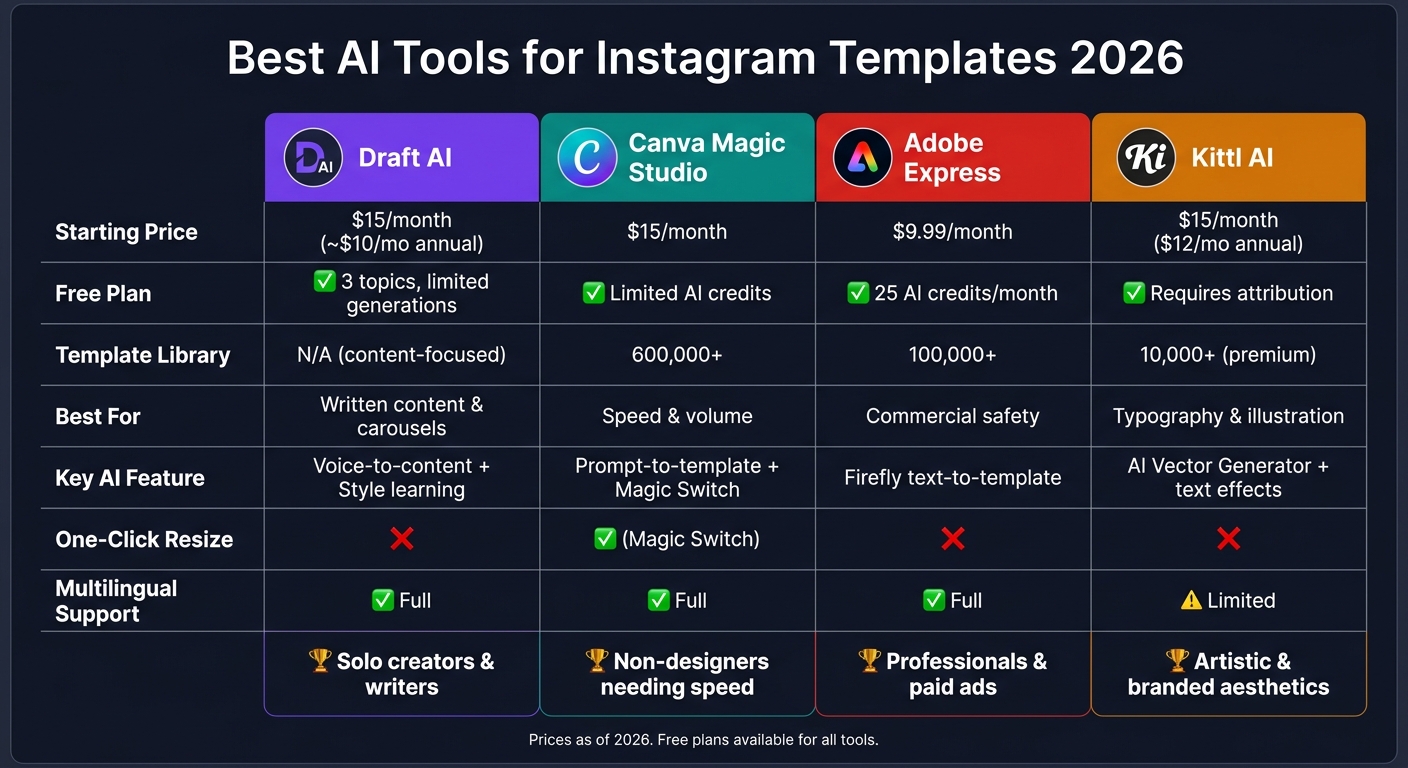
Best AI Tools for Instagram Templates: Features & Pricing Compared (2026)
Here’s a straightforward breakdown of the tools to help you decide which one aligns with your needs.
The tools are grouped into two main categories: content generation and visual design. Knowing what your focus is will make choosing much easier.
Feature Comparison Table
| Tool | Instagram Formats | Core AI Features | Customization Options | Multilingual Support |
|---|---|---|---|---|
| Draft AI | Carousels, Reels scripts, Text posts, Hooks | Style learning, Voice-to-content, Viral idea generation | Font, color, photo uploads, personalized writing style - supports any language | Yes |
| Canva Magic Studio | Feed posts, Stories, Reels | Prompt-to-template, Magic Switch resize | 600,000+ templates, drag-and-drop editor | Yes |
| Adobe Express | Feed posts, Stories, Ads | Text-to-template, Firefly image generation | Adobe Stock integration, Creative Cloud connectivity | Yes |
| Kittl AI | Feed posts, Stories | AI vector generator, text effects | Typography options, vintage styles, vector illustrations | Limited |
Pricing Comparison Table
| Tool | Free Plan | Starting at | Notable Limitation on Free Plan |
|---|---|---|---|
| Draft AI | Yes (3 topics, limited generations) | $15/month (or ~$120/year) | Lacks custom style learning and carousel support |
| Canva Magic Studio | Yes (limited AI features) | $15/month | Restricted AI credits and template access |
| Adobe Express | Yes (25 AI credits/month) | $9.99/month | Limited stock assets and storage |
| Kittl AI | Yes (requires attribution) | $15/month ($12/month billed annually) | Published work must include attribution |
These tables outline the core features and pricing of each tool, making it easier to identify which one fits your workflow.
How to Pick the Right Tool
The comparisons above highlight the strengths of each tool, helping you zero in on the one that aligns with your goals.
If your main focus is creating engaging copy - like captions, carousel text, Reels scripts, or content hooks - Draft AI stands out. Its style-learning feature adapts to your tone, and the swipeable idea generator makes brainstorming a breeze. Plus, its multilingual support is perfect for reaching global audiences.
For those who need help with visual design, your choice will depend on how you work. Canva Magic Studio is ideal for creators who need quick results, offering over 600,000 templates and one-click resizing for various formats. Adobe Express, on the other hand, is great for professionals working on paid ads or client projects, thanks to its Firefly-powered image generation and access to commercial licensing. Kittl AI is best for brands that want a more handcrafted, artistic aesthetic, with its focus on typography and illustration.
For most solo creators, combining Draft AI for content creation with a visual tool like Canva or Kittl can cover all your needs. Teams already using Adobe products might find Adobe Express the most budget-friendly option at $9.99/month.
Conclusion
AI tools have revolutionized Instagram content creation, turning time-consuming tasks like writing captions, designing carousels, and brainstorming hooks into quick, efficient processes. Research shows that creators using AI for social media can cut their weekly workload by up to 50%, while small businesses may save around 40% in costs compared to traditional methods.
Each tool discussed here caters to different needs. Draft AI is ideal for polished, multilingual written content with advanced style customization. Canva Magic Studio shines in creating quick, ready-to-use visuals. Adobe Express provides professional-grade assets for commercial use, and Kittl AI offers artistic templates for more creative projects. The right choice depends on your specific goals, time constraints, and budget.
Take advantage of the free plans to see which tool aligns best with your workflow. These options give creators the flexibility to enhance their Instagram strategies effectively.
FAQs
What’s the fastest way to go from an idea to a ready-to-post Instagram template?
The fastest way to transform an idea into a ready-to-share Instagram template is by leveraging AI-powered tools that combine copywriting and design. All you need to do is describe your topic, tone, or prompt, and the tool will create a fully designed graphic, complete with layouts, fonts, and your brand colors. Most of these tools also include simple editors or AI-driven suggestions, allowing you to tweak the design before posting it straight to your account.
How do AI tools keep my Instagram templates on-brand automatically?
AI tools help maintain brand consistency by utilizing a brand kit that includes your specific colors, fonts, logos, and overall visual style. Once you configure these elements, they’re seamlessly applied to every template. Some tools even go a step further, pulling branding details directly from your website. This ensures that every post stays cohesive, visually aligned, and unmistakably tied to your brand identity.
Which AI tool should I use for carousels, Stories, and Reels?
Draft AI is a voice-driven tool that turns your spoken thoughts into polished social media content in just minutes. Simply record a voice memo, and it creates carousels, Stories, and Reels using templates designed to boost engagement. With features like viral hooks, customizable fonts and colors, and adaptable writing styles, it ensures your posts look professional while staying true to your personal voice.