AI Tools for LinkedIn Template Creation
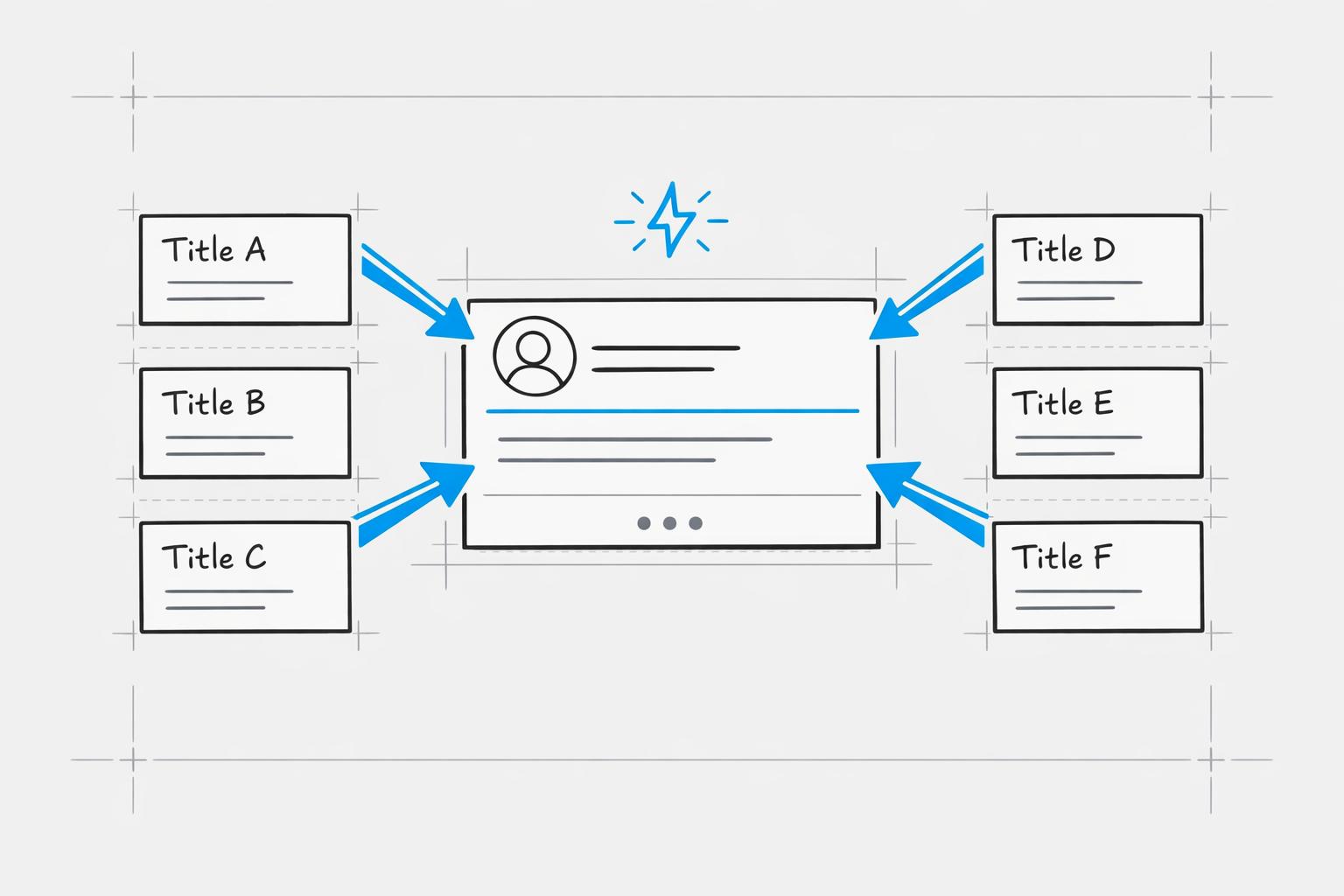
Creating LinkedIn content can take 4.2 hours weekly, and 73% of professionals struggle to post consistently. AI tools like Draft AI simplify this process, helping users create posts 10x faster and improve engagement by 47%. These tools generate ideas, match your writing style, and design visually polished content without extra effort.
Key benefits of Draft AI:
- Post Creation: Generate carousels and posts in minutes using specialized scripts.
- Personalization: Learns your tone from 100+ past posts.
- Design: LinkedIn-optimized templates with easy customization.
- Pricing: $15/month with a free 7-day trial.
Other tools offer templates and personalization but often lack integration or require manual tweaks. Draft AI stands out by combining speed, quality, and ease of use, saving users 7+ hours weekly while boosting engagement.
Conclusion: AI tools like Draft AI make LinkedIn content creation faster and more efficient, ensuring consistent, high-quality posts that align with your personal brand.
How To Create KILLER LinkedIn Posts With AI
sbb-itb-9f5fe42
1. Draft AI
Draft AI is designed for professionals who need quick, high-quality LinkedIn content. From crafting carousels to creating engaging posts, this platform simplifies the process with an easy-to-use interface.
Template Variety
Draft AI provides a wide selection of carousel templates tailored for LinkedIn success. These include layouts for how-to guides, step-by-step instructions, lists, frameworks, comparisons, and educational content. The platform also features an Idea Generator that delivers content suggestions based on your business or blog details. You can browse through these ideas and save the ones that align with your goals. This tool is particularly helpful for founders, freelancers, coaches, and marketing teams who need a steady flow of fresh ideas. On top of that, Draft AI adapts content to match your personal style seamlessly.
Personalization
One standout feature of Draft AI is its ability to replicate your unique writing style. By analyzing over 100 of your past posts, it creates a custom model that ensures every new piece feels like it’s authentically yours. The Brand Voice feature allows you to define your tone and style once, and the platform ensures all future posts stay consistent with your brand identity.
"The way it captures the brand tone and formatting with efficiency makes Draftly just perfect." - Pujya Doss, Co-Founder at NESK EPITHELMA
Visual Customization
Draft AI takes the hassle out of design. Its automated layout and spacing make sure your carousel slides look polished on any device - no need for extra design tools. You can tweak colors, fonts, and images to align with your brand, and the LinkedIn-optimized formatting eliminates the need for manual adjustments. Users who embrace visual content report 312% more views and a 50% boost in engagement within their first 90 days. These design perks, combined with its personalization features, make Draft AI a practical choice for professionals.
Pricing
Draft AI offers a 7-day free trial with its yearly plan, letting you test the platform before committing. Once the trial ends, the Draft Pro plan is available for $15/month. This plan includes unlimited content creation, carousel design, custom style analysis, multilingual translation, and topic generation. Plus, the Carousel Maker is included in all paid plans at no extra charge.
2. Other AI Tools
The growing popularity of AI-driven platforms for LinkedIn content shows just how much businesses value efficiency and personalization. Following a social media content creation checklist can further streamline these workflows. Tools in this space differ in their offerings, such as the number of templates available, how well they match a user’s writing style, and the level of visual customization they provide. Draft AI stands out by addressing these needs in a more integrated and effective way.
Template Variety
Some tools provide extensive libraries of LinkedIn post templates, covering everything from thought leadership to storytelling formats. Others focus on specific types of content, like story posts, listicles, how-to guides, or carousels. A few platforms rely on reusable, fill-in-the-blank templates for recurring posts, such as weekly updates or sales recaps.
Personalization
Many platforms attempt to match a user’s voice, but their systems often only tweak surface-level elements like word choice or sentence structure. Draft AI takes this further by building a detailed content model based on an analysis of over 100 of your previous posts. This ensures that every piece feels like it was written by you, not a machine.
Visual Customization
On the design side, some tools offer templates where users can adjust text, images, and colors to create branded content at scale. Others include basic carousel creators with options for font and color customization. While helpful, these features often require manual tweaking to optimize for LinkedIn, unlike LinkedIn AI scheduling tools that automate the process. Draft AI eliminates this extra step by delivering content that’s visually polished and ready to post.
The demand for tools that combine a wide range of templates, deep personalization, and LinkedIn-ready design highlights the need for an all-in-one solution - exactly what Draft AI provides.
Pros and Cons
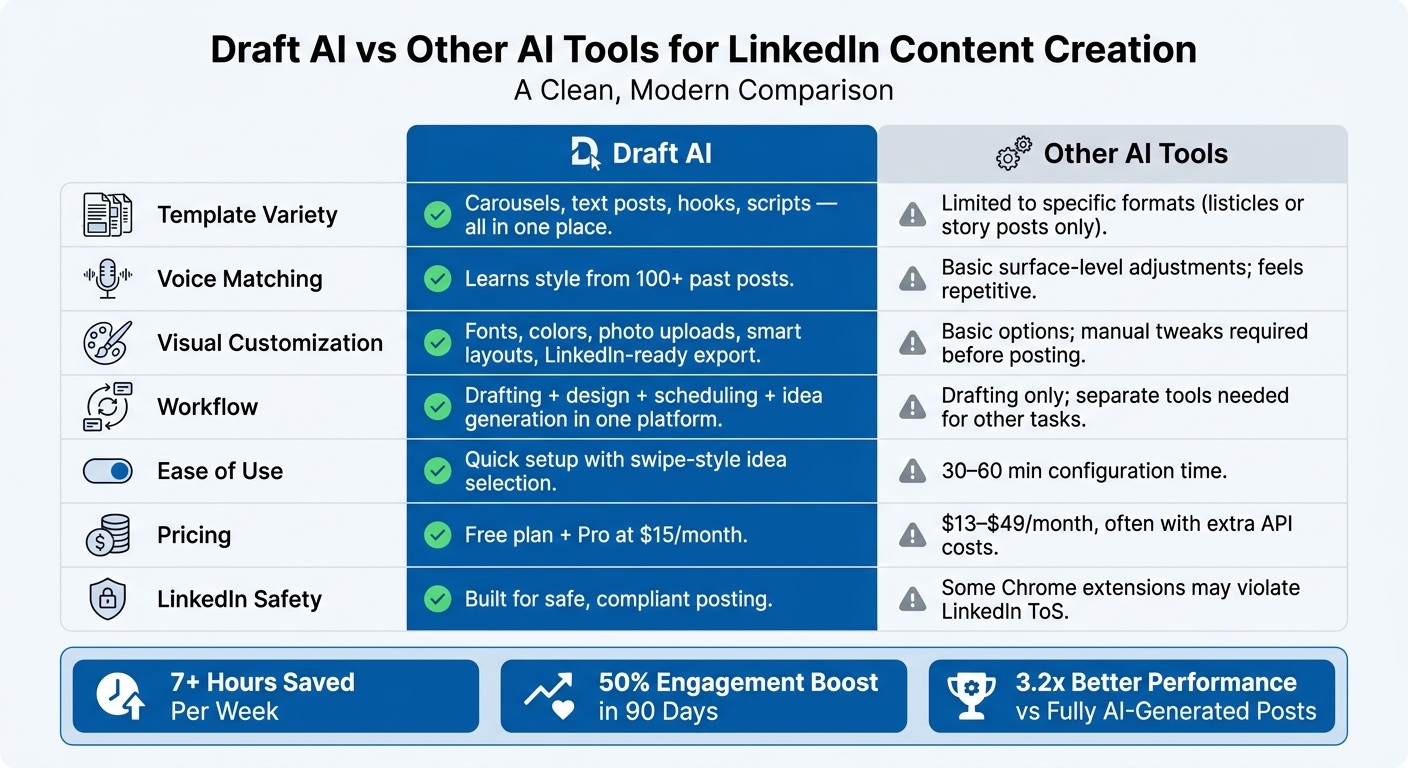
Draft AI vs Other AI Tools: LinkedIn Content Creation Comparison
When it comes to creating LinkedIn templates, every tool has its ups and downs. However, tools that combine personalization with smooth workflows can make a world of difference. Let’s break down how Draft AI stacks up against other AI tools in the areas that matter most:
| Criteria | Draft AI | Other AI Tools |
|---|---|---|
| Template Variety | Includes carousels, text posts, hooks, scripts, and more, all in one place | Often limited to specific formats like listicles or story posts only |
| Voice Matching | Learns your writing style from your posts and content | Basic adjustments; patterns can feel repetitive over time |
| Visual Customization | Offers font, color, photo uploads, smart layouts, and LinkedIn-ready export | Basic options; manual tweaks often needed before posting |
| Workflow | Combines drafting, design, scheduling, and idea generation in one platform | Typically limited to drafting; requires separate tools for other tasks |
| Ease of Use | Quick setup with swipe-style idea selection | Varies widely; some tools take 30–60 minutes to configure |
| Pricing | Free plan available; Pro plan at $15/month | Ranges from $13/month to $49/month, often with extra API costs |
| LinkedIn Safety | Built for safe, compliant posting | Some tools use Chrome extensions that may violate LinkedIn’s Terms of Service |
This side-by-side comparison makes it clear why Draft AI excels in simplifying LinkedIn content creation.
One of Draft AI’s standout strengths is how it blends personalization with ease of use. For example, users report saving over 7 hours per week, and some have experienced up to a 50% increase in engagement within just 90 days. That’s a game-changer for anyone juggling multiple responsibilities.
On the flip side, many other tools rely on rigid, pre-designed frameworks. This can make posts feel generic - like they were churned out of the same mold. Draft AI avoids this trap by tailoring content to your unique voice and material instead of sticking to cookie-cutter formulas. Plus, its integration of voice memory and LinkedIn-ready design means less manual work for you and more polished, consistent posts right out of the gate.
Conclusion
AI tools have reshaped how LinkedIn content is created. Tasks that used to take hours can now be completed in minutes. In fact, some users manage to create social media posts in minutes while boosting engagement and maintaining a consistent brand voice.
Draft AI builds on these advancements by offering a comprehensive platform for content creation. Whether you need help with idea generation, turning voice notes into polished posts, or creating visually appealing designs, Draft AI has you covered - all for just $15/month with its Pro plan.
One thing is clear: AI works best as a collaborator, not a replacement. Research shows that posts created with AI assistance outperform fully AI-generated ones by 3.2x in engagement. With Draft AI, your personal voice stays front and center, while the tool takes care of the heavy lifting - like formatting, structuring, and polishing. This approach ensures your authentic experiences and insights shine through, while AI enhances the process with hooks and finishing touches.
"AI doesn't replace strategy. But it eliminates the blank page problem." - AI Shortcut Lab Editorial Team
Consistency is just as important as engagement. Using AI for drafting and scheduling can help achieve a 90% posting consistency rate. For anyone serious about growing their LinkedIn presence in 2026, this kind of reliability is a game changer.
FAQs
How does Draft AI learn my writing style?
Draft AI gets to know your writing style by studying your previous work and even your voice recordings. To build a linguistic profile, you can upload 15–20 examples like emails, blog posts, or social media updates. If you prefer, you can also share voice messages, which the AI transcribes to capture your natural tone and phrasing. Over time, as you review and tweak the drafts it generates, the AI learns from your feedback to improve its accuracy and better match your unique style.
Can Draft AI create LinkedIn carousels from voice notes?
Draft AI makes it easy to transform voice memos into LinkedIn carousels. All you need to do is record a voice note between 30 seconds and 2 minutes long. The platform will then pull out the main points and turn them into a polished carousel. You can personalize the design by adjusting fonts, colors, and images using the built-in editor, ensuring it aligns with your brand. Once you're satisfied, export it as a PDF, ready to share on LinkedIn.
Will using AI help me post consistently on LinkedIn?
Yes, AI makes it easier to stick to a regular LinkedIn posting schedule by cutting down the time spent on content creation. Tools like Draft AI let you quickly generate posts and carousels in just minutes. With pre-designed templates and features that match your brand, you can plan and create multiple pieces of content in one go. This way, you can stay active and connect with your audience without the hassle of daily manual work.


