AI Tools for Social Media: Features to Look For
Before I pay for an AI social media tool, I check one thing first: does it cut work, or just move the work somewhere else?
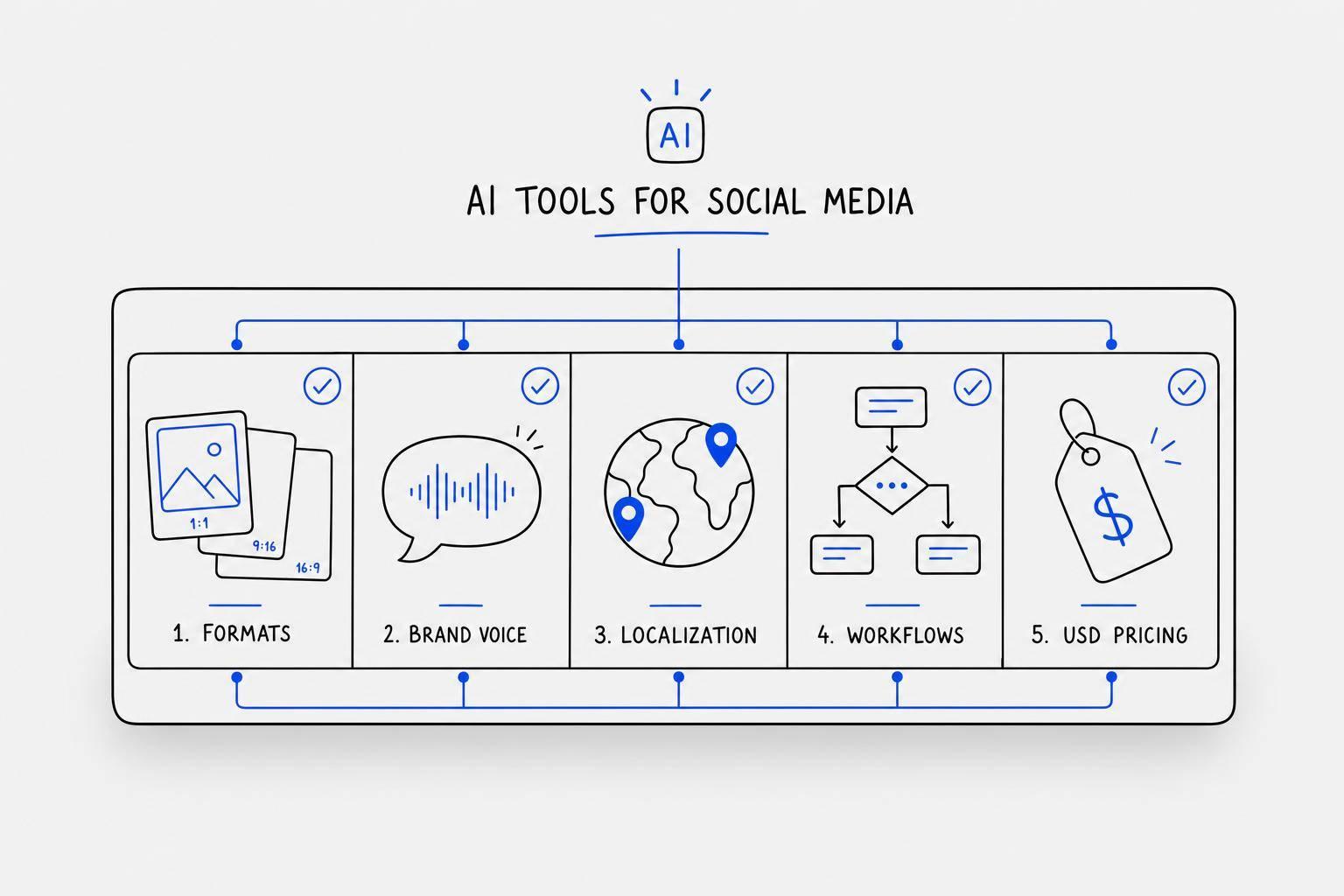
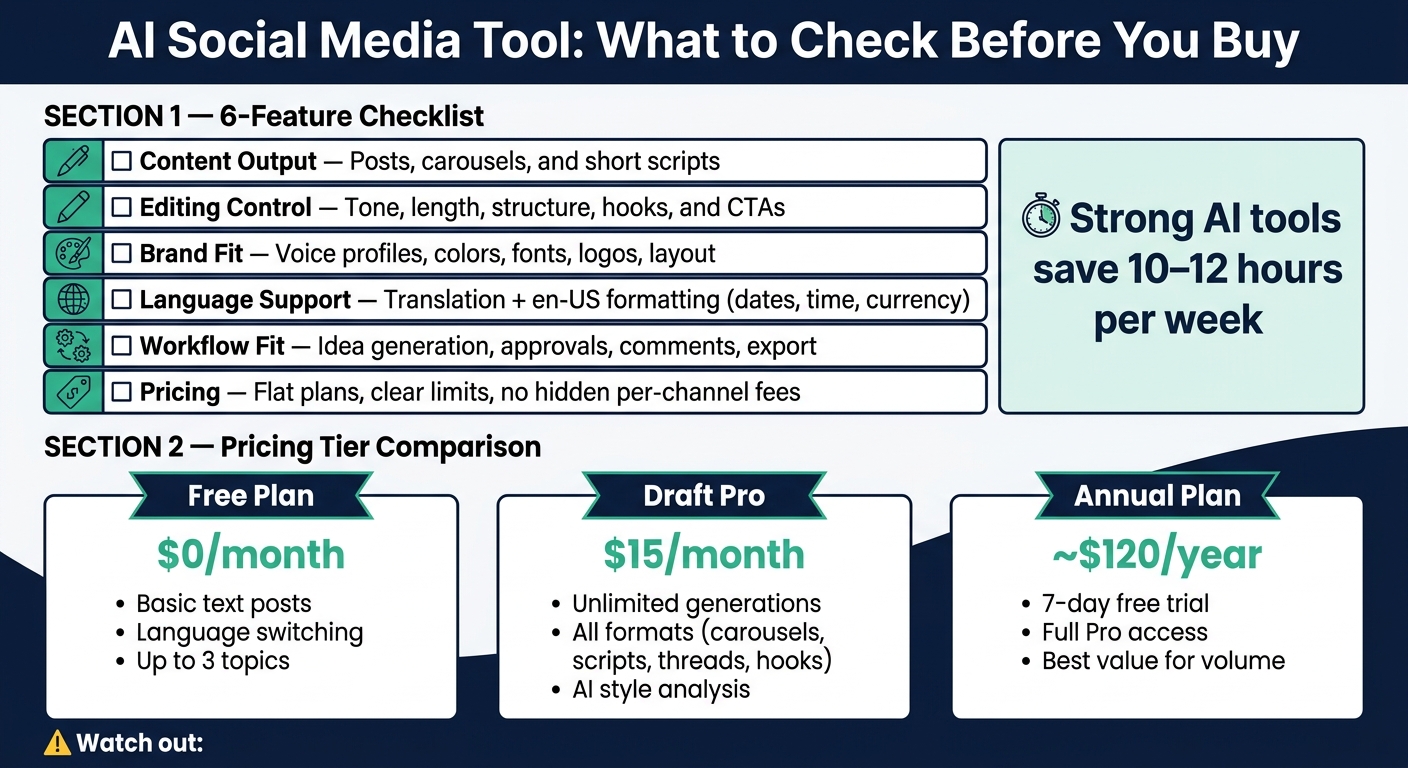
Most tools promise faster posting. But the ones worth using help me do five things well: write publish-ready posts, keep my brand voice in place, handle design and language settings, fit my review and export flow, and stay within a price plan that matches my volume. That matters because strong AI tools can save 10–12 hours per week, while weak ones just add cleanup.
Here’s the short version of what I’d check:
- Content output: posts, AI carousel tools, and short scripts
- Editing control: tone, length, structure, hooks, and calls to action
- Brand fit: voice profiles, colors, fonts, logos, and layout control
- Language support: multilingual translation settings plus English (U.S.) formatting like dates, time, and currency
- Workflow fit: idea generation, approvals, comments, and export
- Pricing: clear limits, flat $15/month-style plans, and no surprise per-channel fees
If a tool misses one of those, I know I’ll spend more time fixing than publishing.
| Check area | What I look for | Why it matters |
|---|---|---|
| Content formats | Posts, carousels, scripts | I don’t want three tools for one job |
| Brand control | Voice profile, brand kit, layout settings | It keeps content close to my style |
| Localization | Translation and en-US formatting | It avoids date, spelling, and money format errors |
| Workflow | Comments, approvals, exports | It cuts back-and-forth with my team |
| Pricing and limits | Monthly caps, upgrade triggers, flat USD pricing | It tells me what I’ll pay as volume grows |
Bottom line: I’d pick the tool that gives me the least cleanup between first draft and scheduled post.
AI Social Media Tool Checklist: Must-Have Features & Pricing Tiers
This NEW AI Tool Creates 30 Days of Social Media Content in Minutes (step-by-step guide)
sbb-itb-9f5fe42
Content Creation Features Checklist
Start by checking if the tool can draft the formats you publish most often.
Support for Posts, Carousels, and Short Scripts
First, make sure the tool handles the formats you actually use, not just plain text captions. A solid AI social media tool should help you create posts, carousels, and short-form scripts in one place, without forcing you to bounce between apps.
Each format has its own shape. A carousel needs slide-by-slide flow. A short script needs pacing and a clear beat. If the tool can't switch between formats cleanly, it'll slow your team down instead of helping.
It also helps to check how the tool handles messy input. You shouldn't need a polished prompt every time. If you can paste raw notes or drop in a voice message and get a clean draft back, that's a big win. Draft AI supports this workflow, letting users turn raw notes or voice messages into social media posts, scripts, and carousels in minutes.
Templates and Reusable Content Structures
Templates make a big difference when you publish on a steady schedule. Instead of starting with a blank page every time, you can use prebuilt carousel templates and layouts for common formats like posts and short scripts.
That saves time, but it also helps with consistency. The structure is already there. You just fill in the message and move on.
Controls for Tone, Length, and Clarity
Output quality depends a lot on how much control you have after the first draft. If the tool can't adjust tone, length, or structure, you'll end up rewriting most of it by hand.
Look for controls that let you:
- shift tone
- shorten or expand copy
- tighten structure
- add or remove hooks, bullets, and calls to action
Those settings should cut editing time, not pile more work on top of it.
Draft AI also includes a personal writing style profile, so the tool can learn how you write and apply that style to new content. Pro users can reset and update style guidelines as the brand changes, which helps keep output aligned over time.
Brand, Design, and Localization Checklist
After content quality, the next thing to check is whether the tool can keep your brand and localization in line across every post.
Visual Branding and Layout Controls
Look for tools that let you set a reusable brand kit with hex color codes, fonts, logo files, and photo uploads. That way, every post stays aligned with your brand assets.
Layout control matters too. A design built for a 1:1 Instagram square shouldn't fall apart the moment you switch it to a 9:16 Story. Smart layout should reflow text and keep logo placement, hierarchy, and spacing in place across formats. Draft AI includes font and color customization, photo uploads, and smart layout that adapts to multiple post sizes without breaking the design. That's handy when you're repurposing one campaign across Instagram, LinkedIn, and Facebook at the same time.
This matters most when one campaign has to show up in several formats without turning into a mess.
Keeping a Consistent Brand Voice
Visual consistency is only half the picture. Your copy also needs to sound the same across every post, carousel slide, and script, especially when more than one person is making content. It also saves time. If the AI stays close to your tone, you spend less time editing before publishing. For more tips on streamlining your production, visit our AI-powered content generation blog.
The most useful tools let you train a voice profile by importing your existing posts, Reels captions, or blog content. Use that imported content to keep the voice steady across posts. And if you manage more than one brand, set up separate profiles for each client to avoid brand bleed. For agencies and multi-brand teams, separate style profiles help keep each brand voice distinct without extra manual work.
That same consistency should carry over into every language version too.
Translation and U.S. English Localization
If part of your audience speaks a language other than English, per-post language switching is a must. You should be able to create a core post in English and turn it into a Spanish version in the same workflow, without copying and pasting into another tool.
For U.S.-based creators, check that the tool can be set to English (U.S.) and follows en-US conventions:
- American spelling
- MM/DD/YYYY dates
- 12-hour time
- Dollar formatting
- Imperial units
These details are easy to miss until a post goes live with the wrong format. Draft AI supports multilingual translation and language switching, which helps teams serve both English-speaking and multilingual U.S. audiences from one content pipeline.
Idea Generation, Workflow Fit, and Export Checklist
After brand controls, the next thing to check is whether the tool helps with ideas, approvals, and export without bogging down your process.
Content Idea Generation and Hook Support
Idea gaps can wreck a social media content creation checklist fast. A good tool should take your business details or blog posts and turn them into post ideas you can use right away. Draft AI does this by turning those inputs into swipeable idea cards you can save and come back to later.
Hooks matter just as much. A weak opener can make a solid post fall flat. So look for a tool that suggests hooks tied to your niche, not bland one-size-fits-all lines.
Collaboration and Approval Workflows
If more than one person touches the content, your workflow needs more than a draft box. Look for comment threads, approval status tracking, and role-based access. That way, reviewers can leave feedback without editing the final copy by accident.
Multi-agent workflows can cut approval cycles from 72 hours to 24 hours.
Export Options for Publishing and Scheduling
Once review is done, export is the next checkpoint. The tool should move cleanly into your publishing flow, whether you need plain text for a LinkedIn post, a formatted carousel, or a script. Draft AI supports export-friendly formats for text posts, carousels, and scripts, which keeps the gap between creation and publishing as small as possible.
It’s worth testing the whole path from raw input to schedulable content. If your team has to keep copy-pasting between apps, that drag shows up every single week.
Pricing, Limits, and Final Evaluation Checklist
Usage Limits, Plans, and Upgrade Path
Once a tool fits your automated content creation and brand workflow, the next step is simple: make sure the plan still works at your posting volume.
This is where a lot of tools get slippery. "Unlimited" doesn't always mean unlimited. In many cases, it still comes with a cap of 100 to 500 generations per month. If you're batching content every week across several platforms, that limit can hit sooner than you'd think.
Here's how the plans break down:
- Free Plan - $0/month for basic text post generation, language switching, and up to 3 topics
- Draft Pro - $15/month for unlimited generations, all content formats like carousels, scripts, threads, and hooks, plus AI style analysis
- Annual Plan - about $120/year, with a 7-day free trial so you can test the full Pro plan before your card is charged
The big thing to check is what actually triggers an upgrade. Sometimes it's the number of generations. Sometimes it's topic limits. Sometimes key formats sit behind the paid tier.
What Good Value Means for U.S. Creators
If the plan lines up with your output, then it comes down to cost versus time saved.
A $15/month plan is pretty easy to justify if it saves you even a few hours each month. That's the lens to use: not just price, but how much work it takes off your plate and how much content it lets you ship.
For U.S.-based creators, clear USD pricing matters. So does a pricing model that doesn't tack on extra fees for each channel. Per-platform pricing can get expensive fast once you're running 5 or more platforms. A flat monthly price is usually easier to live with, especially if it covers all the formats you need in one place.
Must-Have vs. Nice-to-Have: Final Checklist
Use this last pass to separate the stuff you need from the stuff that's just nice to have.
| Feature | Why It Matters | What to Check For |
|---|---|---|
| Usage Limits | Determines scalability | Monthly generation cap, topic limits, and what triggers an upgrade |
| Pricing (USD) | Fits your budget | Flat rate, no hidden per-channel fees |
| Core Feature Fit | Confirms the tool covers your workflow | Posts, carousels, scripts, branding, voice, translation, and idea generation all present |
The must-haves are pretty clear: clear usage limits, flat USD pricing, and proof that the tool covers the core features from the earlier sections. Everything else, like AI image generation or advanced competitor analysis, can be nice to have. But it shouldn't be the reason you pay more if the core writing workflow isn't solid first.
FAQs
How do I know if an AI tool really saves time?
Track how much time you spend creating, editing, formatting, and scheduling posts before and after you start using the tool. If those jobs take less time and your team can put out more content, that’s a strong sign the tool is saving time.
It also helps to watch the repeat-heavy parts of the job. Think templates, platform-specific tweaks, repurposing content, and batch creation. When those workflows move faster, the time savings are usually hard to miss.
Which features matter most for brand consistency?
The most important features are the ones that help AI tools learn and repeat your brand’s voice and style - things like tone, word choice, and core messaging.
They should also keep visual elements in line across your content, including colors, fonts, and logos.
How can I test pricing limits before I pay?
Start with the free plan to try the basic features and a limited number of content generations.
If you want more room to test, move to the Pro plan for $15/month. It gives you unlimited content generation and access to advanced tools, so you can see if it’s a good fit for your needs.


