10 Free Social Media Scheduling Tools 2026
Keeping up with social media can be time-consuming, but free scheduling tools make it easier to plan and post consistently without breaking the bank. This list features 10 tools with forever-free plans, not limited trials, to help you manage your social media more efficiently. Here's a quick breakdown:
- Buffer: Supports 11 platforms with 10 posts per channel (30 total). Simple interface but lacks advanced analytics.
- Meta Business Suite: Unlimited scheduling for Facebook and Instagram with built-in analytics. Limited to Meta platforms.
- Metricool: Covers multiple platforms with analytics and competitor tracking on the free plan but limits posts to 20–50 per month.
- Later: Focuses on visual planning with drag-and-drop tools but restricts free users to 5 posts per profile per month.
- Planable: Great for teams with unlimited users and approval workflows, but the free plan caps at 50 lifetime posts.
- CoSchedule Free Marketing Calendar: Combines social scheduling with task and project management but limits posts to 15 total.
- GoDaddy Studio: Blends design tools with scheduling but supports only Facebook, Instagram, and Google Business Profile.
- Mailchimp Free Social Posting: Integrates social posting with email campaigns but lacks scheduling on the free plan.
- Native Scheduling Tools: TikTok, X, and Pinterest offer free built-in scheduling but require managing each platform separately.
- Draft AI: Combines AI-driven content creation with scheduling, offering 250 free credits monthly for posts, captions, and more.
Each tool has unique strengths and limitations, so your choice depends on your needs - whether it's simplicity, analytics, collaboration, or content creation. For a smooth workflow, consider pairing a scheduler with AI tools like Draft AI to save time on both creating social media posts and distribution.
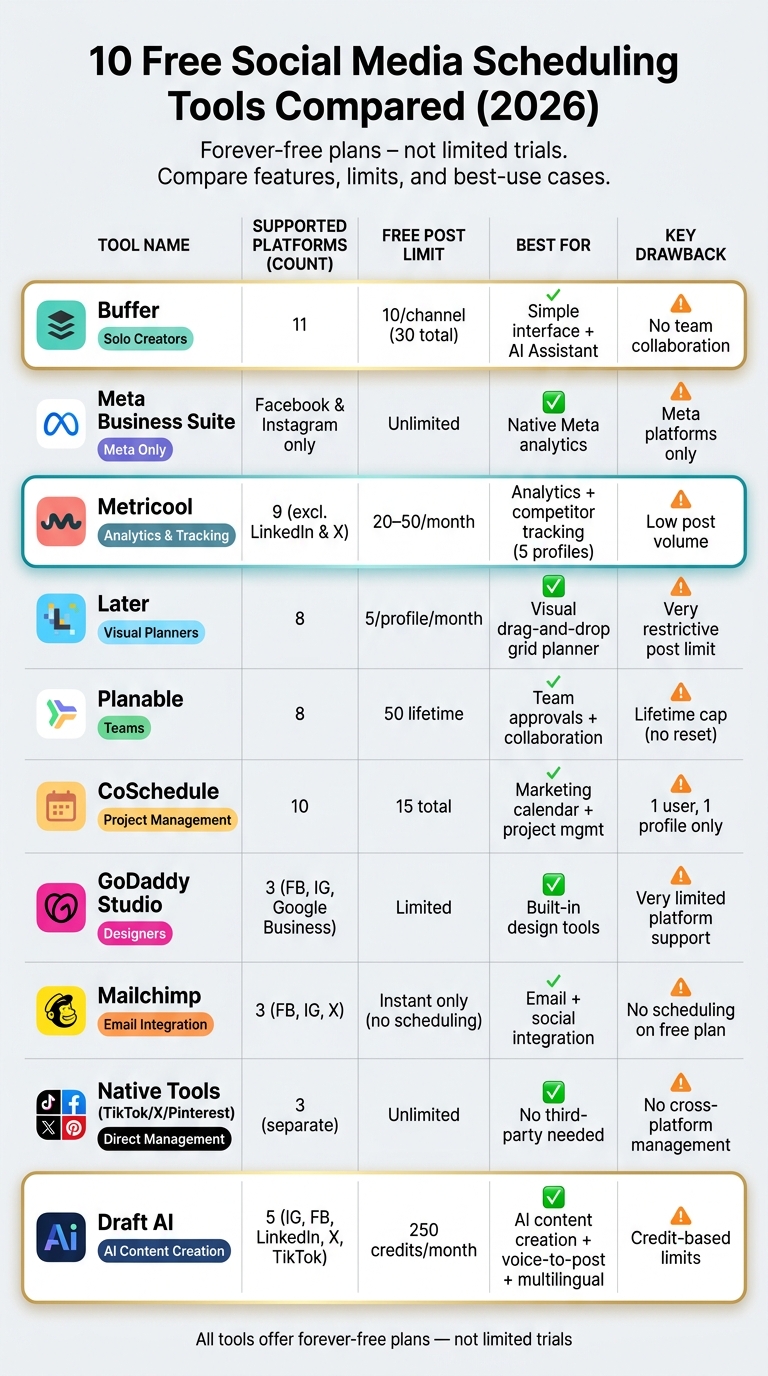
10 Free Social Media Scheduling Tools Compared (2026)
The Best FREE Social Media Schedulers: Pros and Cons
sbb-itb-9f5fe42
1. Buffer
Buffer stands out as a top-tier free scheduling tool, compatible with 11 social media platforms like Facebook, Instagram, TikTok, LinkedIn, Threads, Bluesky, YouTube Shorts, Pinterest, Google Business Profile, Mastodon, and X.
The free plan allows users to connect up to 3 channels, with a limit of 10 scheduled posts per channel (30 total). These posts automatically refill, enabling users to schedule up to 90 posts per month.
"With Buffer I'm able to save approximately 4-5 hours every week, granting me the freedom to dedicate more of my valuable hours to other important tasks and projects." - CherRaye Glenn-Flowers, Brownce
Buffer's free plan includes several content creation tools for marketers. The interface is clean and straightforward, featuring a drag-and-drop visual calendar and a browser extension to easily clip and schedule content. Other features include an AI Assistant integrated into the composer, a Start Page link-in-bio tool, and a Create Space library to store up to 100 content ideas. Additionally, users can reply to comments on Facebook, Instagram, and LinkedIn directly within the platform, reducing the hassle of switching between apps.
That said, the free plan has its limitations. It doesn’t offer team collaboration, approval workflows, a hashtag manager, first-comment scheduling, or analytics beyond a 30-day history. It’s designed for a single user, so teams will need to upgrade to the Team Plan, priced at $10/channel/month (billed annually). For solo creators or small businesses managing a few channels, the free plan provides essential tools without feeling overly restrictive.
| Feature | Buffer Free Plan |
|---|---|
| Connected Channels | Up to 3 |
| Scheduled Posts | 10 per channel (30 total) |
| User Seats | 1 |
| Analytics History | 30 days |
| AI Assistant | Included |
| Supported Platforms | 11 |
| Team Collaboration | Not included |
2. Meta Business Suite
Meta Business Suite is completely free, doesn’t require a credit card, and allows unlimited post scheduling for Facebook and Instagram.
With this tool, you can schedule standard posts, Reels, and Stories for both platforms, planning your content with a social media content creation checklist up to 75 days ahead. These scheduling capabilities make it a strong option for managing content on Facebook and Instagram. For those looking to scale, automated content creation can further streamline these workflows.
The platform's Planner features a visual calendar, giving you a clear overview of your scheduled posts. You can easily move posts around with drag-and-drop functionality. It also includes a unified inbox, which lets you handle comments and direct messages from both platforms in one place. On top of that, the built-in analytics provide detailed data on metrics like reach, engagement, impressions, and follower growth - all sourced directly from Meta.
"The analytics data is richer than what most third-party tools can access through the API." - Nina Kowalski, Content Calendar Strategist, Aibrify
However, the platform does have its limitations. Since it only supports Facebook and Instagram, it’s not ideal for managing content across multiple social platforms. Additionally, some users find the interface clunky, and more advanced features can take time to master. This is reflected in its Lunoo rating of 7.3/10.
| Feature | Meta Business Suite (Free) |
|---|---|
| Supported Platforms | Facebook, Instagram |
| Post Limits | Unlimited |
| Stories & Reels Scheduling | Supported |
| Schedule in Advance | Up to 75 days |
| Analytics | Native Meta insights included |
| Team Collaboration | Role-based access (Admin, Editor, etc.) |
| Cost | $0/month |
3. Metricool
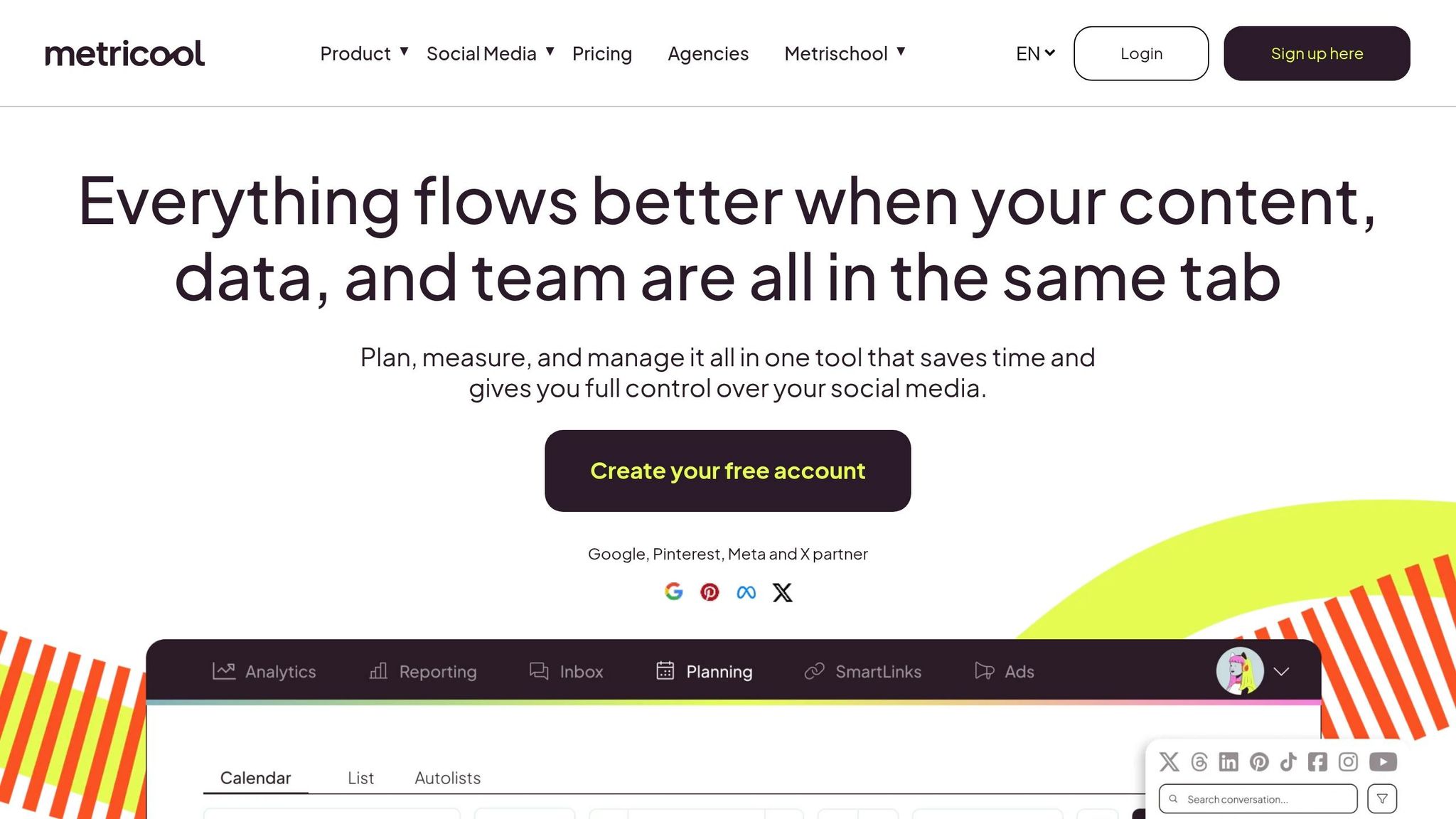
Metricool offers a well-rounded solution for scheduling social media posts, complete with analytics and competitor tracking.
The free plan is particularly appealing thanks to its broad range of features. It allows you to schedule posts across platforms like Facebook, Instagram, TikTok, Pinterest, YouTube, Google Business Profile, Threads, Bluesky, and Twitch. However, LinkedIn and X (formerly Twitter) are excluded from the free tier. If you want to include X, it's available as a $5/month add-on per connected account.
With the free plan, you can manage one profile per network and schedule up to 20 posts per month (though some users report limits as high as 50). The plan also includes 30 days of analytics history, offering insights into engagement rates, follower growth, and your top-performing posts. Additionally, you can track up to five competitor profiles on specific platforms.
The scheduling interface is user-friendly, featuring a drag-and-drop calendar with color-coded posts for easy organization. There's also a "best time to post" heatmap that can boost your reach by 20–30%. For batch-scheduling, the desktop version is more practical, as the mobile app can feel a bit cramped.
"Metricool's free plan is significantly more capable than Buffer's free plan. You get analytics, competitor tracking, AI-powered content generation, and more scheduled posts - all free."
- Will Tygart
One caveat: you'll need to reauthorize your social network connections every 24–48 hours to ensure posts are published without a hitch. If you're looking for advanced features like team collaboration, role-based permissions, or post-approval workflows, you'll need to upgrade to the Advanced plan, which starts at around $45/month. The free plan is designed primarily for individual users.
| Feature | Metricool Free Plan |
|---|---|
| Supported Platforms | Facebook, Instagram, TikTok, Pinterest, YouTube, Google Business Profile, Threads, Bluesky, Twitch |
| Monthly Post Limit | 20 posts (up to 50 as reported) |
| Analytics History | 30 days |
| Competitor Tracking | Up to 5 profiles |
| AI Caption Credits | 5 per month |
| LinkedIn / X | Not included (X available as a paid add-on) |
| Team Collaboration | Not available |
| Cost | $0/month |
4. Later
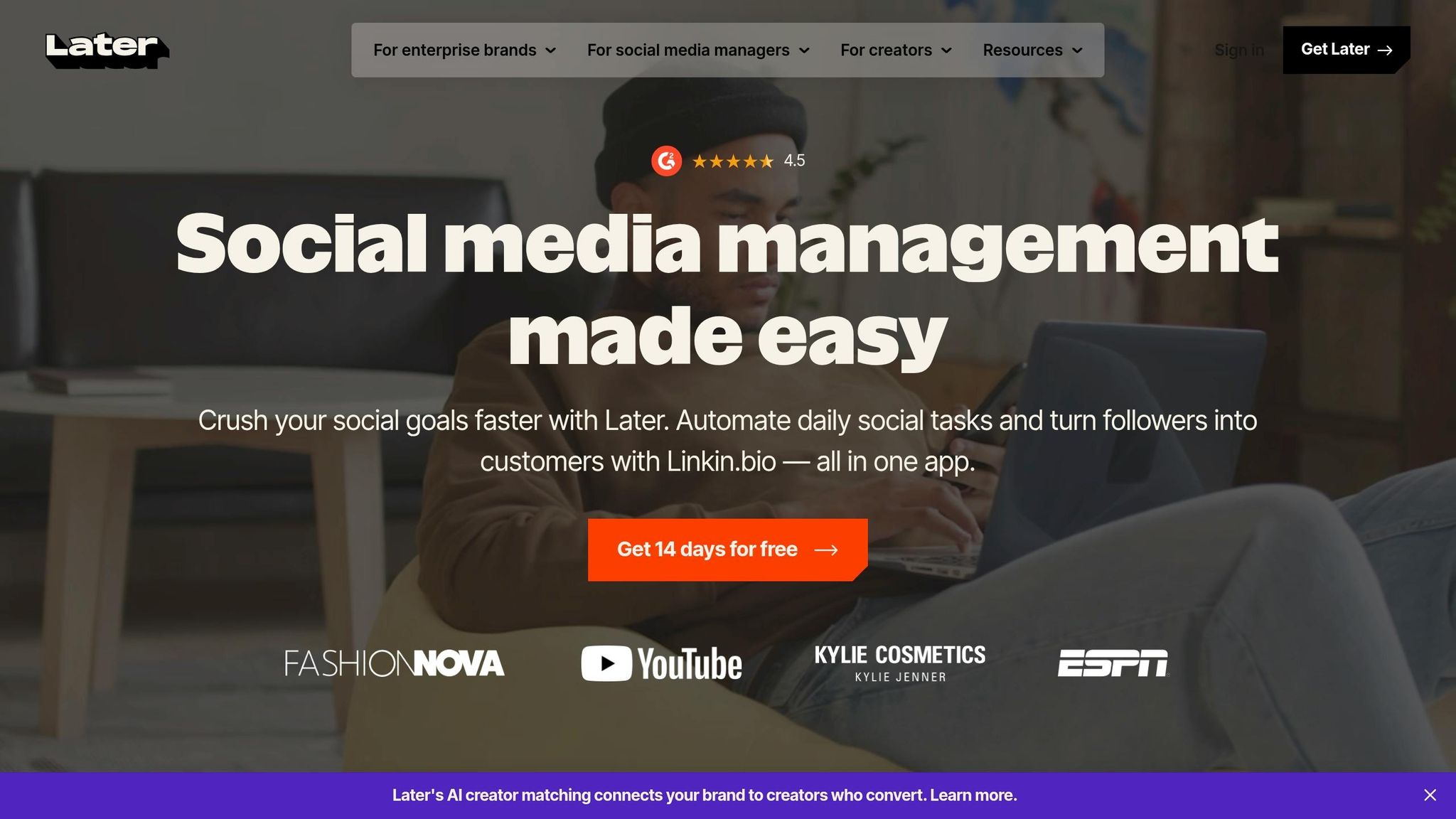
Later focuses on one main goal: making your social media feed more visually appealing. With its free plan, you get access to 1 Social Set, which includes one profile each for Instagram, Facebook, Threads, Pinterest, TikTok, LinkedIn, YouTube, and Snapchat. This means you can manage up to eight platforms without spending a dime.
But here's the catch: the free plan only allows 5 posts per profile per month. If you're posting twice a week, you'll hit that limit in no time. As Monolit Blog puts it:
"Later's free plan is a trial, not a strategy." - Monolit Blog
One standout feature of Later is its drag-and-drop Instagram grid preview. You can arrange your posts and see how your feed will look before hitting publish. This tool is especially handy for creators or brands that prioritize maintaining a consistent aesthetic. Most users can get their first post scheduled within just 15 minutes of signing up.
However, the free plan has some notable downsides. Analytics are completely absent, meaning you won't get insights into performance, follower growth, or the best times to post. Additionally, auto-publishing isn't guaranteed for all platforms - some require manual push notifications instead. If these features are important to you, upgrading to the Starter plan at $25/month might be necessary.
| Feature | Later Free Plan |
|---|---|
| Supported Platforms | Instagram, Facebook, Threads, Pinterest, TikTok, LinkedIn, YouTube, Snapchat |
| Post Limit | 5 posts per profile/month |
| Visual IG Grid Planner | ✔ Included |
| Analytics | ✖ Not included |
| Auto-Publishing | Partial (some platforms require manual push) |
| AI Caption Credits | 0 |
| Monthly Cost | $0 |
In short, Later's free plan is ideal for testing its visual planning tools but isn't designed for frequent posting or in-depth social media management.
5. Planable
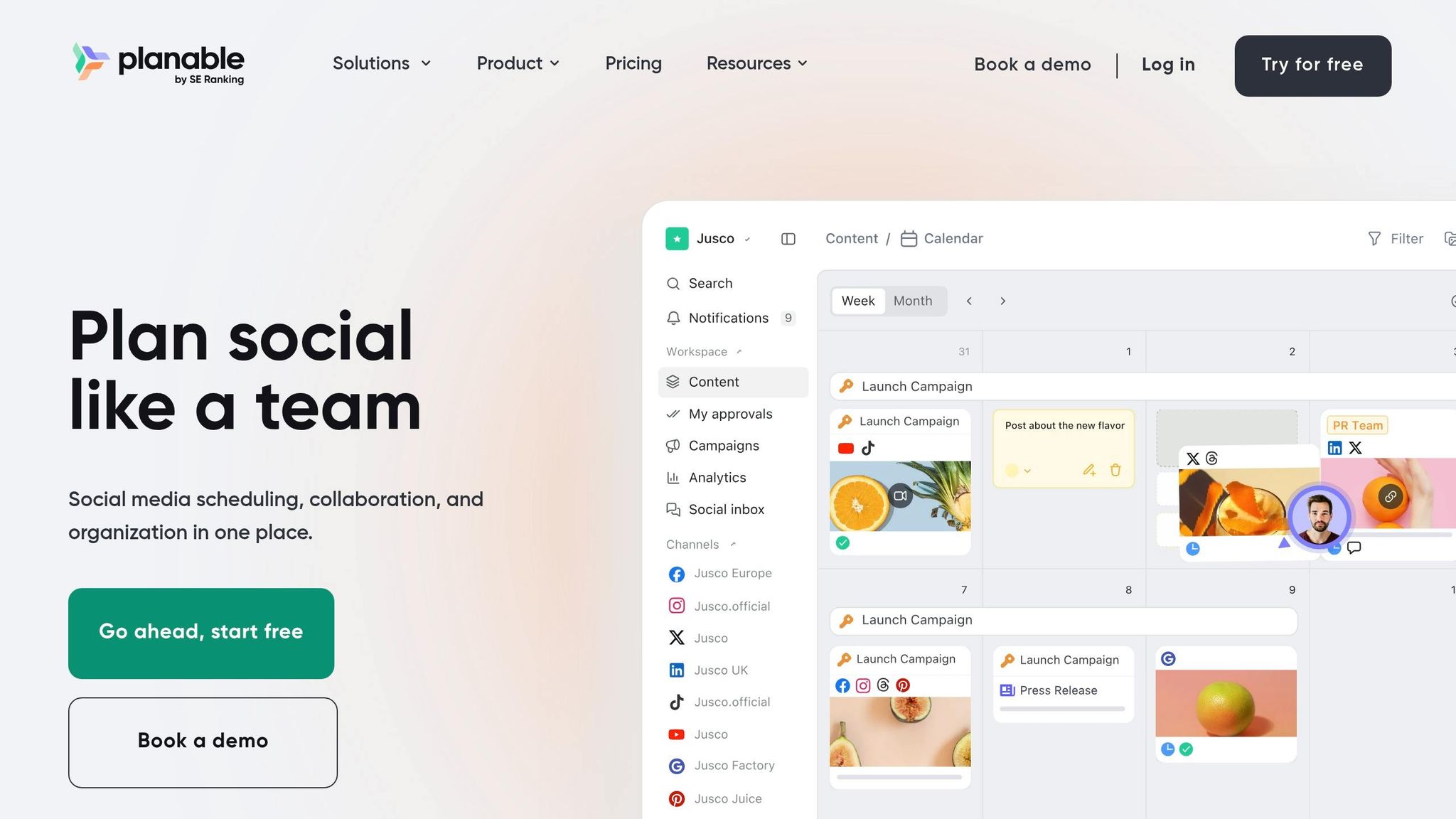
Planable is designed with teams in mind, offering unlimited team members - a feature that works perfectly for agencies or small marketing teams.
The free plan supports eight platforms, including Facebook, Instagram, LinkedIn, TikTok, YouTube, Pinterest, Google Business, and Threads. However, X (formerly Twitter) is only available with paid plans. Users can connect up to four social pages, and the free plan provides access to all features, such as multi-level approval workflows, which are often reserved for higher-tier plans.
That said, the free plan comes with a one-time lifetime limit of 50 posts. Keep in mind that cross-posting to multiple platforms counts against this limit. For example, a single post shared across three platforms will deduct three posts from the 50-post allowance.
Planable also shines with its visual mockup previews, which let you see exactly how your posts will look on each platform before publishing. The interface is versatile, offering views like Feed, Calendar, Grid, and List. Additional features include a built-in Canva integration and an AI caption generator. On G2, Planable holds an impressive 4.6/5 rating from 937 reviews, with users appreciating the clean interface and smooth approval process.
| Feature | Planable Free Plan |
|---|---|
| Supported Platforms | Facebook, Instagram, LinkedIn, TikTok, YouTube, Pinterest, Google Business, Threads |
| Post Limit | 50 lifetime posts (no reset) |
| Page Limit | 4 pages |
| User Limit | Unlimited |
| Collaboration & Approvals | Included (multi-level) |
| Analytics | Paid add-on ($14/workspace/month) |
| Monthly Cost | $0 |
Planable's free plan is a great choice for teams looking to test a collaborative approval workflow without committing to a paid tool. However, the 50-post lifetime cap might be a limiting factor, especially for teams with higher posting needs.
6. CoSchedule Free Marketing Calendar
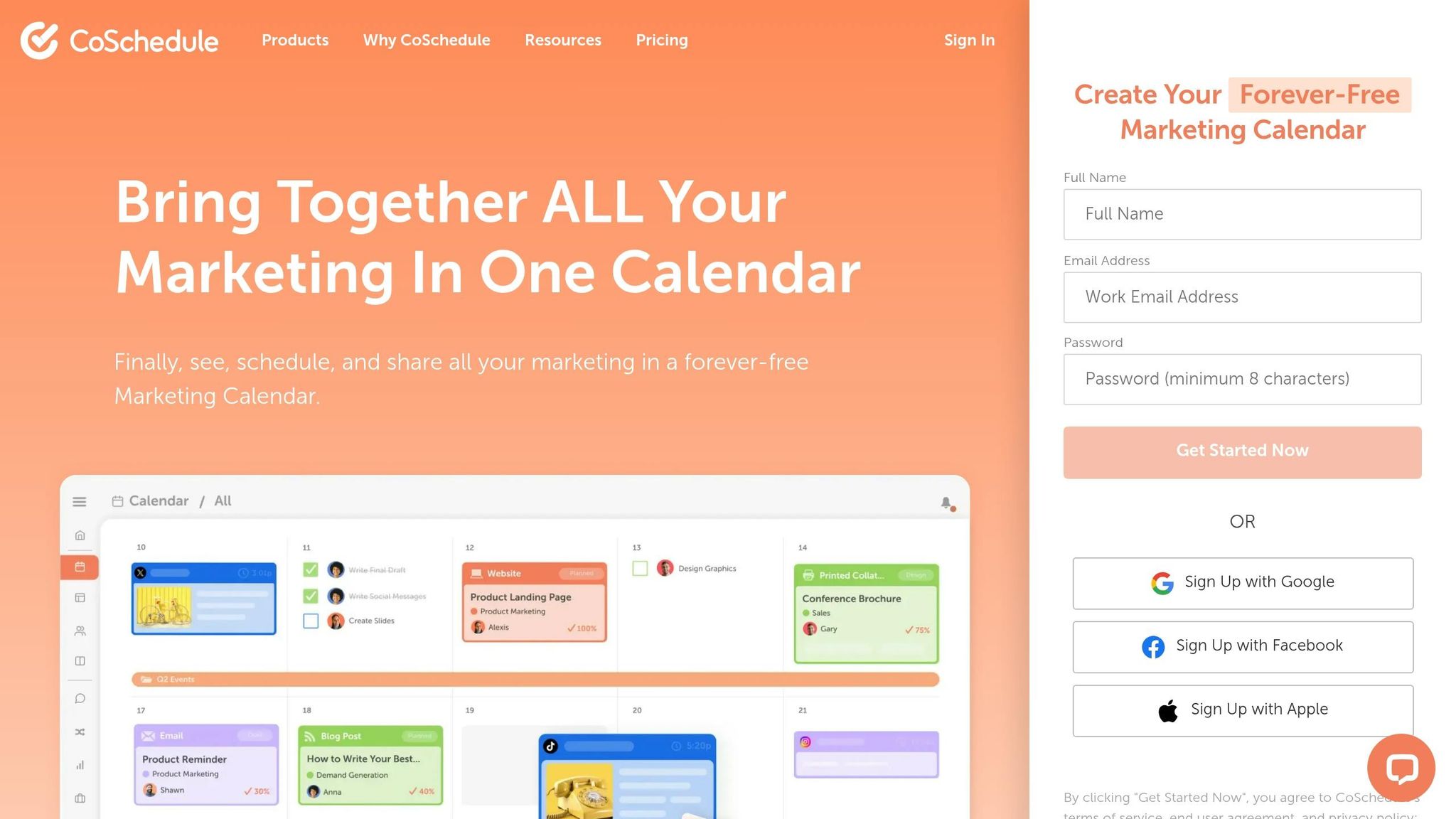
CoSchedule goes beyond a simple scheduling tool by combining social media scheduling, content marketing, task management, and project planning into one cohesive platform. This unified approach gives users a clear overview of their marketing activities, making it more than just a standalone scheduler. As Garrett Moon, CoSchedule's co-founder, explains:
"CoSchedule's free Marketing Calendar solves makeshift marketing by bringing together content marketing, social publishing, task management, & project management into one calendar."
The platform supports most major social networks, though X (formerly Twitter) requires a paid add-on. Key features include a drag-and-drop calendar, Best Time Scheduling, and an AI Assistant equipped with 20 project templates. These tools simplify tasks like rescheduling and drafting content, with the AI Assistant focusing on structured workflows rather than generic caption creation. However, the free plan's limitations might pose challenges for users with heavier scheduling needs.
Here’s a quick breakdown of CoSchedule's free plan:
| Feature | Free Calendar Detail |
|---|---|
| User Limit | 1 user |
| Social Profile Limit | 1 profile |
| Scheduled Message Limit | 15 messages in total |
| Supported Platforms | Facebook, Instagram, LinkedIn, Pinterest, TikTok, YouTube, Threads, Bluesky, Mastodon, Google Business Profiles |
| X (formerly Twitter) | Paid add-on ($8/month per profile) |
| AI Tools | AI Assistant + 20 project templates |
| Monthly Cost | $0 |
The free plan has a 4.3/5 rating on G2 from 152 reviews, with many users appreciating its intuitive calendar interface. However, some common complaints include limited customer support and the added cost of certain features. This makes CoSchedule an appealing choice for solo marketers or freelancers looking to manage social media alongside broader marketing tasks. That said, the one-user limit and 15-message cap might feel restrictive compared to other tools offering more generous allowances.
7. GoDaddy Studio and Social Scheduling
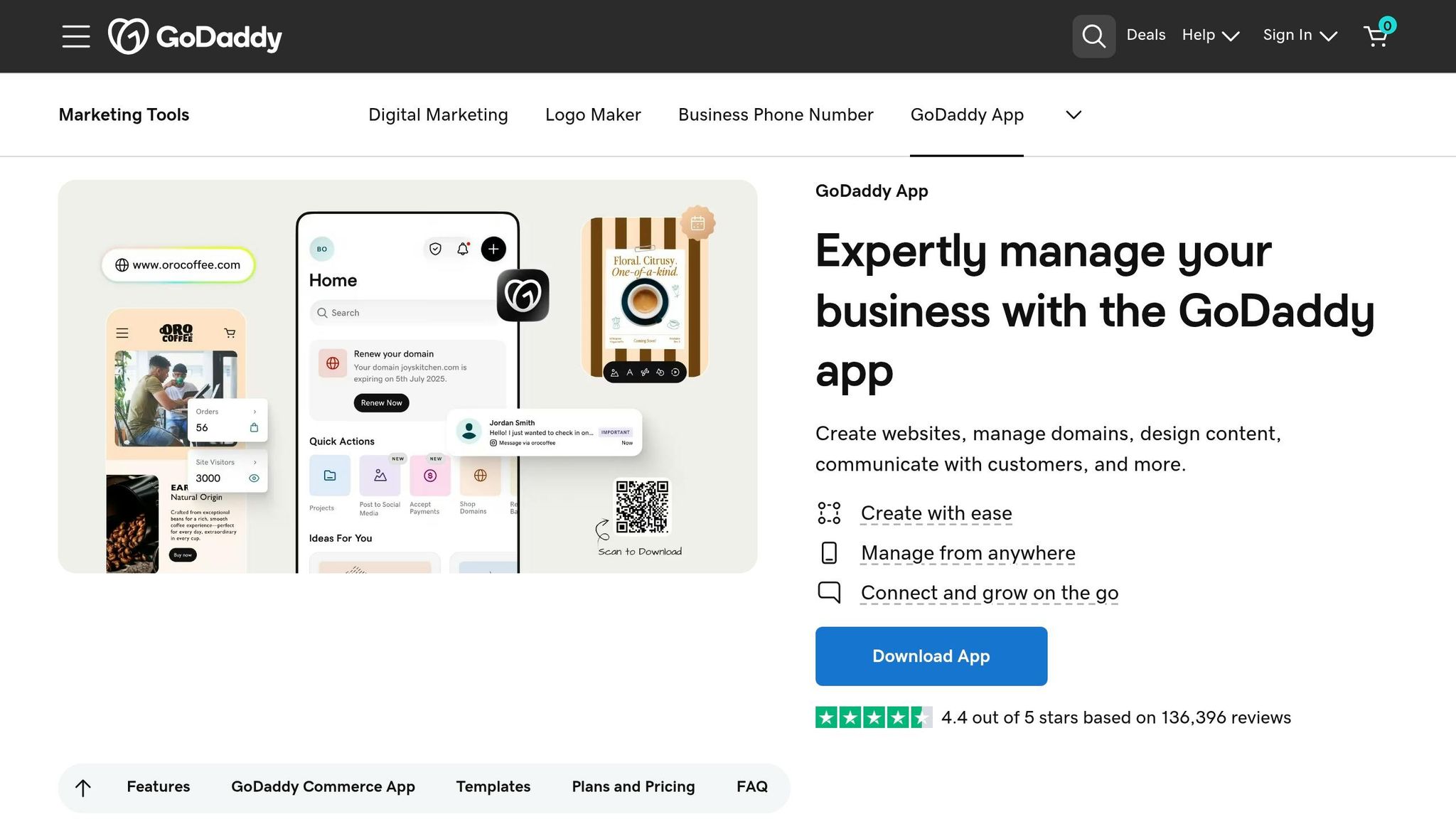
If you're a small business owner searching for a tool that combines design and social post scheduling, GoDaddy Studio might catch your attention. As of February 2026, GoDaddy Studio became part of the main GoDaddy app, offering a set of design tools under the name Content Creator. The scheduling features are housed in the Marketing Planner, which provides a calendar or list view of your scheduled posts. It even includes prompts for over 200 holidays and trending events to help you plan your content.
The free plan supports Facebook, Instagram, and Google Business Profile, allowing you to schedule posts anywhere from 15 minutes to 4 weeks in advance. However, the calendar view is only accessible on desktops - mobile users will have to make do with a list view.
GoDaddy Studio shines when it comes to visual design. The free plan gives you access to a library of templates, fonts, and royalty-free images, along with unlimited project editing. It also features an AI-powered "magic wand" tool that can generate captions and hashtags, although you're limited to three uses for both caption generation and background removal.
| Feature | Free Plan |
|---|---|
| Supported Platforms | Facebook, Instagram, Google Business Profile |
| Scheduling Window | 15 minutes to 4 weeks in advance |
| AI Caption Generations | 3 uses |
| Background Removal | 3 uses |
| Design Assets | Standard templates, fonts, graphics |
| Project Editing | Unlimited |
| Scheduling View (Mobile) | List view only |
The app has earned a 4.4/5 rating on Google Play, based on over 136,000 reviews. While many users appreciate its capabilities, some have mentioned that searching for specific graphics can be slow due to the overwhelming number of assets and limited organization tools. For entrepreneurs who need a tool that blends design and scheduling, GoDaddy Studio offers a practical solution.
8. Mailchimp Free Social Posting
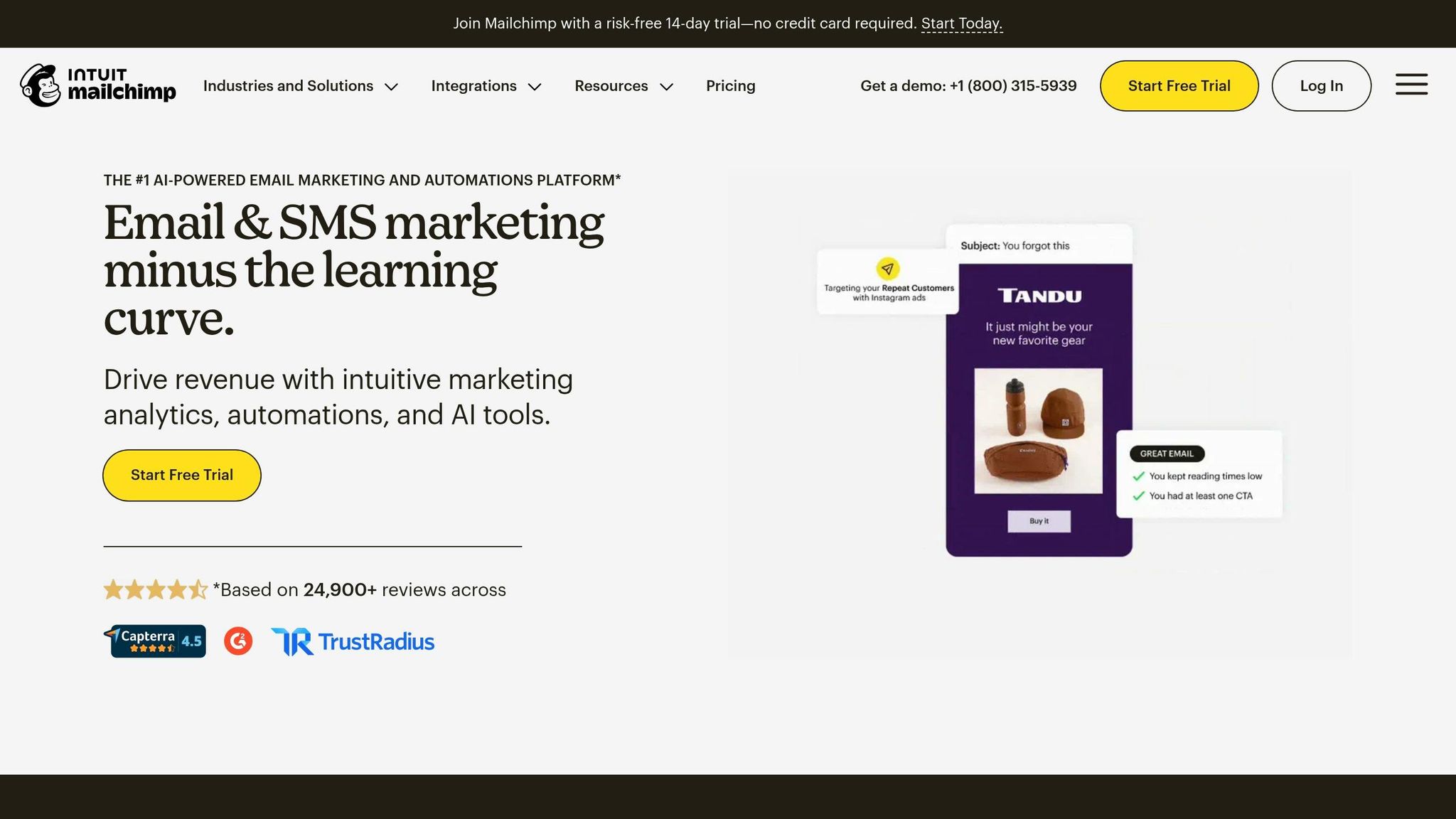
Mailchimp, widely recognized for email marketing, also includes built-in tools for social media posting. Through its unified dashboard, you can manage email campaigns, social posts, ads, and audience data all in one place. Let’s dive into what the free version offers and where it might leave you wanting more compared to dedicated scheduling tools.
With the free plan, you can publish instantly to Facebook Pages, Instagram business profiles, and X (formerly Twitter). You can post to a single platform or multiple platforms simultaneously. However, post scheduling isn’t available on the free tier. To schedule posts - ranging from 2 hours to 3 months in advance - you’ll need to upgrade to a Standard plan or higher.
Mailchimp’s AI tools for social content simplifies the process by turning your existing newsletter content into social captions, saving you time. There’s also a useful feature called "publish with email", which allows you to send a social post at the exact moment your email campaign goes live. This ensures consistent messaging across your channels.
| Feature | Free Plan | Standard Plan+ |
|---|---|---|
| Instant Publishing | ✓ | ✓ |
| Post Scheduling | ✗ | 2 hrs to 3 months ahead |
| Supported Platforms | Facebook, Instagram, X | Facebook, Instagram, X |
| Multi-channel Sync | ✓ | ✓ |
| Email + Social Integration | ✓ | ✓ |
The interface is straightforward: click "Social Post", pick your platforms, create your content, and publish. For free users, Mailchimp is ideal for real-time posts. But if your social media strategy depends on pre-planning, the free plan’s lack of scheduling will likely feel restrictive.
9. Native Scheduling on TikTok, X, and Pinterest
If you're looking for a free way to schedule posts, native scheduling tools on platforms like TikTok, X, and Pinterest can be a handy option. These tools are built right into the platforms themselves, offering a direct way to manage posts. However, they work independently, meaning you'll need to handle each platform separately if you're managing multiple accounts. While this approach might not replace the broader tools we discussed earlier, it's a great fit for users focusing on one specific channel.
TikTok Native Scheduling
TikTok's scheduling feature is available through TikTok Studio on a desktop browser. To use it, you'll need a Creator or Business account - personal accounts aren't eligible. You can schedule standard posts up to 10 days in advance, while TikTok Shop videos can be scheduled up to 30 days ahead.
"As with regular posting, you won't be able to edit the video, captions, or scheduled time after scheduling the post." - TikTok Business Blog
X (Twitter) Native Scheduling
X makes scheduling easy through its web post composer. Just click the calendar icon, pick your desired date and time, and confirm. The tool supports text, up to four images, and videos up to 512 MB. However, it doesn't allow scheduling a series of posts as a thread, so you'll need to post those manually.
Pinterest Native Scheduling
Pinterest's scheduling tool is available for Business accounts. You can schedule up to 100 Pins, 30 days in advance, including both Standard and Video Pins. Unfortunately, Idea Pins can't be scheduled using this tool.
| Feature | TikTok Native | X Native | Pinterest Native |
|---|---|---|---|
| Scheduling Window | 10 days (30 for Shop) | Varies | Up to 30 days |
| Account Required | Creator or Business | Standard | Business |
| Edit After Scheduling | No (delete & re-upload) | Limited | No (delete or publish early) |
| Cross-Posting | No | No | No |
| Cost | Free | Free | Free |
One major limitation across all three platforms is the inability to edit scheduled posts. For TikTok and Pinterest, you’d need to delete the post and start over if changes are needed. Additionally, managing each platform separately can feel like a bit of a "manual tax", especially without a shared calendar view. Still, if you're focused on just one channel, these native tools are a practical and cost-free solution.
10. Draft AI
Draft AI isn't just about scheduling content - it starts by helping you create it. This tool can take raw notes, voice memos, links, or documents and turn them into polished, platform-ready social media posts. Once you've created your content, you can schedule it directly to Instagram, Facebook, LinkedIn, X (formerly Twitter), and TikTok. By combining content creation and scheduling in one place, it simplifies the entire process and saves you time.
The free plan includes 250 monthly credits, giving users plenty of room to try out the tool without worrying about surprise charges. For heavier use, there's the Hobby plan at $25/month, which covers about 1,000 social posts.
What sets Draft AI apart is its ability to personalize posts. It analyzes your previous content to match your tone, sentence structure, and vocabulary, ensuring the output feels like you wrote it. You can also choose from six different writing styles - like Simple, Academic, or Funny - to tailor your message for specific audiences or platforms. On top of that, Draft AI supports multiple languages, such as Spanish, German, and French, making it easy to create or translate posts for a global audience.
"The consistency is insane. It actually sounds like I wrote it on my best day." - DevRel Dave
Draft AI also supports a variety of formats, including carousels, threads, reels scripts, stories, and thought pieces. It automatically adjusts tone, length, and even hashtags to fit each platform. According to the company, users can generate a month’s worth of content in just 15 minutes, potentially saving over 10 hours per week.
Here’s a quick look at Draft AI's features:
| Feature | Details |
|---|---|
| Free Plan | $0/month, 250 credits/month |
| Supported Platforms | Instagram, Facebook, LinkedIn, X (Twitter), TikTok |
| Writing Styles | Six options (Simple, Academic, Funny, Aggressive, Grab Attention, etc.) |
| Multilingual Support | Generate or translate posts into Spanish, German, French, and more |
| Content Formats | Carousels, threads, reels scripts, stories, captions, hooks |
| AI Voice Matching | Learns from your past 100+ posts |
Comparison Table
The table below provides a quick overview of each tool, highlighting their features, limitations, and unique offerings:
| Tool | Supported Platforms | Free Plan Post Limit | Free Account Limit | Standout Feature | Main Drawback |
|---|---|---|---|---|---|
| Buffer | Instagram, Facebook, X, LinkedIn, Pinterest, TikTok | 10 per channel | 3 channels | Simple and user-friendly scheduling interface | Free tier supports limited channels |
| Meta Business Suite | Facebook, Instagram | Unlimited | Unlimited (Meta only) | Seamless integration with Meta ads | Works exclusively with Meta platforms |
| Metricool | Instagram, Facebook, X, LinkedIn, TikTok, YouTube, Pinterest | Limited posts per month | 1 brand | Offers analytics even on the free plan | Low post volume on free plan |
| Later | Instagram, Facebook, X, LinkedIn, TikTok, Pinterest | 5 posts per platform | Not specified | Drag-and-drop visual calendar | Very restrictive post limit per platform |
| Planable | Instagram, Facebook, X, LinkedIn, TikTok, YouTube | 50 total posts (lifetime) | Unlimited | Team collaboration and approval workflows | Lifetime post cap instead of a monthly reset |
| CoSchedule Free Marketing Calendar | Instagram, Facebook, X, LinkedIn | Limited | 1 user | Calendar-focused marketing view | Lacks team collaboration features on free plan |
| GoDaddy Studio and Social Scheduling | Instagram, Facebook | Limited | 1 account | Includes built-in design tools | Only supports two platforms |
| Mailchimp Free Social Posting | Instagram, Facebook, X | Limited | 1 account | Combines social and email tools in one platform | Offers only basic social posting features |
| Native Scheduling (TikTok, X, Pinterest) | TikTok, X, Pinterest | Unlimited | Per platform | No need for third-party tools | Limited to single-platform management |
| Draft AI | Instagram, Facebook, LinkedIn, X, TikTok | Limited by available credits | Not specified | Combines scheduling with AI-driven content creation, including multilingual support and voice-to-post | Free plan limited by credits |
While tools like Later impose strict post limits (5 per platform), native scheduling tools provide unlimited posts but lack cross-platform management. Draft AI stands out by integrating content creation with scheduling, offering features like voice-to-post and customizable styles. Depending on your needs, whether it's analytics, collaboration, or platform flexibility, this table can help you choose the best tool for your social media strategy.
Conclusion
After exploring 10 free scheduling tools, it's clear that no single option works perfectly for everyone. Your choice should depend on your specific needs: Meta Business Suite is great for managing Facebook and Instagram, Buffer is ideal for simplicity and handling a few platforms, while Metricool stands out with its strong analytics, even on the free plan.
Another factor to consider is your team size. Most free plans cater to solo users, so if your workflow involves client approvals or team collaboration, you may quickly find yourself needing to upgrade to a paid plan.
But here’s the catch - even the best scheduling tool can’t solve the challenge of creating quality content. That’s often the real stumbling block for teams. Without engaging posts to fill your calendar, even the most advanced scheduler won’t make much of a difference.
This is where Draft AI can help. It transforms raw ideas into polished posts, letting you create carousels, captions, scripts, and hooks in multiple languages - all tailored to your style. Simply start with a voice note or rough drafts, and Draft AI does the heavy lifting. Pair it with any scheduler from this list, and you’ve got a smooth system for both content creation and distribution.
For a practical workflow, try batching a week’s worth of posts with Draft AI, then uploading them into your chosen scheduler. This keeps your queue full and ensures consistent posting without the last-minute scramble.
FAQs
Which free scheduler is best for multiple platforms?
Several free tools make multi-platform scheduling a breeze:
- PostAll: Covers more than 30 platforms, including Facebook, Instagram, TikTok, and YouTube.
- MultiPost: Offers unlimited scheduling for big names like Facebook, Instagram, LinkedIn, and YouTube.
- PublishQ: Ideal for advanced automation, supporting 8 platforms with API integration.
- TryPost and Pylot: Both focus on streamlined management through a unified visual calendar.
These tools cater to different needs, whether you're looking for broad platform coverage, automation, or an easy-to-use interface.
What’s the biggest catch with “free forever” plans?
Free-forever plans come with a trade-off: they often restrict essential features to encourage users to upgrade. Typical limitations include caps on the number of posts you can schedule, restrictions on how many social profiles you can connect, and no access to perks like advanced analytics, AI-driven tools, or team collaboration options. As your requirements expand, these restrictions can become a roadblock, making a paid plan feel unavoidable.
How can I batch-create posts fast before scheduling?
To create posts quickly and efficiently, try working in focused phases rather than spreading tasks out daily. This approach helps cut down on decision fatigue. Begin by identifying your main content pillars and themes. Then, leverage tools like Draft AI to streamline the process. For example, you can transform raw data or voice notes into captions, scripts, or carousel posts in just minutes.
With Draft AI, you can swipe through content cards to save your favorite ideas. Once you're happy with your selections, use a calendar view to plan and schedule your finalized posts - all in one streamlined workflow.


